Do I Have to Buy Minecraft Twice? Unraveling the Licensing Mysteries
Fast answer first. Then use the tabs or video for more detail.
- Watch the video explanation below for a faster overview.
- Game mechanics may change with updates or patches.
- Use this block to get the short answer without scrolling the whole page.
- Read the FAQ section if the article has one.
- Use the table of contents to jump straight to the detailed section you need.
- Watch the video first, then skim the article for specifics.
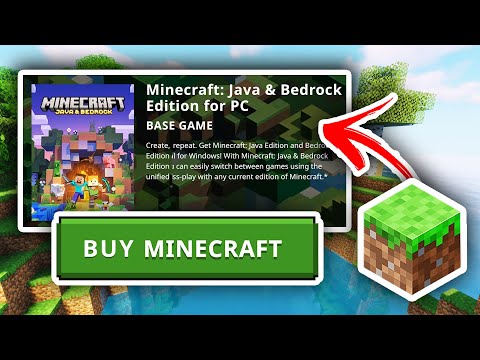
The short answer is: it depends. While Minecraft is generally a one-time purchase for a specific platform and account, there are several scenarios where you might need to buy it again. These situations often arise from using different accounts, switching operating systems, or wanting to play with multiple people simultaneously. Let’s delve into the details and clarify the nuances of Minecraft licensing.
Understanding Minecraft Editions and Accounts
The key to understanding when you need to repurchase Minecraft lies in knowing which edition you own and how accounts work. There are primarily two main editions: Java Edition and Bedrock Edition.
- Minecraft: Java Edition: This version is primarily for PCs (Windows, macOS, and Linux). It offers extensive modding capabilities and a strong community.
- Minecraft: Bedrock Edition: This version is designed for cross-platform play, compatible with Windows 10/11, Xbox, PlayStation, Nintendo Switch, iOS, and Android devices.
Each player needs their own Minecraft account. This means if you want multiple people to play simultaneously (e.g., parent and child or siblings), each person requires their own separate account and, in most cases, their own Minecraft license.
Scenarios Requiring a Second Purchase
Here are some common reasons you might need to purchase Minecraft more than once:
- Different Editions: If you want to play both Java Edition and Bedrock Edition, you may need to purchase them separately. However, often now the Minecraft: Java & Bedrock Edition bundle is offered, granting you access to both with a single purchase.
- Switching Mobile Operating Systems: If you purchased Minecraft on an Android device and then switch to an iOS device (or vice versa), you’ll need to buy the game again on the new operating system. Mobile OS licenses do not transfer.
- Multiple Players: If you want to play with your kids or friends and each person needs their own account to join online servers, you’ll need to purchase a copy of Minecraft for each account.
- Lost Account Credentials: If you forget your login information and can’t recover your account, you may need to buy the game again under a new account. This is why keeping your account details safe is so important!
- Trial vs. Full Version: Some platforms offer a trial version of Minecraft. If you want to continue playing after the trial period, you’ll need to purchase the full game.
Why Minecraft Might Seem Like You Need to Buy It Again
Sometimes, you might think you need to buy Minecraft again when you actually don’t. Here are some reasons why this might happen:
- Logging into the Wrong Account: Double-check that you are using the correct Microsoft or Mojang account that you originally used to purchase Minecraft.
- Outdated Launcher: Ensure your Minecraft launcher is up-to-date. An outdated launcher can sometimes cause login issues.
- Account Migration Issues: If you have an older Mojang account, make sure it’s been migrated to a Microsoft account, as required.
- Refunded Purchase: If you previously received a refund for your Minecraft purchase, you’ll need to buy the game again.
Benefits of Owning Minecraft
Despite the potential need for multiple purchases in some situations, Minecraft offers tremendous value. Its replayability is virtually endless, thanks to its sandbox nature, creative mode, survival mode, and active community.
Minecraft is also a valuable tool for learning. Games Learning Society uses games like Minecraft to explore how games can be powerful learning environments. Minecraft promotes creativity, problem-solving skills, collaboration, and even coding! Check them out at GamesLearningSociety.org.
Troubleshooting Common Issues
If you’re encountering problems and it seems like you need to buy Minecraft again, try these troubleshooting steps:
- Verify Your Account: Double-check the email address associated with your Minecraft purchase.
- Update Your Launcher: Make sure your Minecraft launcher is the latest version.
- Check Your Transaction History: Review your Microsoft or Mojang account history to confirm your Minecraft purchase.
- Contact Support: If you’re still having trouble, contact Mojang or Microsoft support for assistance.
Minecraft: A Worthwhile Investment
Whether you need to buy Minecraft once or multiple times, it’s a game that offers countless hours of entertainment and learning. Its flexibility, creativity, and community make it a worthwhile investment for gamers of all ages.
Frequently Asked Questions (FAQs)
Here are some frequently asked questions to help you understand Minecraft purchasing and licensing:
What is the difference between Minecraft: Java Edition and Minecraft: Bedrock Edition?
Java Edition is the original Minecraft, primarily for PC, with strong modding support. Bedrock Edition is designed for cross-platform play across multiple devices, including consoles and mobile devices.
If I buy Minecraft on my computer, can I play it on my phone?
If you purchased Minecraft: Java Edition on your computer, you will need to purchase Minecraft: Bedrock Edition separately to play on your phone (Android or iOS).
Do I need a Microsoft account to play Minecraft?
Yes, a Microsoft account is now required to play both Minecraft: Java Edition and Minecraft: Bedrock Edition. Older Mojang accounts have to be migrated.
Can my child and I play Minecraft together on separate devices with only one purchase?
No, each player needs their own Minecraft account and license to play together on separate devices.
I bought Minecraft a long time ago. Do I need to buy it again?
If you still have access to the same Microsoft or Mojang account you used to purchase Minecraft, you should not need to buy it again.
I forgot my Minecraft login information. What should I do?
You should attempt to recover your Microsoft account through the Microsoft account recovery process. If you can’t recover your account, you may need to purchase Minecraft again.
How much does Minecraft cost?
The price varies depending on the platform and edition. The Minecraft: Java & Bedrock Edition bundle costs approximately $29.99 USD. The mobile version costs around $6.99.
Can I install Minecraft on multiple computers?
Yes, you can install Minecraft: Java Edition on as many computers as you want, as long as you use the same account. However, you cannot play on multiple computers simultaneously using the same account.
I purchased Minecraft, but it’s asking me to buy it again. What could be the problem?
Common problems include logging into the wrong account, using an outdated launcher, or having an unmigrated Mojang account.
Is Minecraft a subscription service?
No, Minecraft is not a subscription service. It’s a one-time purchase for the respective edition and platform. There are Realms, which are subscription-based servers.
Can I get a refund for Minecraft?
Refund policies vary depending on the platform. Check the Microsoft Store, Google Play Store, or Apple App Store policies for more information.
What are Minecraft Realms?
Minecraft Realms are private, subscription-based servers that allow you to play Minecraft with a small group of friends.
I have an old Minecraft account that I never migrated. What should I do?
You should migrate your old Mojang account to a Microsoft account as soon as possible to continue playing Minecraft.
Is Minecraft worth buying in 2024?
Absolutely! Minecraft continues to receive updates, has a vibrant community, and offers endless opportunities for creativity and fun.
Where can I download Minecraft?
You can download Minecraft from the official Minecraft website or through the respective app stores for your device (Microsoft Store, Google Play Store, Apple App Store).