Do Nintendo Switch Controllers Lose Battery? The Definitive Guide
Fast answer first. Then use the tabs or video for more detail.
- Watch the video explanation below for a faster overview.
- Game mechanics may change with updates or patches.
- Use this block to get the short answer without scrolling the whole page.
- Read the FAQ section if the article has one.
- Use the table of contents to jump straight to the detailed section you need.
- Watch the video first, then skim the article for specifics.
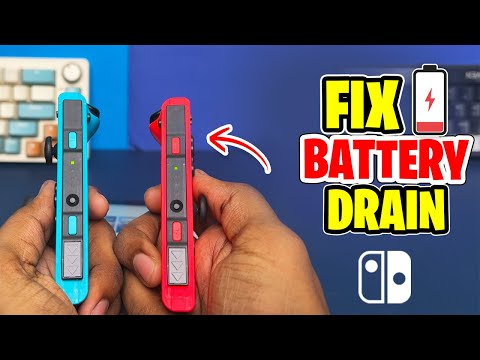
Yes, Nintendo Switch controllers do lose battery, even when not in use. This is inherent to the type of batteries they use – lithium-ion. These batteries naturally experience self-discharge, meaning they gradually lose their charge over time, regardless of whether they’re actively powering a device or sitting idle. The rate of this discharge can be influenced by factors such as the controller’s age, the ambient temperature, and the battery’s overall health. Understanding this is crucial for maintaining your controllers and maximizing their lifespan.
Understanding Battery Drain in Switch Controllers
Several factors contribute to battery drain in Nintendo Switch controllers. It’s not just about active usage; even when seemingly “off,” the controllers are often in a low-power state, maintaining connection readiness. Here’s a breakdown:
-
Self-Discharge: As mentioned, lithium-ion batteries inherently lose charge over time. This is a natural chemical process. The speed of discharge isn’t constant; it tends to be faster when the battery is newer and slows down as it ages.
-
Standby Power Consumption: Even when “off,” the Joy-Cons and Pro Controller consume a small amount of power to remain paired with the Switch console. This allows for quick reconnection when you want to start playing.
-
Age of the Battery: As the battery ages, its capacity to hold a charge diminishes. This means it will not only discharge faster but also have a shorter overall lifespan. Repeated charging and discharging cycles contribute to this degradation.
-
Environmental Factors: Extreme temperatures, both hot and cold, can accelerate battery drain. Storing your controllers in a cool, dry place can help preserve their battery health.
-
Firmware and Software: Occasional firmware updates for the controllers and the Switch console itself can sometimes impact battery performance, either positively or negatively. It’s always a good idea to keep your system and controllers updated.
Optimizing Battery Life for Your Nintendo Switch Controllers
While battery drain is inevitable, there are several steps you can take to mitigate it and extend the lifespan of your Nintendo Switch controllers:
-
Fully Charge Before Storage: If you’re planning on not using your controllers for an extended period, fully charge them before storing them. This helps maintain the battery’s health and prevents it from completely depleting.
-
Store in a Cool, Dry Place: Avoid storing your controllers in direct sunlight or in areas with high humidity or extreme temperatures.
-
Turn Off Controllers Completely (When Possible): While not always practical, if you know you won’t be using a controller for a while, consider disconnecting it from the console and letting it fully power down. For Joy-Cons detached from the console, pressing the sync button on the side will eventually turn them off.
-
Regularly Use and Charge: Ironically, letting your controllers sit unused for too long can be detrimental. Regularly using and charging them helps maintain the battery’s overall health. Aim to use them at least once a month.
-
Avoid Overcharging: While lithium-ion batteries are designed to prevent overcharging, it’s still best practice to disconnect them once they’re fully charged. Leaving them plugged in for extended periods can generate heat, which can degrade the battery over time.
Recognizing Battery Health Issues
Knowing the signs of a declining battery is crucial for proactive maintenance. Look out for these indicators:
-
Reduced Playtime: A significant decrease in playtime after a full charge is a clear sign of battery degradation.
-
Inconsistent Charging: The controller may take longer to charge or not reach full charge at all.
-
Unexpected Shutdowns: The controller may suddenly turn off even when the battery indicator shows a remaining charge.
-
Swollen Battery (Rare): In extreme cases, a failing lithium-ion battery can swell. If you notice this, immediately discontinue use and dispose of the controller properly (check local regulations for electronic waste disposal).
Frequently Asked Questions (FAQs)
Here are 15 frequently asked questions about Nintendo Switch controller batteries:
1. How long does a fully charged Nintendo Switch Pro Controller last?
A fully charged Nintendo Switch Pro Controller can last approximately 40 hours. However, this can vary depending on usage, vibration settings, and other factors.
2. How long do Joy-Cons last on a full charge?
Joy-Cons, when fully charged, typically last around 20 hours.
3. Do Joy-Cons charge when the Switch is in sleep mode?
Yes, Joy-Cons charge when the Switch is in sleep mode, as long as the console is connected to the AC adapter.
4. How long does it take to fully charge Joy-Cons?
It takes approximately 3.5 hours to fully charge Joy-Cons when attached to the Nintendo Switch console.
5. How long does it take to fully charge a Pro Controller?
Charging a Pro Controller takes approximately 5 to 6 hours using the Nintendo Switch console or a USB wall charger.
6. Can I charge my Joy-Cons without the Nintendo Switch console?
Yes, you can use a Joy-Con charging dock to charge them separately. These docks are available from various third-party manufacturers.
7. Is it okay to leave my Switch controllers charging overnight?
While lithium-ion batteries are designed to prevent overcharging, it’s generally recommended to unplug them once they’re fully charged to minimize heat generation. Leaving them plugged in overnight shouldn’t cause immediate damage, but prolonged periods of constant charging can contribute to long-term battery degradation.
8. What causes Joy-Con drift?
Joy-Con drift is primarily caused by wear and tear on the potentiometers inside the analog sticks, as well as the accumulation of dust and debris within the controller mechanism. These factors can lead to inaccurate readings and unintended movements. The Games Learning Society is also exploring novel controller designs that could potentially mitigate drift issues.
9. Can I replace the battery in my Nintendo Switch controllers?
Yes, you can replace the battery in both Joy-Cons and the Pro Controller. However, this usually requires some technical skills and the use of specialized tools. There are numerous guides and videos available online to assist with this process. Be extremely careful when disassembling electronics, especially those containing batteries.
10. How do I know if my Switch controller battery is dying?
Signs of a dying battery include reduced playtime, inconsistent charging, and unexpected shutdowns.
11. Will using the wrong charger damage my Switch controllers?
Yes, using the wrong charger can potentially damage your Nintendo Switch controller batteries or internal components. It’s best to use the official Nintendo AC adapter or a certified USB charger specifically designed for the Nintendo Switch.
12. Why do my Joy-Cons lose battery so quickly?
Rapid battery drain in Joy-Cons can be caused by several factors, including high vibration settings, frequent use of features like HD Rumble and motion controls, and simply the age of the battery.
13. Do Joy-Cons drain battery when not in use?
Yes, Joy-Cons lose battery even when not in use due to self-discharge and standby power consumption.
14. How many charge cycles does a Nintendo Switch controller battery last?
Nintendo states that, as with most lithium-ion batteries, the system battery life will gradually decrease over time. After about 800 charge cycles, the system battery life will decrease to about 80% compared to the battery on a new system. This is normal and does not represent an issue with the system or with the battery.
15. Is Joy-Con drift still a problem in 2024?
Yes, unfortunately, Joy-Con drift remains a common issue in 2024, despite Nintendo offering free repairs for affected controllers in some regions. Prevention and maintenance, like cleaning around the analog sticks with compressed air, can help mitigate the problem.
Conclusion
Understanding how Nintendo Switch controller batteries work and how to properly care for them can significantly extend their lifespan and improve your gaming experience. While battery drain is inevitable, following the tips and advice outlined in this guide can help you maximize your controller’s battery performance and minimize the frustration of unexpected power loss. Remember to always use appropriate charging methods, store your controllers properly, and be aware of the signs of battery degradation. Enjoy your gaming!