Do Old Games Run on Windows 10? A Retro Gamer’s Guide
Fast answer first. Then use the tabs or video for more detail.
- Watch the video explanation below for a faster overview.
- Game mechanics may change with updates or patches.
- Use this block to get the short answer without scrolling the whole page.
- Read the FAQ section if the article has one.
- Use the table of contents to jump straight to the detailed section you need.
- Watch the video first, then skim the article for specifics.
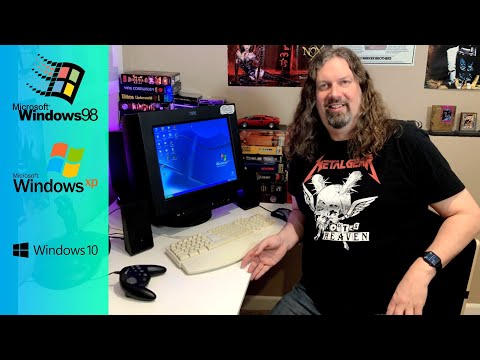
The short answer is: sometimes, but not always. While Windows 10 has admirable backwards compatibility, running those cherished games from yesteryear isn’t always a plug-and-play affair. It’s more like navigating a labyrinthine dungeon, where success depends on the right tools, spells, and a healthy dose of patience. Let’s delve into why this is the case and how to maximize your chances of reliving those pixelated memories.
The Compatibility Conundrum: Why Some Games Refuse to Cooperate
Several factors contribute to compatibility issues when trying to run older games on modern systems like Windows 10. Here are the primary culprits:
-
16-bit vs. 64-bit Architecture: Many older games, especially those from the Windows 95/98 era, were designed as 16-bit applications. The 64-bit versions of Windows 10 (which are the standard now) do not natively support 16-bit code. This is a fundamental roadblock.
-
DirectX Versions: DirectX is a collection of APIs (Application Programming Interfaces) that handle tasks related to multimedia, especially game programming and video. Older games often rely on older versions of DirectX (like DirectX 9 or earlier). While Windows 10 includes support for newer DirectX versions, the necessary runtime libraries for older versions might be missing, causing errors.
-
Driver Issues: Games need proper drivers to communicate with your hardware, especially your graphics card. Old games may require drivers that are no longer available or compatible with modern graphics cards like Intel HD/UHD Graphics or dedicated NVIDIA or AMD cards.
-
Software Dependencies: Some games depend on specific software libraries or components that are no longer installed by default in Windows 10. These could be anything from specific versions of Visual C++ Redistributable packages to outdated sound card drivers.
-
DRM (Digital Rights Management): Older games may have used now-defunct DRM schemes that interfere with their operation on modern systems. These systems might not recognize a legitimate copy, preventing the game from running.
-
Resolution and Display Problems: Games designed for older monitor resolutions may not scale well to modern high-resolution displays. This can result in graphical glitches, stretched images, or even a blank screen.
Taming the Beast: Solutions for Running Old Games on Windows 10
Fear not, retro gamer! There are several strategies you can employ to overcome these compatibility hurdles and resurrect your favorite classic games.
-
Compatibility Mode: Windows 10 includes a built-in compatibility mode that allows you to emulate older versions of Windows. To use it, right-click on the game’s executable file (.exe), select “Properties,” go to the “Compatibility” tab, and check the “Run this program in compatibility mode for” box. Experiment with different Windows versions (Windows 95, Windows 98, Windows XP, Windows 7, Windows 8) to see which one works best.
-
Run as Administrator: Some games require administrator privileges to access certain system resources or write data to protected directories. Right-click on the game’s executable file and select “Run as administrator.”
-
Install DirectX 9.0c: Even if you have the latest DirectX version installed, installing DirectX 9.0c can resolve issues with older games that specifically rely on those libraries. You can find the installer online from Microsoft’s website.
-
Use a Virtual Machine: For games that are particularly stubborn, consider using a virtual machine (VM) like VirtualBox or VMware to create a virtualized environment running an older operating system, such as Windows XP or Windows 98. This allows you to run the game in its native environment without directly affecting your Windows 10 system.
-
DOSBox: Many classic DOS games can be run using DOSBox, an emulator that simulates a DOS environment. This is often the most reliable way to play these games.
-
GOG.com: GOG.com specializes in selling DRM-free versions of classic games that have been pre-configured to run on modern systems. This is often the easiest and most convenient option.
-
PCGamingWiki: This invaluable resource (https://www.pcgamingwiki.com/wiki/Home) provides detailed information about how to fix compatibility issues for thousands of PC games.
-
Community Patches and Fixes: Often, the gaming community has developed patches, mods, or fixes to address compatibility issues with specific games. Search online for “[Game Title] Windows 10 fix” to see if any solutions are available.
-
Driver Updates: Make sure your graphics card drivers are up to date. Sometimes, newer drivers include fixes that improve compatibility with older games.
The Ethical Considerations of Retro Gaming
It’s essential to consider the ethical implications of playing old games, especially when it comes to obtaining them. Purchasing games from reputable sources like GOG.com is always the best option. Abandonware sites can be a gray area, as the legal status of these games is often unclear. Remember to support developers whenever possible.
GamesLearningSociety.org: Bringing Gaming and Education Together
The world of gaming isn’t just about entertainment; it also offers incredible opportunities for learning and skill development. Organizations like the Games Learning Society are dedicated to exploring the educational potential of games. Their work demonstrates how games can be used to enhance learning across various subjects and age groups. You can learn more at https://www.gameslearningsociety.org/.
Frequently Asked Questions (FAQs)
1. What are some common games that don’t run on Windows 10 without modification?
Several older titles are known for their compatibility issues, including some games from the Windows 95/98/XP era, particularly those that rely on 16-bit code or older versions of DirectX. The article at the top of this page has a short list of them. Games with outdated DRM are also often problematic.
2. Does compatibility mode always work?
No, compatibility mode is not a guaranteed fix. While it can resolve many issues, some games may still refuse to run, especially those with fundamental compatibility problems like 16-bit architecture.
3. Is it safe to download DirectX 9 from unofficial sources?
No. Always download DirectX from Microsoft’s official website to avoid malware or other security risks.
4. Can I run Windows 95 games directly on Windows 10?
It’s very difficult to run these due to the 16-bit limitation of the 64-bit versions of Windows 10. DOSBox may be a better option.
5. What is the best virtual machine software for running old games?
VirtualBox and VMware are both excellent choices for running old games in a virtualized environment. VirtualBox is free and open-source, while VMware offers both free and paid versions.
6. How do I know if a game is a 16-bit application?
You can check this by right-clicking on the game’s executable file, selecting “Properties,” and looking at the “Compatibility” tab. If the compatibility mode options only go back to Windows 95, it’s likely a 16-bit application.
7. What is the difference between a 32-bit and 64-bit operating system?
A 64-bit operating system can handle more memory than a 32-bit operating system. 64-bit systems can support more than 4GB of RAM, while 32-bit systems are limited to 4GB. Also, 64-bit systems can run 32-bit programs, but 32-bit systems cannot run 64-bit programs.
8. How do I update my graphics card drivers?
You can update your graphics card drivers through the Device Manager in Windows or by downloading the latest drivers from the NVIDIA or AMD websites.
9. What is DRM, and why does it cause problems with old games?
DRM (Digital Rights Management) is a technology used to protect copyrighted content. Older games often used DRM schemes that are no longer compatible with modern systems, preventing legitimate users from playing the games.
10. Are there any tools to remove DRM from old games?
Removing DRM can be legally questionable, depending on the specific circumstances and your local laws. While tools exist, their use is generally discouraged. It’s better to purchase DRM-free versions of games from GOG.com or other reputable sources.
11. Why does my game run slowly even though my computer is powerful?
This could be due to several factors, including outdated drivers, insufficient RAM, or the game not being optimized for modern hardware. Try updating your drivers, closing unnecessary background programs, and adjusting the game’s graphics settings.
12. What is DOSBox, and how does it work?
DOSBox is an emulator that simulates a DOS environment, allowing you to run classic DOS games on modern operating systems. It creates a virtual environment that mimics the hardware and software of a DOS-based PC.
13. Can I run Windows XP in a virtual machine on Windows 10?
Yes, you can. You’ll need a Windows XP installation disc or ISO file and a virtual machine program like VirtualBox or VMware.
14. Is it worth keeping old PC games?
Absolutely! From a collector’s standpoint, certain old games can be quite valuable, especially those in their original boxes and in good condition. From a nostalgic viewpoint, they offer a chance to relive cherished memories. Plus, many classic games still offer unique and engaging gameplay experiences that are worth preserving.
15. Will games that run on Windows 10 run on Windows 11?
Yes, most games that run on Windows 10 should also run on Windows 11. Windows 11 is designed to be backwards compatible with older software. However, it’s always a good idea to test your favorite games to ensure they work correctly.
By understanding the reasons behind compatibility issues and utilizing the solutions outlined above, you can significantly increase your chances of running old games on Windows 10 and reliving those golden moments of gaming history. Happy gaming!