Do PS1 Games Run Better on PS2? The Definitive Guide
Fast answer first. Then use the tabs or video for more detail.
- Watch the video explanation below for a faster overview.
- Game mechanics may change with updates or patches.
- Use this block to get the short answer without scrolling the whole page.
- Read the FAQ section if the article has one.
- Use the table of contents to jump straight to the detailed section you need.
- Watch the video first, then skim the article for specifics.
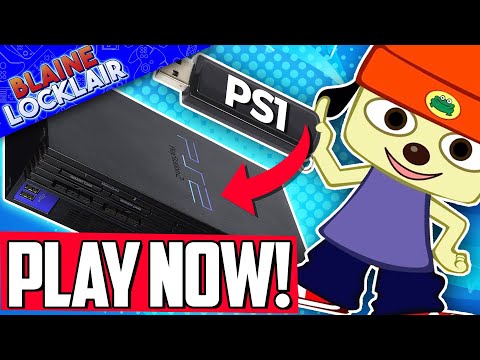
The simple answer is: yes, generally, PS1 games can run better on a PS2. While it’s not a night-and-day transformation, the PlayStation 2 offers a few key advantages that can enhance your experience when playing PlayStation 1 titles. The most notable improvements come from the PS2’s enhanced video output capabilities and optional texture smoothing, which can result in a cleaner and more visually appealing presentation. However, it’s not a universally perfect upgrade, and there are some nuances to consider. This article will delve into those details, covering the benefits, limitations, and everything else you need to know about playing PS1 games on a PS2.
Why PS1 Games Can Look Better on PS2
The PS2, being the successor to the PS1, has more powerful hardware. This extra processing power, though primarily designed for PS2 games, does offer some benefits when playing PS1 titles. Here are the main reasons why PS1 games can look and play better on a PS2:
Enhanced Video Output: Component Cables
One of the most significant advantages is the ability to use component AV cables. While both consoles can utilize composite cables, which output a standard, lower-resolution image, the PS2 can take advantage of component video. These cables separate the video signal into its red, green, and blue components, which results in a cleaner, sharper, and more vibrant image compared to composite. This is especially noticeable on older televisions and even more so on modern screens. While the output resolution remains either 240p or 480i, the overall quality is improved, reducing blurriness and color bleed, allowing you to better appreciate the classic games.
Texture Smoothing
The PS2 features an optional texture smoothing feature specifically for PS1 games. This setting, accessible via the PS2’s system menu, applies a gentle blur to the textures of PS1 games. This might seem counterintuitive at first, but it helps to reduce the pixelated and jagged edges that were common on the original PlayStation. While it might slightly soften the visuals, it can make many games, particularly those with complex 3D models, look more polished and less jarring to the eye, especially on bigger, modern screens. Games with lots of 3D environments or character models benefit the most.
Faster Loading (Potentially)
The PS2 also offers a setting to read PS1 discs faster. This feature can significantly reduce loading times in some games. However, it is not universally compatible, and some PS1 games might not work correctly with this option enabled. So, this isn’t a guaranteed improvement across all your games, but when it works, it can make for a much better experience.
Limitations and Considerations
While there are advantages, it’s important to be aware of the limitations:
- No Resolution Increase: The PS2 does not upscale the resolution of PS1 games. They still run at their original resolutions, either 240p or 480i. This means that they will still not look as sharp as modern games, regardless of the output method.
- Compatibility Issues: While most PS1 games run perfectly fine on a PS2, a small number may have compatibility issues. This could manifest as graphical glitches, sound problems, or even the game refusing to launch at all.
- Smoothing Isn’t Always Ideal: While texture smoothing can be a benefit in many cases, it can also make some games look too blurry or washed out. It comes down to personal preference and you may prefer to keep the feature off for certain titles. It is often a good feature for 3D titles but may not be as beneficial in 2D titles, for example.
- No Game Boost: Unlike the PlayStation 5’s Game Boost feature, the PS2 does not automatically enhance the performance of PS1 games. You will not see increased frame rates or enhanced performance beyond the load time and visual enhancements.
- Modern TVs and Upscaling: Many modern TVs have their own upscaling processing. The PS2 video output can be further enhanced when combined with a good modern television’s upscaling feature which is something to consider depending on what type of television you have.
The Bigger Picture: PS1 vs. PS2
It is also worth remembering that the PS2 is inherently more powerful than the PS1. The PS2 had a faster processor, more memory and far more advanced hardware. However, when playing a PS1 game, the hardware of the PS2 is not used to its full potential, rather it simply emulates the necessary aspects of the PS1 to make the game work correctly. It does however allow for improvements such as component output, texture smoothing and potentially faster loading speeds.
In terms of which console is better, the PS2 is the most successful video game console of all time. This doesn’t necessarily mean that it’s “better” at playing PS1 games than the PS1 itself, just that the PS2 is more powerful and had a more successful overall lifespan due to having a far larger games library and a more modern hardware architecture.
Frequently Asked Questions (FAQs)
1. Can I play all PS1 games on any PS2?
Yes, every PS2 model is backward compatible with the original PlayStation and therefore can play almost all PS1 games. However, a few, rare titles may exhibit compatibility issues.
2. Does the PS2 make PS1 games load faster?
Yes, the PS2 has a setting to speed up the loading times of PS1 games, but not all games will work correctly with this option.
3. Are PS1 games visually improved on PS2?
Yes, PS1 games can look better on the PS2 mainly thanks to component cable support and the optional texture smoothing feature.
4. Will PS1 games look as sharp as modern games on the PS2?
No. While they may look better compared to the PS1 on the same output, they still won’t match the sharpness of modern titles due to the output resolution remaining at its original 240p or 480i.
5. Does the PS2 upscale the resolution of PS1 games?
No, the PS2 does not upscale PS1 games. They run at their native resolution.
6. What are component cables and why are they important?
Component cables separate the video signal into three components (red, green, and blue), resulting in a cleaner, sharper image compared to composite cables which combine all video signals together into one.
7. Does the PS2’s texture smoothing feature make all games look better?
The smoothing feature can improve the look of many 3D games by reducing jagged edges, but it is not a universal improvement and can make some 2D games look overly blurry.
8. Can I use a PS1 memory card on a PS2?
Yes, PS1 memory cards are fully compatible with PS2 consoles for saving your game progress.
9. Do PS1 games run at 60fps on PS2?
Most PS1 games ran at around 30 fps. The PS2 does not improve the frame rate. PS1 games running on PS2 still run at their original frame rate.
10. Will my old PS1 controllers work on a PS2?
Yes, the original PS1 controllers are fully compatible with PS2 consoles, both the original controller and the Dual Shock version.
11. Is the PS2 more powerful than the PS1?
Yes, the PS2 is significantly more powerful than the PS1, with a faster processor, more memory, and a more advanced graphics chip. This extra power isn’t directly used when running PS1 games, however, it allows it to improve certain areas of PS1 gaming such as better visual output options, and texture smoothing.
12. Will PS1 games look better on the PS5?
Yes, when running PS1 titles on the PS5, the rendering resolution is increased to 1440p. This makes them look significantly sharper than on the PS1 or PS2, but this is not supported on all PS5 compatible games.
13. Are PS1 games harder on a PS2 than an actual PS1?
No, there’s no difference in difficulty between playing on the original PS1 vs the PS2 as the game logic and gameplay will run exactly the same as the game was intended by the developers. The PS2 simply emulates the PS1 hardware.
14. Why do PS1 games sometimes look “jittery” on the original PS1?
The jittery look is due to the way the PS1 handles its graphics and buffering capabilities. The PS2’s video output can mitigate this to some extent.
15. Is it worth keeping my old PS1 and PS2 games?
Yes, most PS1 and PS2 games are worth keeping. They can be worth a lot of money to collectors. Popular and rare titles sell for decent prices, while the rest can be sold in bundles. So it is always good to hang onto older games.
Final Thoughts
In conclusion, while not a massive leap in performance, the PS2 does offer a better experience for playing PS1 games, particularly through the use of component cables and optional texture smoothing. While the resolution remains the same, the improved output quality and smoother visuals make it a worthwhile alternative to playing on original PS1 hardware. If you have both a PS1 and a PS2, it’s worth experimenting with each to find what you like best.