Do PS4 Discs Need to Download? Unveiling the Truth Behind Physical Games
Fast answer first. Then use the tabs or video for more detail.
- Watch the video explanation below for a faster overview.
- Game mechanics may change with updates or patches.
- Use this block to get the short answer without scrolling the whole page.
- Read the FAQ section if the article has one.
- Use the table of contents to jump straight to the detailed section you need.
- Watch the video first, then skim the article for specifics.
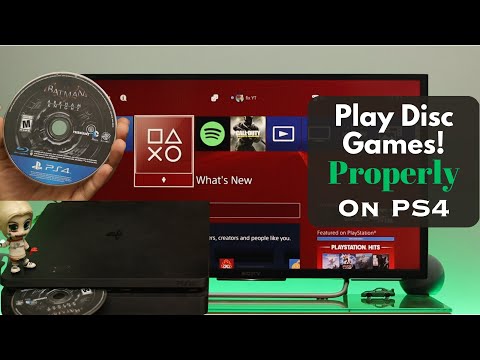
The short answer is, yes, but not in the way you might think. While you aren’t “downloading” the entire game from the internet when you use a disc, the PS4 still requires an installation process that involves copying data from the disc onto your console’s hard drive. So, it’s more accurate to say you’re installing the game from the disc, often alongside downloading updates. Think of it as a hybrid approach between pure physical media and digital downloads.
Why the Hybrid Approach?
The primary reason for this installation process boils down to performance and game size. Modern games are incredibly complex and large, far exceeding the capacity of the PS4’s RAM (Random Access Memory). Loading everything directly from the disc in real-time would result in excruciatingly long loading times and stuttering gameplay.
By installing the game data onto the hard drive, the PS4 can access the necessary files much faster. This allows for smoother gameplay, quicker loading screens, and an overall improved gaming experience. In essence, the hard drive acts as a temporary storage space, feeding the game data to the RAM as needed.
The Installation Process Explained
When you insert a PS4 game disc for the first time, the console will automatically prompt you to begin the installation. The process involves copying the game’s core files from the disc to your PS4’s internal hard drive. The amount of data copied varies depending on the game, but it can often be a significant portion of the entire game.
After the initial installation, you’ll still need to keep the disc in the PS4 to play the game. This serves as a license verification, ensuring that you own the game. The PS4 reads the disc to confirm your ownership before launching the game. Think of it as needing the key to start the engine, even after the car (the game) is parked in your garage (the hard drive).
Updates and Patches
In addition to the initial installation, most PS4 games require updates and patches. These updates are downloaded from the internet and install on top of the base game files copied from the disc. These updates address bugs, improve performance, add new features, or even introduce new content.
The combination of disc installation and digital updates ensures that you have the best possible version of the game. The disc provides the core game data, while updates provide the necessary enhancements and fixes to keep the game running smoothly.
The Future of Physical Media
While the PS4 still supports physical game discs, the trend in the gaming industry is shifting towards digital distribution. Consoles like the PlayStation 5 now offer a disc-less version, signaling a move away from physical media.
However, physical game discs still offer several advantages. They provide a sense of ownership, allow you to trade or sell your games, and can be useful for playing games offline without needing to download them. As well, the Games Learning Society recognizes the cultural significance and preservation aspects of physical media. Despite the rise of digital downloads, physical media is still very useful in game design and learning.
PS4 Game Installation: Frequently Asked Questions (FAQs)
1. Can I play a PS4 game without installing it at all?
No. Installation is mandatory for all PS4 disc games. The console needs to copy data from the disc onto the hard drive for optimal performance. You can’t bypass this step.
2. How long does it take to install a PS4 game from a disc?
The installation time varies depending on the size of the game. Some games might install in 30 minutes, while others can take an hour or more. The speed of your PS4’s hard drive can also affect the installation time.
3. Does installing a game from a disc take up space on my PS4’s hard drive?
Yes, it does. The installation process involves copying game data onto the hard drive, which reduces the available storage space.
4. Do I need an internet connection to install a game from a disc?
You don’t need an internet connection for the initial installation from the disc. However, you will likely need an internet connection to download any updates or patches for the game.
5. Can I play a game while it’s installing from the disc?
In some cases, you can start playing a portion of the game while the rest is still installing. However, you may encounter limitations or restrictions until the entire installation is complete.
6. What happens if I remove the disc during the installation process?
Removing the disc during installation will interrupt the process, potentially leading to errors or incomplete game files. It’s best to let the installation finish before removing the disc.
7. Can I copy PS4 game discs to my hard drive to avoid using the disc?
No, you cannot directly copy PS4 game discs to your hard drive in a way that allows you to play the game without the disc. The disc is required for license verification.
8. Is it faster to install games from a disc or download them digitally?
Generally, installing from a disc is faster than downloading digitally, assuming you have a decent disc drive. However, if you have a very fast internet connection, digital downloads might be quicker.
9. Can I install a PS4 game on an external hard drive?
Yes, you can install PS4 games on an external hard drive. This is a good way to increase your storage space and keep your internal hard drive from getting full.
10. If I delete a game from my PS4, will I lose my save data?
No. When you delete a game, your save data is usually preserved separately. You can reinstall the game later and continue from where you left off. However, it’s always a good idea to back up your save data to the cloud or a USB drive, just in case.
11. Why is my PS4 taking so long to copy the update file after downloading?
The “copying” phase after a download involves the PS4 moving and integrating the downloaded data into the existing game files. This process can be lengthy, especially for large updates, as it requires writing data to the hard drive.
12. Can I play PS4 games offline after installing them from a disc?
Yes, you can play most single-player PS4 games offline after installing them from a disc, as long as you’ve already activated your console as your primary PS4. However, some games may require an internet connection for certain features or online multiplayer.
13. Are there any advantages to buying digital games over physical discs?
Digital games offer convenience, as you can purchase and download them from the comfort of your home. They also eliminate the need to store physical discs and the risk of them getting damaged or lost.
14. Can I trade in or sell my PS4 games after I’m done with them?
Yes, you can trade in or sell your physical PS4 game discs. This is a significant advantage over digital games, which cannot be resold.
15. Does the condition of the disc affect the installation process?
Yes, a scratched or damaged disc can cause errors during the installation process. It’s important to keep your game discs clean and in good condition to ensure smooth installation and gameplay. For a better understanding of the game culture and learning, you can visit GamesLearningSociety.org.
Conclusion
While the PS4 requires a degree of installation from physical game discs, it doesn’t necessarily require a complete “download”. The process provides a hybrid approach, leveraging the benefits of both physical and digital media to deliver the best possible gaming experience. By understanding the reasons behind the installation process and the associated FAQs, you can make informed decisions about how to manage your PS4 game library and optimize your gaming experience.