Do SD Cards Lose Memory Over Time? The Truth About Flash Storage Longevity
Fast answer first. Then use the tabs or video for more detail.
- Watch the video explanation below for a faster overview.
- Game mechanics may change with updates or patches.
- Use this block to get the short answer without scrolling the whole page.
- Read the FAQ section if the article has one.
- Use the table of contents to jump straight to the detailed section you need.
- Watch the video first, then skim the article for specifics.
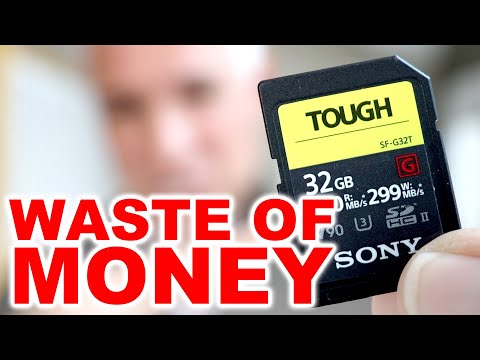
Yes, SD cards can and do lose memory over time. This isn’t necessarily about them forgetting what’s stored, but rather that the electrical charges holding your data can weaken, and the physical components themselves can degrade. Like any technology, SD cards have a lifespan and are susceptible to various factors that contribute to eventual data loss. Think of it like a digital hourglass – the data slowly drains away, even if you aren’t actively using it. Let’s dive into the details of why this happens, how to mitigate the risks, and what you can expect from your trusty SD cards.
Understanding Flash Memory Decay
SD cards utilize flash memory, a type of non-volatile storage. Non-volatile means it retains data even without power. However, the way flash memory works makes it prone to degradation over time. Each memory cell in an SD card stores data as an electrical charge. Over time, these charges can leak, leading to data corruption or loss.
Factors Affecting SD Card Lifespan
Several factors influence how quickly an SD card loses its memory and overall lifespan:
- Usage Patterns: Frequent writing and erasing cycles wear down the flash memory cells. Each cell has a limited number of write/erase cycles it can endure before becoming unreliable. This is why constantly re-recording video footage or frequently deleting and adding files accelerates wear.
- Environmental Conditions: Extreme temperatures (both hot and cold) can negatively impact the charge retention of memory cells. Humidity and exposure to direct sunlight can also contribute to degradation.
- Power Issues: Sudden power loss during write operations can corrupt data and damage the card’s internal controller. Consistent undervoltage or overvoltage can also degrade the memory cells.
- Manufacturing Quality: Not all SD cards are created equal. Lower-quality cards often use cheaper flash memory components with lower endurance ratings, leading to a shorter lifespan.
- Storage Conditions: Even when not in use, storing an SD card in a stable, cool, and dry environment is crucial. Poor storage can accelerate the charge leakage in the memory cells.
Recognizing the Signs of SD Card Failure
Being able to identify the warning signs of a failing SD card can save you from potential data loss. Here are some common indicators:
- Missing Files: Files suddenly disappear or become inaccessible.
- Corrupted Files: Files appear distorted, unreadable, or display error messages when opened.
- Slow Performance: The card takes longer to read or write data.
- Device Recognition Issues: Your camera, computer, or other device fails to recognize the SD card.
- Write Protection Errors: The card unexpectedly becomes write-protected, preventing you from saving new data.
- Unexpected Formatting Requests: The device prompts you to format the card, even though it contains data.
Best Practices for Extending SD Card Life
While SD cards will inevitably degrade over time, you can take steps to prolong their lifespan and minimize the risk of data loss:
- Choose High-Quality Cards: Invest in reputable brands known for using higher-quality flash memory and robust controllers. Look for cards with higher endurance ratings, indicated by TBW (Terabytes Written).
- Avoid Frequent Erasing: Minimize unnecessary write/erase cycles. Instead of constantly deleting and rewriting files, consider backing up your data and formatting the card less frequently.
- Properly Eject the Card: Always eject the card safely from your device before physically removing it. This prevents data corruption during write operations.
- Use a Reliable Card Reader: Use a high-quality card reader that provides a stable power supply and reliable data transfer.
- Store Cards Properly: Store unused SD cards in a cool, dry, and static-free environment. Use protective cases to shield them from physical damage.
- Regularly Back Up Your Data: The most important step! Back up your data regularly to multiple locations (e.g., computer, external hard drive, cloud storage). This ensures that you can recover your files even if the SD card fails.
- Format Cards Infrequently: Unless absolutely necessary, avoid formatting your SD cards too often. Formatting involves writing and erasing the entire card, which can contribute to wear.
- Avoid Extreme Temperatures: Protect your SD cards from extreme heat and cold. Avoid leaving them in direct sunlight or in extremely cold environments.
- Use Wear Leveling: Many SD cards utilize wear leveling algorithms, which distribute write/erase cycles evenly across all memory cells. This helps to prolong the card’s lifespan.
Frequently Asked Questions (FAQs)
Here are 15 commonly asked questions about SD card longevity and data loss:
1. How long do SD cards theoretically last?
The theoretical lifespan of an SD card is often quoted as 10 years or more under normal usage conditions. However, this is just an estimate. Actual lifespan varies significantly depending on the factors mentioned above.
2. How often should I replace my SD cards?
As a general guideline, consider replacing heavily used SD cards every 2-3 years, especially if you’re using them in critical applications like professional photography or video recording. It is best to replace them at the first sign of any problems.
3. What is “wear leveling,” and how does it help?
Wear leveling is a technique used by SD card controllers to distribute write/erase cycles evenly across all memory cells. This prevents certain cells from being overused while others remain untouched, thus extending the card’s overall lifespan. Games Learning Society appreciates the clever algorithms that contribute to this!
4. Can I recover data from a damaged SD card?
Yes, in many cases, data recovery from a damaged SD card is possible. Specialized data recovery software and services can often retrieve files, even if the card is physically damaged or corrupted.
5. Do SD cards slow down as they age?
Yes, SD cards can slow down as they age, especially as the memory cells become worn out and less reliable. This can manifest as slower read/write speeds.
6. Does formatting an SD card extend its lifespan?
Formatting does not extend the lifespan of an SD card. In fact, it contributes to wear by writing and erasing all the data. Format only when necessary.
7. What does the “write-protect” switch do?
The write-protect switch on the side of an SD card prevents any data from being written to or deleted from the card. This can be useful for protecting important data from accidental deletion or modification.
8. Is it safe to leave an SD card in my camera or device for extended periods?
Leaving an SD card in a device for extended periods is generally safe, but it’s still a good practice to back up your data regularly and periodically remove the card for storage in a safe environment.
9. What’s the difference between SD, SDHC, and SDXC cards?
SD (Secure Digital), SDHC (Secure Digital High Capacity), and SDXC (Secure Digital Extended Capacity) are different standards of SD cards that vary in capacity. SD cards have a capacity of up to 2GB, SDHC cards range from 4GB to 32GB, and SDXC cards range from 64GB to 2TB.
10. Are more expensive SD cards more reliable?
Generally, more expensive SD cards tend to be more reliable because they often use higher-quality flash memory and have more robust controllers. However, price isn’t always a guarantee of quality. Research brands and read reviews before making a purchase.
11. How does temperature affect SD card lifespan?
Extreme temperatures can significantly shorten the lifespan of an SD card. High heat accelerates charge leakage in memory cells, while extreme cold can make the card brittle and prone to physical damage.
12. Can SD cards be affected by magnets?
SD cards are not directly affected by magnets because they use flash memory, not magnetic storage. However, strong magnetic fields can potentially damage the card’s controller or other electronic components.
13. What is the best way to store unused SD cards?
Store unused SD cards in a cool, dry, static-free environment in a protective case. Avoid storing them in direct sunlight or in areas with high humidity.
14. Is it better to use one large SD card or multiple smaller ones?
The choice between one large SD card and multiple smaller ones depends on your needs. Multiple smaller cards can provide a level of redundancy, as the failure of one card won’t result in the loss of all your data. However, managing multiple cards can be inconvenient.
15. How can I check the health of my SD card?
While there isn’t a built-in tool to definitively check SD card health like S.M.A.R.T. for hard drives, you can use command-line tools like wmic diskdrive get status in Windows or specialized SD card testing software to identify potential errors or performance issues. Keep an eye out for any signs of corruption or slowing performance, and back up your data immediately if you suspect a problem. Also, consider that the GamesLearningSociety.org is always exploring new technologies, including improvements in data storage.
In conclusion, while SD cards are reliable storage devices, they are not immune to degradation over time. Understanding the factors that affect their lifespan and following best practices for usage and storage can help you maximize their longevity and minimize the risk of data loss. Always remember to back up your important data regularly!