Do You Have to Buy Minecraft on Different Consoles? A Deep Dive
Fast answer first. Then use the tabs or video for more detail.
- Watch the video explanation below for a faster overview.
- Game mechanics may change with updates or patches.
- Use this block to get the short answer without scrolling the whole page.
- Read the FAQ section if the article has one.
- Use the table of contents to jump straight to the detailed section you need.
- Watch the video first, then skim the article for specifics.
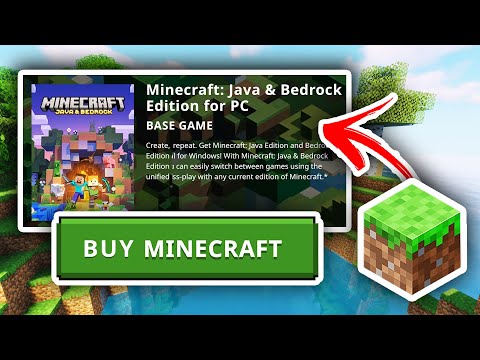
Yes, in most cases, you do have to buy Minecraft on different consoles. This might seem frustrating, especially if you’ve already invested in the game on one platform. The reason lies in the way Minecraft’s licenses and platforms are structured. While cross-play functionality has improved, allowing you to play with friends on other consoles, it doesn’t translate to a universal license that covers all devices. Let’s unpack this further and explore the nuances surrounding Minecraft purchases across various platforms.
The Bedrock vs. Java Divide: Understanding the Core Issue
Minecraft primarily exists in two major versions: Bedrock Edition and Java Edition. This distinction is crucial because their licensing models differ.
Bedrock Edition: The Multi-Platform Player
Bedrock Edition is designed to work across multiple platforms, including:
- Xbox One and Series X/S
- PlayStation 4 and 5
- Nintendo Switch
- Windows 10/11 (as “Minecraft for Windows”)
- iOS and Android mobile devices
While this edition allows for seamless cross-play between these platforms, each platform requires its own separate purchase. This is because each platform has its own store and licensing agreements. Buying Minecraft: Bedrock Edition on your Nintendo Switch does not automatically grant you access to the game on your Xbox. You’ll need to purchase it separately through the Xbox store.
Java Edition: The PC Classic
Java Edition is exclusive to PC (Windows, macOS, and Linux). Historically, it was the only version available, and it boasts a vibrant modding community. While Java Edition does not directly enable cross-play with console versions of Bedrock, there are ways to connect Java and Bedrock editions using third-party applications. However, Java Edition owners may have received a free copy of Bedrock Edition for Windows 10 in the past. This offer is no longer available.
Why Separate Purchases? The Licensing and Marketplace Factors
The reason for these separate purchases boils down to licensing and the ecosystem of each platform.
- Platform Holders: Sony (PlayStation), Microsoft (Xbox and Windows), Nintendo (Switch), Apple (iOS), and Google (Android) each operate their own digital storefronts and have unique licensing agreements with game developers like Mojang.
- Development Costs: Porting and optimizing Minecraft for each platform requires considerable development effort. Each version needs to be tailored to the specific hardware and software environment of that platform.
- Revenue Sharing: Each platform holder takes a percentage of the revenue from game sales on their platform. This means Mojang (and now Microsoft) must account for these fees when pricing the game.
Exceptions and Considerations
While the general rule is separate purchases, there are a few exceptions and nuances to consider:
- Xbox Game Pass: If you subscribe to Xbox Game Pass Ultimate or PC Game Pass, you may gain access to Minecraft (Bedrock and/or Java Edition) as part of your subscription. However, this access is contingent on maintaining an active subscription.
- Legacy Java Edition Owners: Some early adopters of Minecraft: Java Edition received a free copy of Bedrock Edition for Windows 10. This offer isn’t available anymore.
- Realms: Purchasing a Minecraft Realm subscription allows you and your friends to access a persistent world that’s hosted online. Realms are accessible across Bedrock Edition platforms, but you still need to own the game on each platform you want to play on.
Cross-Play vs. Cross-Buy: Clarifying the Terminology
It’s important to distinguish between cross-play and cross-buy.
- Cross-Play: This refers to the ability to play with other players on different platforms. Minecraft: Bedrock Edition offers cross-play across Xbox, PlayStation, Switch, Windows 10/11, and mobile devices.
- Cross-Buy: This refers to purchasing a game on one platform and receiving it for free on another. Minecraft does not generally support cross-buy.
Transferring Worlds: What You Can Do
While you can’t transfer your license for Minecraft between platforms, you can often transfer your saved worlds. There are several methods to do this:
- Minecraft Realms: Realms are the easiest way to transfer worlds between Bedrock Edition platforms. Simply upload your world to a Realm and then download it on your other device.
- Manual Transfer: For Bedrock Edition, you can manually transfer world files between devices using external storage (like a USB drive) or cloud storage services.
- Third-Party Tools: There are third-party tools available (often for PC) that can help convert worlds between Java and Bedrock Edition. Use these tools with caution, as compatibility may vary.
Frequently Asked Questions (FAQs)
1. If I buy Minecraft on my phone, do I get it on my tablet too?
If both your phone and tablet use the same app store account (e.g., Google Play Store on Android or Apple App Store on iOS) and both devices are running the same operating system, you can typically re-download Minecraft on the second device without paying again. This only applies within the same ecosystem.
2. Does owning Minecraft on Xbox Game Pass mean I own the game?
No. Xbox Game Pass provides access to Minecraft as part of your subscription. If your subscription lapses, you’ll lose access to the game unless you purchase it separately.
3. Can I use the same Microsoft account on all platforms?
Yes, you can and should. Using the same Microsoft account allows you to link your purchases, manage your profile, and enable cross-play across Bedrock Edition platforms.
4. Is Minecraft cheaper on one console than another?
The price of Minecraft: Bedrock Edition is generally consistent across platforms. However, keep an eye out for sales or promotions in the respective digital stores (Xbox Store, PlayStation Store, Nintendo eShop, etc.).
5. I bought Minecraft: Java Edition years ago. Do I still get Bedrock for free?
The offer for a free copy of Bedrock Edition for Windows 10 for Java Edition owners is no longer available.
6. Can I play my Xbox Minecraft worlds on my PC?
If you’re playing Minecraft: Bedrock Edition on both your Xbox and PC (Windows 10/11), you can access the same worlds on both devices using your Microsoft account and potentially using a Minecraft Realm.
7. What’s the difference between Minecraft, Minecraft: Java Edition, and Minecraft for Windows?
- Minecraft (generic term): Refers to the game in general.
- Minecraft: Java Edition: The original PC version of the game.
- Minecraft for Windows: The Bedrock Edition of the game on Windows 10/11.
8. Do I need Xbox Live Gold/PlayStation Plus/Nintendo Switch Online to play Minecraft?
- Xbox Live Gold: Required for online multiplayer on Xbox consoles.
- PlayStation Plus: Required for online multiplayer on PlayStation consoles.
- Nintendo Switch Online: Required for online multiplayer on Nintendo Switch.
You may not need these subscriptions for single-player or local multiplayer (split-screen) play.
9. If I buy skins or texture packs on one platform, can I use them on another?
Skins and texture packs purchased through the Minecraft Marketplace are generally tied to your Microsoft account and can be used on any Bedrock Edition platform where you’re logged in with that account. However, this may not apply to all content.
10. Is there a free demo of Minecraft?
Yes, Minecraft often offers a demo version that allows you to play for a limited time. This is a good way to try the game before you buy. There is also classic.minecraft.net to play a free, earlier version of Minecraft.
11. Can I transfer my Minecraft account to someone else?
Transferring Minecraft accounts is generally not permitted according to the game’s Terms of Service.
12. Is it cheaper to buy the Java & Bedrock bundle?
The Java & Bedrock Edition bundle is often a good value if you want to play both versions of the game on PC. Check the Minecraft website for current pricing and availability.
13. Can I mod Minecraft on consoles?
Modding is primarily a feature of the Java Edition on PC. While there are some add-ons and resource packs available for the Bedrock Edition, they are typically more limited than the mods available for Java Edition.
14. What is Minecraft Education Edition?
Minecraft Education Edition is a version of the game designed for classroom use. It includes features that help teachers create engaging learning experiences. Educators can explore the Games Learning Society and GamesLearningSociety.org for more information on how games can be used in education.
15. Where can I get reliable information about Minecraft?
The official Minecraft website (minecraft.net) is the best source for news, updates, and support information.
Conclusion: Navigating the Minecraft Purchase Landscape
While the need to purchase Minecraft on multiple consoles might seem like a drawback, it’s a reality of the platform-specific licensing agreements in the gaming industry. Understanding the differences between Bedrock and Java Editions, the role of platform holders, and the nuances of cross-play versus cross-buy will help you make informed decisions about how and where you choose to play Minecraft. Enjoy your block-building adventures, wherever they may take you!