Do You Need a Good PC for Dolphin Emulator? Decoding the Power Requirements
Fast answer first. Then use the tabs or video for more detail.
- Watch the video explanation below for a faster overview.
- Game mechanics may change with updates or patches.
- Use this block to get the short answer without scrolling the whole page.
- Read the FAQ section if the article has one.
- Use the table of contents to jump straight to the detailed section you need.
- Watch the video first, then skim the article for specifics.
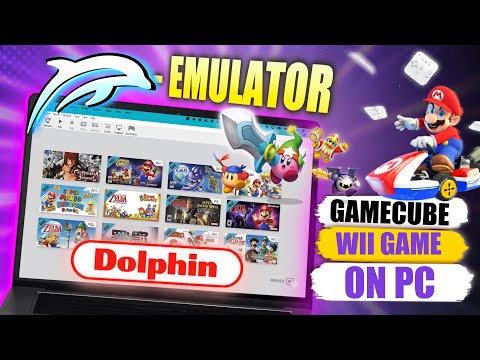
The short answer? Yes, you generally need a decent PC to enjoy a smooth and enjoyable experience with the Dolphin Emulator. While you might get away with scraping by on older or weaker hardware, especially for less demanding GameCube titles, truly unlocking the potential of Dolphin—including higher resolutions, graphical enhancements, and consistently high frame rates across a wide library of games—demands a PC with a solid configuration. Let’s delve into the specifics to understand why and what components matter most.
Understanding Dolphin’s Demands: It’s All About the CPU
Dolphin, at its core, is a CPU-intensive emulator. It simulates the complex hardware architecture of the GameCube and Wii consoles, translating their instructions into something your PC can understand. This process requires significant processing power, especially considering the differences between the original consoles’ custom CPUs and the x86 architecture of modern PCs. The emulator handles complex simulations and translating code to work on PC’s Operating System and hardware components.
The Importance of IPC, Clock Speed, and Core Count
When considering a CPU for Dolphin, three key factors come into play:
-
IPC (Instructions Per Clock): This is arguably the most crucial aspect. IPC refers to the number of instructions a CPU can execute per clock cycle. A CPU with higher IPC will be more efficient at handling the emulation workload, even at the same clock speed as a CPU with lower IPC. Modern CPUs from Intel and AMD generally boast significantly higher IPC than older generations, making them far more suitable for Dolphin.
-
Clock Speed: While not as crucial as IPC, clock speed still plays a vital role. A higher clock speed means the CPU can execute more instructions per second, leading to smoother gameplay. Aim for a CPU with a base clock speed of at least 3 GHz, and ideally, one that can boost to even higher frequencies.
-
Core Count: Dolphin benefits from having multiple cores. The emulator effectively utilizes four cores: two for the main emulation threads, one for auxiliary tasks like audio processing and input handling, and another for the operating system and background processes. While more than four cores can provide some marginal benefits, the sweet spot for Dolphin is a modern quad-core or hex-core CPU with good single-core performance.
Graphics Card Considerations
While the CPU is the primary bottleneck, your graphics card (GPU) also contributes to the overall experience. A decent GPU allows you to upscale the games to higher resolutions (like 1080p, 1440p, or even 4K), apply graphical enhancements such as anti-aliasing and anisotropic filtering, and maintain smooth frame rates. While integrated graphics solutions like Intel’s UHD Graphics or AMD’s Radeon Vega Graphics can run some GameCube games at lower resolutions, a dedicated GPU is highly recommended for a consistently enjoyable experience, especially with demanding Wii titles or when aiming for higher resolutions and graphical fidelity.
RAM Requirements
RAM (Random Access Memory) is relatively straightforward. Dolphin requires a minimum of 2 GB of RAM, but 6 GB or more is highly recommended. Having enough RAM ensures that the emulator has sufficient space to store game data and textures, preventing slowdowns and stuttering.
Storage
While not directly impacting performance during gameplay, a fast storage drive (SSD) will significantly reduce loading times and improve the overall responsiveness of the emulator. Installing Dolphin and your ROMs on an SSD is highly recommended.
Recommended Hardware
Based on the article and general experience, here’s a breakdown of recommended hardware for Dolphin:
- Minimum: Intel Core i5-3550, Intel HD 4000, 2GB RAM
- Recommended: Intel Core i5-6500 or better (ideally a modern Intel Core i5 or AMD Ryzen CPU), a dedicated GPU like an NVIDIA GeForce GT 1030 or equivalent AMD Radeon card, 6 GB RAM or more, and an SSD.
- Ideal: A high-end Intel Core i7 or i9 (especially models with strong single-core performance) or an AMD Ryzen 7 or 9, a dedicated GPU like an NVIDIA GeForce RTX 3060 or higher, 16 GB RAM or more, and an NVMe SSD.
FAQs: Deep Dive into Dolphin Performance
Here are some frequently asked questions to further clarify Dolphin’s performance requirements:
1. Can I run Dolphin on a laptop?
Yes, you can run Dolphin on a laptop, but the experience will depend on the laptop’s specifications. Laptops with dedicated GPUs and powerful CPUs will generally perform much better than those with integrated graphics and lower-end processors. Battery life may also be a concern when running Dolphin on a laptop.
2. Is Dolphin safe to use?
Yes, Dolphin is perfectly safe to use, as long as you download it from the official website. Avoid downloading Dolphin from unofficial sources, as these may contain malware or viruses.
3. Is it legal to use Dolphin?
Yes, using the Dolphin emulator itself is legal. However, downloading and using ROMs (game files) without owning the original game is illegal in most jurisdictions.
4. Can my Chromebook run Dolphin?
Officially, no. Dolphin is not packaged for ChromeOS. There are workarounds, such as installing Windows on your Chromebook, but performance will likely be poor. It’s better to try the Android version of Dolphin if your Chromebook supports Android apps.
5. What graphics card is needed for Dolphin?
The graphics card needed depends on the resolution and graphical enhancements you desire. Integrated graphics like Intel HD 4000 or Skylake iGPUs can handle some games at low resolutions. However, a dedicated GPU like an NVIDIA GeForce GT 1030 or equivalent AMD Radeon card is recommended for higher resolutions and enhanced graphics.
6. How much RAM do I need for Dolphin?
A minimum of 2 GB of RAM is required, but 6 GB or more is highly recommended for optimal performance.
7. Why is the CPU so important for Dolphin?
The CPU is the primary component responsible for emulating the GameCube and Wii’s hardware. It translates the game’s code into instructions that your PC can understand, a process that requires significant processing power.
8. Can I play Wii games online with Dolphin?
Yes, Dolphin can use the Nintendo Wi-Fi Connection to play Wii games online. This allows you to play with other Dolphin users and even with real Wii players.
9. How can I improve FPS in Dolphin?
Adjusting the graphics settings within Dolphin can significantly improve FPS. Try lowering the resolution, disabling graphical enhancements, and experimenting with different backend settings (e.g., OpenGL, Direct3D, Vulkan).
10. Does Dolphin use WiFi?
Yes, Dolphin uses WiFi for online multiplayer functionality in Wii games.
11. Is it illegal to emulate games on PC?
No, emulation software itself is legal. However, downloading and distributing ROMs (game files) without owning the original game is typically illegal.
12. What consoles can Dolphin emulate?
Dolphin can emulate two Nintendo video game consoles: the GameCube and the Wii.
13. Why was Dolphin taken down from Steam?
Nintendo sent a legal notice to Valve claiming that Dolphin uses “cryptographic keys without Nintendo’s authorization and decrypting the ROMs at or immediately before runtime,” thus violating their intellectual property rights.
14. What are the best CPU settings for Dolphin?
There aren’t specific “best” CPU settings for Dolphin. The most important factor is having a powerful CPU with high IPC and a good clock speed. Experiment with different emulator settings to find what works best for your hardware.
15. Is a gaming PC necessary for Dolphin?
While not strictly necessary, a gaming PC will generally provide the best experience with Dolphin. Gaming PCs typically have more powerful CPUs and dedicated GPUs, allowing you to run games at higher resolutions and with graphical enhancements without sacrificing performance. The power of gaming can enhance learning processes, connecting the experience with Games Learning Society and its goals to explore the intersection of education and video games. You can learn more about them at GamesLearningSociety.org.
In conclusion, while you might be able to get Dolphin running on a potato (exaggerating!), to truly enjoy a smooth, visually appealing, and consistently high-performance experience, investing in a decent PC is well worth it. Prioritize a powerful CPU with high IPC and clock speed, pair it with a capable dedicated GPU, ensure you have enough RAM, and store your games on an SSD for the best possible results. Happy gaming!