Do You Need Nitro to Stream on Discord? The Ultimate Streaming Guide
Fast answer first. Then use the tabs or video for more detail.
- Watch the video explanation below for a faster overview.
- Game mechanics may change with updates or patches.
- Use this block to get the short answer without scrolling the whole page.
- Read the FAQ section if the article has one.
- Use the table of contents to jump straight to the detailed section you need.
- Watch the video first, then skim the article for specifics.
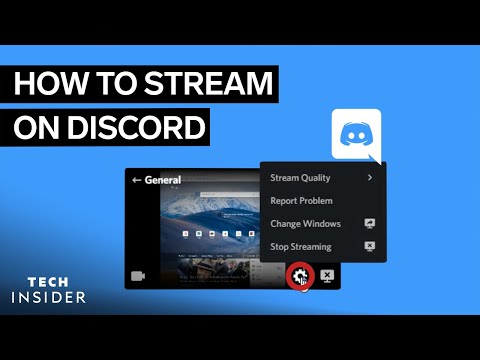
The short answer is no, you do not need Discord Nitro to stream on Discord. However, the quality of your stream will be limited without a Nitro subscription. Let’s dive into the specifics.
Understanding Discord Streaming and Nitro
Discord has become a central hub for gamers and communities alike, and a key feature is its ability to stream your gameplay or screen directly to your friends and server members. This makes it easy to share your experiences, collaborate on projects, or simply hang out virtually. However, the service offers different tiers of service, with Discord Nitro being its premium offering. Knowing the differences is critical to understanding the streaming capabilities available to you.
Streaming Without Nitro: What to Expect
If you’re using the free version of Discord, you can absolutely stream. The platform allows you to share your screen or application window in a voice channel. Here’s what to expect:
- Resolution Limit: You’re capped at a maximum resolution of 720p.
- Frame Rate Limit: The highest frame rate you can achieve is 30 FPS.
- Functionality: You can still select which application or screen you want to share, use audio, and interact with your viewers.
While 720p and 30 FPS might not be ideal for everyone, especially if you’re showcasing high-definition gameplay, it’s perfectly adequate for most casual streaming scenarios. For many, this is more than sufficient for screen sharing during study groups, providing tech support, or just casual chats with friends.
The Benefits of Discord Nitro for Streaming
Subscribing to Discord Nitro unlocks a range of enhanced features, including significant improvements to your streaming quality. Here’s how Nitro elevates your streaming experience:
- Higher Resolution Streaming: You gain the ability to stream in 1080p and even 4K, depending on your internet connection and hardware capabilities.
- Higher Frame Rate: Nitro allows you to stream at 60 FPS, resulting in a smoother and more visually appealing broadcast, particularly noticeable during fast-paced games.
- Other Perks: Nitro also includes benefits such as larger file uploads, custom emojis, server boosting, and more, all of which contribute to an enhanced Discord experience.
For serious streamers and content creators, the enhanced resolution and frame rate provided by Nitro can be a worthwhile investment. The higher visual fidelity significantly improves the viewing experience for your audience, making your streams more professional and engaging.
How to Start Streaming on Discord
Whether you have Nitro or not, the process of streaming on Discord is straightforward. Here’s a step-by-step guide:
- Join a Voice Channel: Navigate to the Discord server you want to stream in and join a voice channel.
- Initiate Screen Sharing: Look for the “Screen Share” icon (it looks like a computer screen with an arrow) in the voice channel controls. Alternatively, you can click the “Go Live” button if it is present.
- Select Your Source: Choose whether you want to share a specific application window or your entire screen.
- Go Live: Click the “Go Live” button to start your stream.
- Adjust Settings: You can adjust the stream settings, such as resolution and frame rate (if you have Nitro), by clicking the settings icon on the streaming window.
Remember that without Nitro, your options for resolution and frame rate will be limited to 720p and 30 FPS respectively.
The Broader Discord Ecosystem for Streamers
Beyond the technical aspects of streaming, Discord offers a powerful suite of tools to help streamers build and manage their communities. Here’s a glimpse of what the platform offers:
- Server Creation: It’s free and easy to create a Discord server tailored to your streaming brand.
- Roles and Permissions: You can assign different roles to members, granting specific permissions to moderators, VIPs, and other community members.
- Text and Voice Channels: Organize your server with dedicated channels for announcements, general chat, game discussions, and more.
- Bots: Integrate bots to automate tasks, moderate content, and enhance user engagement.
Discord is a necessary tool for all streamers to utilize, and Games Learning Society provides a place for new streamers to find a community and hone their skills. You can grow your stream through Discord by actively engaging with your audience and providing them with a valuable and welcoming online space. If you’re looking for more resources on the intersection of gaming and learning, check out GamesLearningSociety.org.
Discord Nitro: More Than Just Streaming
While enhanced streaming capabilities are a significant perk, Discord Nitro offers a host of other benefits that enhance the overall Discord experience. These include:
- Customization: Customize your profile with animated avatars, custom tags, and profile banners.
- Emotes: Use custom and animated emotes in any server where you have permission.
- File Uploads: Increase your file upload limit to 500MB, making it easier to share large files with your friends and community.
- Server Boosts: Boost your favorite servers to unlock exclusive perks and benefits for all members.
- Activities: Nitro users can launch poker, chess, sketch, and other games. Only one person needs Nitro to launch these extra games, and anyone can join once the game is launched.
These added features make Discord Nitro a compelling option for users who want to get the most out of the platform.
Alternatives to Discord Nitro
If you’re not ready to commit to a Discord Nitro subscription, there are some alternative strategies you can use to improve your streaming experience.
- Optimize Your Settings: Even without Nitro, you can optimize your stream settings to achieve the best possible quality within the 720p/30 FPS limitations. Experiment with different encoding settings and bitrates to find what works best for your hardware and internet connection.
- Improve Your Hardware: Upgrading your CPU, GPU, or webcam can significantly improve the quality of your stream, even at lower resolutions.
- Use Streaming Software: Consider using dedicated streaming software like OBS Studio or Streamlabs OBS. These programs offer advanced features and customization options that can help you optimize your stream and improve its visual appeal.
While these alternatives won’t unlock the higher resolutions and frame rates of Nitro, they can help you make the most of the resources you have available.
Frequently Asked Questions (FAQs)
Here are some frequently asked questions about streaming on Discord, with or without Nitro:
1. Can I stream Netflix on Discord?
Yes, you can stream Netflix on Discord by sharing your screen. Use the desktop app or the web browser version to screen share Netflix. Viewers can join on any device.
2. Can you stream on mobile Discord?
Yes, you can stream on the Discord mobile app. Open Discord, join a voice chat, and tap the screen share icon.
3. Does everyone need Nitro to play games on Discord Activities?
No, only one person needs Nitro to launch games on Discord Activities. Anyone can join once the game is launched.
4. Is Discord 100% free?
Discord is free, but there is a paid plan called Nitro, which offers additional features.
5. Why am I paying for Discord?
You are likely paying for Discord Nitro, which is a subscription service that unlocks features and perks across Discord.
6. What is the $3 Nitro do?
The $3 Nitro Basic tier offers larger uploads and wider emoji access.
7. What is the $9.99 Discord charge?
The $9.99 charge is for the standard Discord Nitro subscription, which features 500MB uploads, HD video streaming, access to activities, custom profiles, and so on.
8. Will I get charged if I get gifted Nitro?
No, you will not be charged unless the subscription renews.
9. Why do streamers use Discord?
Streamers use Discord to interact with chat and build a community.
10. How long is Discord Nitro free?
Discord Nitro may be offered as a free trial, typically for one month. After the trial, billing will start.
11. What time does Nitro expire?
Tablets kept in small, amber, tightly capped glass bottles in a refrigerator maintain their potency for three to five months if bottles are opened once a week. After five months the unused tablets should be discarded.
12. Do Nitro gifts expire?
Yes, Nitro gifts would simply expire after 48 hours.
13. What happens when your Nitro expires?
If you set a custom numerical tag, then, when your Nitro subscription expires, the tag will randomize.
14. Can you use Gcash in Discord Nitro?
You can add Gcash as a payment method when paying for Discord Nitro.
15. Is Discord Nitro now $3?
Discord offers Nitro Basic for $3 a month, which includes features like larger uploads and custom emojis.
Conclusion
In conclusion, while Discord Nitro is not required to stream, it significantly enhances the streaming experience by unlocking higher resolutions and frame rates. Whether Nitro is worth the investment depends on your individual needs and preferences. If you’re a casual streamer, the free version of Discord may be perfectly adequate. However, if you’re serious about creating high-quality content and engaging your audience, Discord Nitro can be a valuable asset. Consider your budget, streaming goals, and the overall benefits of Nitro before making a decision. The world of online streaming is vast and varied, and having the right tools at your disposal can make all the difference.