Does the Nintendo 3DS Need Internet? A Comprehensive Guide
Fast answer first. Then use the tabs or video for more detail.
- Watch the video explanation below for a faster overview.
- Game mechanics may change with updates or patches.
- Use this block to get the short answer without scrolling the whole page.
- Read the FAQ section if the article has one.
- Use the table of contents to jump straight to the detailed section you need.
- Watch the video first, then skim the article for specifics.
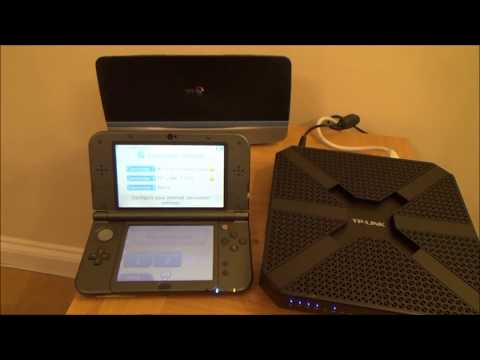
The short answer is: no, the Nintendo 3DS does not always need internet. You do not need an internet connection to play games you have already downloaded or that are on game cartridges. However, an internet connection is required for certain functionalities, such as downloading new games from the eShop (which is now closed for purchases but still allows redownloading), updating games, and some online multiplayer features (which are also ending soon). Let’s dive into the details of when and why you might (or might not) need internet access for your beloved 3DS.
The Offline 3DS Experience: Gaming Without Wi-Fi
The core of the 3DS experience—playing games—is thankfully independent of an internet connection. If you own physical game cartridges or have previously downloaded games, you can enjoy them without any Wi-Fi. Think of those long car rides, airplane trips, or simply cozy nights at home in areas with spotty (or nonexistent) internet; your 3DS can be your trusty companion.
This offline capability extends to many features within the games themselves. Single-player campaigns, local multiplayer (connecting with other 3DS consoles in the same physical space), and many in-game challenges are all accessible without ever needing to connect to the internet.
Online Functionality: Where the Internet Becomes Essential
While the 3DS shines as an offline device, certain features rely heavily on an internet connection:
-
Downloading Games & DLC (Previously): The Nintendo eShop was the primary source for digital game purchases and downloadable content (DLC). As of March 27, 2023, purchasing new software or DLC is no longer possible. However, redownloading previously purchased content is still available for the “foreseeable future”.
-
Game Updates: Many games receive updates to fix bugs, add new features, or improve performance. These updates require an internet connection to download and install.
-
Online Multiplayer: Some 3DS games offer online multiplayer modes, allowing you to compete with or cooperate with players around the world. These features rely on Nintendo’s online servers, which, sadly, are shutting down in “early April 2024”.
-
SpotPass and StreetPass: While StreetPass works locally (exchanging data with other 3DS consoles you physically pass by), SpotPass utilizes Wi-Fi to automatically download content from Nintendo and participating game developers. SpotPass functionality will also cease with the server shutdown.
The Looming Server Shutdown: What It Means for Your 3DS
Nintendo’s announcement of the impending shutdown of online services for the 3DS and Wii U has significant implications. The official statement indicates that “online play and other functionality that uses online communication” will be discontinued. This includes:
- Online Co-operative Play
- Internet Rankings
- Data Distribution
This means that games that heavily rely on online features will become significantly less appealing. For example, games with online leaderboards will lose their competitive edge. Games that rely on downloadable content for extended gameplay may become limited in scope if content has not been previously downloaded.
Navigating the End of an Era
While the server shutdown marks the end of an era for the 3DS, it doesn’t render the console obsolete. You can still enjoy countless hours of gameplay with physical cartridges and downloaded titles. However, it is important to understand the limitations that the shutdown introduces.
Preserving Your 3DS Library
- Redownload Your Games Now: If you have purchased digital games or DLC, it is highly recommended to redownload them to your 3DS as soon as possible. This ensures that you have local copies of your games before the servers are completely shut down.
- Consider Physical Copies: If you are a collector or simply want to ensure long-term access to your favorite 3DS games, consider acquiring physical copies where available.
- Back Up Your Data: Explore options for backing up your 3DS save data. While Nintendo does not offer official cloud saves for most 3DS games, there may be third-party solutions or methods for transferring save data to a computer.
Frequently Asked Questions (FAQs) About 3DS and Internet
Here are some frequently asked questions to further clarify the 3DS’s relationship with the internet:
1. Can I still play 3DS games after the server shutdown?
Yes! You can still play any games you own physically (cartridges) or have already downloaded to your system. The shutdown only affects online functionalities.
2. What happens to games that require online connectivity after the shutdown?
Games that rely heavily on online features will lose those features. For example, online multiplayer will no longer be available, and features like online leaderboards will cease to function. The core single-player gameplay, however, will still be accessible.
3. Will I be able to redownload games I purchased on the eShop after the shutdown?
Nintendo has stated that it will be possible to redownload previously purchased games and DLC for the “foreseeable future”. However, it is advisable to redownload your games as soon as possible to avoid any potential issues.
4. Does the Nintendo DS require Wi-Fi?
The original Nintendo DS also had Wi-Fi capabilities for certain games and online features. Like the 3DS, these features also depended on servers that have largely been shut down.
5. How do I connect my 3DS to the internet?
You can connect your 3DS to the internet through the System Settings. Go to Internet Settings, then Connection Settings, and follow the prompts to search for and connect to a Wi-Fi network.
6. Can the 3DS connect to 5GHz Wi-Fi?
No, the Nintendo 3DS only supports 2.4GHz Wi-Fi networks.
7. Is it safe to leave my 3DS charging overnight?
Yes, it is perfectly safe to leave your 3DS charging overnight. The system has built-in protection to prevent overcharging.
8. Is it okay to play my 3DS while it is charging?
Yes, you can play your 3DS while it is charging without any issues.
9. Is it okay to leave my 3DS in sleep mode overnight?
Yes, leaving your 3DS in sleep mode is perfectly fine and will not harm the system.
10. Can I turn off the 3D effect on the 3DS?
Yes, you can adjust the 3D depth slider to reduce or completely turn off the 3D effect.
11. How can I extend my 3DS battery life?
You can extend your 3DS battery life by disabling the 3D feature, turning on power-saving mode, lowering the screen brightness, and disabling Wi-Fi when not in use.
12. What does the flashing orange light on my 3DS mean?
A flashing orange light typically indicates that the battery is not installed correctly or there is a charging issue.
13. How long does a 3DS battery last?
A 3DS battery can last for several years with proper care. Following recommended charging practices can extend its lifespan.
14. What are some of the rarest 3DS games?
Some of the rarest and most valuable 3DS games include Barbie: Groom and Glam Pups, Alien Chaos 3D, and certain versions of Yo-Kai Watch.
15. Where can I learn more about gaming and its impact on learning?
You can explore the intersection of games and education at the Games Learning Society website: https://www.gameslearningsociety.org/. GamesLearningSociety.org is dedicated to exploring the educational potential of video games.
Conclusion: Embracing the 3DS Legacy
The Nintendo 3DS remains a beloved handheld console, even as its online services come to an end. Its extensive library of games, portability, and unique features like the 3D screen ensure that it will continue to provide entertainment for years to come. By understanding its limitations and taking steps to preserve your digital library, you can continue to enjoy the 3DS legacy to its fullest.