Does Buying Minecraft Expire? The Definitive Guide
Fast answer first. Then use the tabs or video for more detail.
- Watch the video explanation below for a faster overview.
- Game mechanics may change with updates or patches.
- Use this block to get the short answer without scrolling the whole page.
- Read the FAQ section if the article has one.
- Use the table of contents to jump straight to the detailed section you need.
- Watch the video first, then skim the article for specifics.
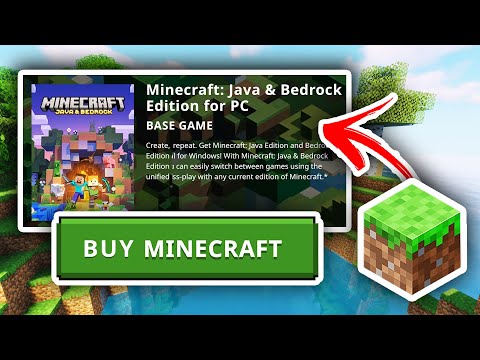
No, buying Minecraft does not expire. Once you purchase a Minecraft license for a specific edition (like Java Edition or Bedrock Edition) and it’s linked to your account (typically a Microsoft account or a Mojang account for older Java Edition purchases), you own it permanently. You can download and play the game as often as you like, on any compatible device, as long as you log in with the account that owns the license. The content from the document provided proves this claim.
However, there are nuances to consider. Let’s dive deeper into what “owning” Minecraft truly means and explore related aspects like marketplace content, Realms subscriptions, and potential account issues.
Understanding Your Minecraft License
When you buy Minecraft, you’re essentially purchasing a digital license that grants you the right to access and play the game. This license is tied to your account, acting as proof of ownership. The type of license you possess determines the version of Minecraft you can play. The document also states “Buy content once, and enjoy it on any mobile, Xbox, or Windows device with no expiration.”
-
Minecraft: Java Edition: This version, originally developed by Mojang, is primarily for computers running Windows, macOS, and Linux. If you bought Java Edition before Microsoft migration, your license is tied to your Mojang account. Now, all the new Java edition licenses are tied to your Microsoft account.
-
Minecraft: Bedrock Edition: This version, developed by Microsoft, is designed to run on a variety of platforms, including Windows 10/11, Xbox, PlayStation, Nintendo Switch, iOS, and Android. This is tied to your Microsoft account.
It’s crucial to remember which account holds your Minecraft license. Losing access to that account means losing access to your game.
Factors That Might Seem Like Expiration
While your Minecraft license itself doesn’t expire, several factors can create the illusion that it has:
-
Incorrect Account Login: This is the most common reason why players believe they’ve lost access. Ensure you’re logging in with the exact Microsoft or Mojang account you used to purchase the game. Double-check for typos in your email address or password.
-
Platform Confusion: A license for Java Edition does not grant you access to Bedrock Edition, and vice versa, unless you took advantage of the initiative offering both versions for free with a single purchase. Ensure you’re trying to play the correct edition that matches your license.
-
Device Changes: When switching devices, you need to re-download Minecraft and log in with your account. This process can sometimes be confusing, especially if you’re unsure which account holds your license.
-
Game Updates and Compatibility: Older devices might not be compatible with the latest Minecraft updates. While your license remains valid, your device might no longer be able to run the game.
-
Realms Subscriptions: Minecraft Realms are subscription-based multiplayer servers. These subscriptions do expire and need to be renewed to maintain access to your Realm. Your core Minecraft license is separate from your Realms subscription.
-
Marketplace Content: Content purchased from the Minecraft Marketplace, like skins, texture packs, and worlds, is tied to your Microsoft account and does not expire. However, access requires you to be logged into the correct account.
What to Do If You Can’t Access Your Minecraft Game
If you’re having trouble accessing Minecraft despite having purchased it, here’s a troubleshooting checklist:
- Verify Your Account: Double-check the email address associated with your Minecraft license. If you bought it years ago, you might have forgotten which account you used.
- Check Your Order History: Review your Microsoft or Mojang account purchase history to confirm the Minecraft transaction.
- Download the Correct Launcher: Make sure you’re downloading the appropriate launcher for your edition of Minecraft (Java Edition or Minecraft for Windows).
- Contact Minecraft Support: If you’ve exhausted all other options, reach out to Minecraft support for assistance. Provide them with as much detail as possible about your purchase, including transaction IDs and account information.
- “Restore Purchases”: As the document says, in the Minecraft Marketplace, you can scroll down to purchases and select “Restore Purchases.”
Minecraft: A Game Designed for Longevity
Minecraft’s enduring popularity speaks volumes about its value. Unlike some games with planned obsolescence, Minecraft is designed to be enjoyed for years to come. Its endless possibilities, active community, and continuous updates ensure that your initial purchase remains a worthwhile investment. The Games Learning Society understands the educational power of Minecraft, and uses this game to innovate education.
As an expert, I hope this clarifies your doubt. The Minecraft license remains with you once purchased.
Minecraft FAQs: Your Questions Answered
Here are 15 frequently asked questions about Minecraft licenses, purchases, and access:
1. If I delete Minecraft and now have to buy it again?
No, you do not need to buy Minecraft again if you delete it. As long as you log in with the same account used for the original purchase, you can re-download and install the game without additional payment.
2. Why can’t I play Minecraft after I bought it?
You’re likely logged into the wrong Microsoft account. Log into the Microsoft Store with the account that your Minecraft licenses are entitled to and try again. If you are sure you are logging in with the correct account, consider logging out and back into the Launcher.
3. Is Minecraft a one-time purchase?
Yes, buying Minecraft requires a one-time purchase for the account. The account has to be compatible with the device. Example: Pocket Edition for iOS and Android; PC version for computer.
4. Is it safe to buy from the Minecraft Marketplace?
Yes, the Minecraft Marketplace makes it safer and easier to buy community-made content for Minecraft. Buy content once, and enjoy it on any mobile, Xbox, or Windows device with no expiration.
5. Why can’t I buy anything on the Minecraft Marketplace?
The most common problem that prevents an in-game purchase is a lack of sufficient Minecoins. Check the top-right corner of the Marketplace or Dressing Room to make sure that you have enough to make the purchase.
6. Why can’t I use the Marketplace on Minecraft?
Make sure you are connected to a reliable internet connection. Launch Minecraft: Bedrock Edition and make sure you are signed in and you are the only user playing at this time.
7. How much does Minecraft cost on the computer?
Around 30$. If you don’t want to enter credit card information, your local Target or Walmart will most likely have gift cards to buy the game for PC.
8. Do you have to pay for Minecraft again once you pay for it?
The purchase will stay tied to your Google Account and you can re-install anytime as long as you use the SAME account.
9. Do you have to pay for every version of Minecraft?
Minecraft: Java Edition and Minecraft for Windows. Both versions can be downloaded from the Official Minecraft website and are now available through the Minecraft: Java & Bedrock Edition for PC initiative. If you purchase one version of the game, you get the other for free!
10. Where do Minecraft purchases go?
If you have an Xbox Live account associated with your game and you were logged in at the time of purchase, your coins and content will be associated with your Xbox Live account. You can access these from any new device, provided you are logged in to the same account.
11. Why can’t I buy Minecraft coins?
To purchase Minecoins, you must have a payment method set up in your device.
12. Is it safe to buy Minecraft from Mojang?
Yes, Mojang is a safe place to buy a Minecraft account, but beware there are some sites that will pretend to be Mojang and you DO NOT want to be putting in your Minecraft account info in there.
13. Are you allowed to sell your Minecraft account?
You don’t own an account, you pay for rights to access it. You can’t sell it, you don’t own it.
14. Why am I being forced to buy Minecraft again?
1: You bought Minecraft on a different account than the one that you tried to log in with. 2: You tried to use a different edition of Minecraft than the one that you bought.
15. How do I play Minecraft after buying from Microsoft?
Both the Minecraft Launcher and Minecraft for Windows will install. After installation, you can open Minecraft Launcher, and log-in with the MSA you used for buying Minecraft. The Launcher will show both Minecraft: Java Edition as well as Bedrock. If a game is yet to be installed, you must click ‘Install’.
Final Thoughts
Minecraft’s enduring appeal lies in its boundless creativity and replayability. While your initial purchase grants you perpetual access to the game, it’s essential to understand the nuances of account management, platform compatibility, and subscription services. By keeping this information in mind, you can ensure that your Minecraft adventures continue for years to come. Remember, organizations like the Games Learning Society at https://www.gameslearningsociety.org/ are exploring the educational potential of games like Minecraft, highlighting their lasting impact on learning and development.