Does Disk Speed Affect Gaming? The Definitive Guide
Fast answer first. Then use the tabs or video for more detail.
- Watch the video explanation below for a faster overview.
- Game mechanics may change with updates or patches.
- Use this block to get the short answer without scrolling the whole page.
- Read the FAQ section if the article has one.
- Use the table of contents to jump straight to the detailed section you need.
- Watch the video first, then skim the article for specifics.
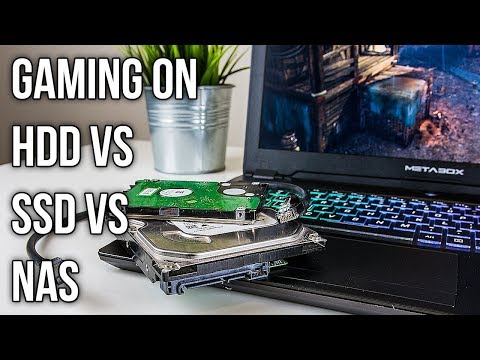
Absolutely, disk speed significantly affects gaming! While it might not always be about boosting your raw FPS (Frames Per Second), the speed of your storage drive is a crucial factor in your overall gaming experience. Think of it as the highway your game data travels on – a faster highway (like an SSD) means quicker loading times, smoother transitions, and a far less frustrating experience. A slower highway (like a traditional HDD) can lead to agonizingly long waits, stutters, and even crashes. Let’s dive deeper into how your storage drive impacts your gaming world.
Understanding the Storage Landscape: HDD vs. SSD
For years, the HDD (Hard Disk Drive) was the standard for storage. These drives use spinning platters and a mechanical arm to read and write data. They’re relatively inexpensive and offer high storage capacities, but their mechanical nature makes them significantly slower than the newer technology: the SSD (Solid State Drive).
SSDs are based on flash memory, similar to what’s found in USB drives. This means no moving parts, resulting in drastically faster access times, lower latency, and improved reliability. While SSDs were initially more expensive and offered less storage capacity, prices have come down significantly, making them a compelling choice for gamers.
Why Speed Matters: Beyond Frame Rates
While a faster disk speed doesn’t directly translate to higher FPS in most scenarios, it plays a vital role in several key aspects of gaming:
- Loading Times: This is where SSDs truly shine. Games can load levels, textures, and other assets much faster, cutting down on wait times and getting you into the action sooner. Imagine waiting minutes for a level to load on an HDD versus seconds on an SSD.
- System Responsiveness: A faster drive improves the overall responsiveness of your system. Programs launch quicker, menus load faster, and you’ll experience a more fluid user interface.
- Streaming Assets: Many modern games stream assets from storage in real-time. An SSD can handle this much more efficiently, reducing stuttering and ensuring a smoother gameplay experience, particularly in open-world games.
- Game Installation and Patching: Installing a large game or downloading a hefty patch can take a considerable amount of time on an HDD. An SSD speeds up these processes significantly.
- Operating System Boot Times: While not strictly related to gaming, booting your operating system from an SSD will drastically reduce the time it takes to get your computer ready to game.
The Role of RPM in HDDs
If you are using an HDD, the RPM (Revolutions Per Minute) is a key specification. It refers to how fast the platters inside the drive spin. Common speeds are 5400 RPM and 7200 RPM. A 7200 RPM HDD will generally offer better performance than a 5400 RPM drive, but neither can compete with the speed of an SSD.
Disk Size: How Much Storage Do You Need?
Disk size is also a critical factor. Modern games are getting increasingly larger, with some titles exceeding 200GB or even 250GB. We would recommend getting a 1 TB hard drive at the very least, if you define yourself as a “heavy gamer.”. You’ll need enough space to install your favorite games, along with your operating system, applications, and other files. A good rule of thumb is to overestimate your storage needs rather than underestimate them. A 500GB SSD might seem sufficient initially, but you may quickly run out of space. Many gamers use a combination of internal and external drives in different configurations to work with their budgets and needs for fast load times.
Frequently Asked Questions (FAQs)
1. Does an SSD directly improve FPS?
No, an SSD doesn’t directly improve FPS. FPS is primarily determined by your CPU and GPU. However, an SSD can prevent FPS drops caused by slow asset loading, particularly in open-world games that constantly stream data from storage.
2. Is a 5400 RPM HDD too slow for gaming?
A 5400 RPM HDD is usable for gaming, but it’s not ideal. You’ll experience longer loading times and potential stuttering compared to a 7200 RPM HDD or an SSD. If possible, upgrade to a faster storage solution.
3. What HDD speed is good for gaming?
A 7200 RPM HDD is the minimum recommended speed for gaming if you’re not using an SSD. However, even a 7200 RPM HDD is significantly slower than an SSD.
4. Can a bad hard drive slow down games?
Yes, a failing or fragmented hard drive can severely impact game performance, leading to stuttering, crashes, and extended loading times. Regularly defragging (if using an HDD) and monitoring the health of your drive are essential.
5. Does disk size matter for gaming performance?
Yes, in terms of ensuring you have adequate storage space. A full drive can impact performance, so it’s best to have some free space available. More importantly, the type of drive (SSD vs HDD) has a much larger impact on performance than the size of the drive.
6. Do games run better on disk or digital?
There’s no appreciable difference in performance between digital and physical games. Both are installed on your storage drive and run from there. The disc is primarily used for verification.
7. Is it better to upgrade RAM or SSD for gaming?
It depends on your current system configuration. If you have 8GB or less of RAM, upgrading to 16GB should be your priority. However, if you already have sufficient RAM, upgrading to an SSD will have a more noticeable impact on your overall gaming experience by reducing loading times and improving system responsiveness.
8. Can a hard drive bottleneck FPS?
Yes, especially an older or slower HDD. A slow drive can bottleneck the flow of data to your CPU and GPU, leading to stuttering and lower FPS, particularly in games that require constant asset streaming.
9. How fast should disk speed be for gaming?
For the best gaming experience, aim for an SSD with read/write speeds of at least 500 MB/s. NVMe SSDs offer even faster speeds (3,500 MB/s or higher) and are ideal for demanding games.
10. Does RAM affect disk speed?
Yes, RAM acts as a buffer between your storage drive and your CPU. Having more RAM can improve data transfer speeds, especially when dealing with large files.
11. Can an SSD fix game stuttering?
Yes, an SSD can significantly reduce or eliminate game stuttering caused by slow asset loading. It provides faster access times and reduces latency, resulting in a smoother gameplay experience.
12. Is a 256GB SSD enough for gaming?
A 256GB SSD can be sufficient for your operating system and a few frequently played games. However, with modern games getting larger, a 500GB or 1TB SSD is recommended for a more comfortable gaming experience.
13. Does more RAM increase FPS?
While more RAM won’t always directly increase FPS, it can prevent performance issues caused by running out of memory. If your system is constantly using all of its RAM, upgrading to a larger capacity can improve stability and prevent stuttering.
14. How much RAM do I need for gaming?
Most modern games recommend at least 16GB of RAM for optimal performance. For more demanding games or if you plan to stream or record your gameplay, 32GB of RAM may be beneficial.
15. Can external hard drives improve gaming performance?
An external SSD connected via USB 3.0 or higher can provide a noticeable performance boost compared to an internal HDD. This is a good option if you don’t have the space or budget to upgrade your internal storage.
The Verdict: SSD is the Way to Go
In conclusion, while a faster disk speed might not always directly increase your FPS, it significantly enhances the overall gaming experience. The difference between playing a game on an HDD versus an SSD is night and day. From drastically reduced loading times to smoother gameplay and improved system responsiveness, an SSD is a worthwhile investment for any serious gamer. As technology continues to advance, the benefits of SSDs will only become more pronounced. Embrace the speed and enjoy a more seamless and immersive gaming experience.
As a last note, if you are interested in learning more about educational games, check out the work of the Games Learning Society at GamesLearningSociety.org. Educational games can be both fun and effective.