Does Docking a Switch Improve Performance? Unveiling the Truth
Fast answer first. Then use the tabs or video for more detail.
- Watch the video explanation below for a faster overview.
- Game mechanics may change with updates or patches.
- Use this block to get the short answer without scrolling the whole page.
- Read the FAQ section if the article has one.
- Use the table of contents to jump straight to the detailed section you need.
- Watch the video first, then skim the article for specifics.
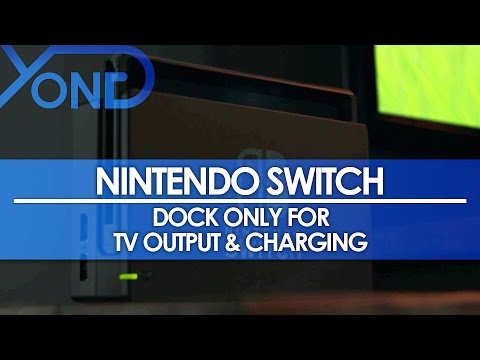
Yes, docking a Nintendo Switch does improve performance, but not in the way many people initially assume. The dock itself isn’t a magical performance enhancer. Instead, the dock triggers the Switch to operate at a higher power profile, allowing for better graphics and frame rates. The key is understanding that the Switch is essentially a tablet, and when it’s plugged into the dock, it has access to a larger power source than its internal battery. This, combined with better cooling thanks to the fan kicking in, allows the system to unleash more of its potential. Let’s delve deeper into the mechanics and benefits of docking your Switch.
Understanding the Performance Boost
The performance increase isn’t uniform across all games, and it’s not as simple as doubling the frame rate. Instead, the Switch’s internal components, especially the GPU (Graphics Processing Unit), are allowed to operate at higher clock speeds when docked. This means the system can push out higher resolutions and, in some cases, achieve smoother frame rates.
When undocked, the Switch prioritizes battery life. Therefore, the system limits the power draw of its components, leading to a slightly less visually impressive experience. Games are still perfectly playable, but they often run at a lower resolution (typically 720p) to conserve battery power.
Docking the Switch essentially removes this limitation. The console can then output to a 1080p display, unlocking a sharper image and a generally more detailed presentation. While some games are locked at 30 frames per second (fps) even when docked, others can reach a smoother 60fps, depending on the developer’s optimization. Many games offer a choice between “quality mode,” prioritizing resolution, and “performance mode,” prioritizing frame rate.
Key Factors Influencing Performance
Several factors contribute to the performance difference between docked and undocked modes:
-
Power Delivery: The most crucial element. The dock provides consistent power, allowing the Switch to utilize its components more fully.
-
Cooling: When docked, the internal fan can run more effectively, preventing overheating and enabling the system to sustain higher performance levels.
-
Resolution: The docked mode allows for a higher output resolution (1080p), providing a clearer and more detailed image on larger screens.
-
Game Optimization: Ultimately, the degree of performance improvement depends on how well the game has been optimized for both docked and undocked play. Some games may see a significant boost, while others may only experience minor enhancements. The Games Learning Society explores how game design choices impact player experience and engagement. You can find more information at https://www.gameslearningsociety.org/.
Dispelling Common Myths
It’s important to clarify that the dock itself isn’t adding any processing power to the Switch. It’s simply providing the necessary power and cooling for the console to reach its full potential. Think of it like a sports car: it has a powerful engine, but it needs fuel to run at its best. The dock is the fuel, and the Switch is the car.
Another common misconception is that docking automatically guarantees 60fps. While some games can achieve this frame rate when docked, it depends entirely on the game’s design and optimization. Many games are still capped at 30fps to maintain visual fidelity or stability.
Frequently Asked Questions (FAQs)
1. Does the dock boost FPS?
When docked, the Switch can achieve higher FPS in some games, but it’s not guaranteed. It depends on the game’s optimization and whether it offers a “performance mode.” Some games prioritize higher resolution (1080p) at 30fps, while others prioritize smoother frame rates (60fps) at a lower resolution (720p).
2. What are the benefits of the Switch dock?
The primary benefit is displaying gameplay on a TV. It also allows for easier charging and connection of peripherals.
3. Is it safe to keep the Switch docked all the time?
Yes. The Switch is designed to stop charging once the battery is full, so leaving it docked won’t harm the battery.
4. Does docking damage the Switch battery?
No, docking doesn’t damage the battery. The Switch has a built-in battery management system that prevents overcharging.
5. What Nintendo Switch has the best performance?
The Nintendo Switch OLED offers the same performance as the standard Switch in terms of processing power. The primary upgrade is the vibrant OLED screen, which enhances the visual experience but doesn’t impact frame rates or resolution.
6. Does docking reduce FPS on laptops connected via docking station?
In the context of the Switch, docking increases the potential for higher FPS. However, with laptops, connecting to an external monitor via a docking station can sometimes lead to a slight FPS drop due to the processing required to output the image.
7. What is the max FPS on the Switch dock?
The Switch supports a maximum output of 1080p at 60fps when docked, depending on the game.
8. Is the Switch 1080p when docked?
Yes, the Switch can output at 1080p resolution when docked, but the actual resolution depends on the game. Some games may run at lower resolutions and upscale to 1080p.
9. Do most people play Switch docked?
Historically, data suggested that more people play in handheld mode or switch between handheld and docked. However, individual preferences vary.
10. Why is there so much input lag on my Switch?
Input lag in TV mode can be caused by your television’s processing. Try enabling “game mode” on your TV to reduce lag.
11. Does HDMI switch introduce lag?
A quality HDMI switch shouldn’t introduce noticeable lag. However, cheaper or faulty switches can potentially add latency.
12. Why is my Switch so slow?
Slow download speeds can be caused by a weak Wi-Fi signal, slow internet connection, or network congestion.
13. Why am I lagging even though my connection is good?
Lag can be caused by packet loss, which indicates an unstable connection, even with a good overall internet speed.
14. Is a lag switch cheating?
Yes. A lag switch is a device used to intentionally disrupt the internet connection, giving the user an unfair advantage in online games.
15. Should you turn off your docking station?
While not strictly necessary, turning off your docking station when not in use can save energy and protect against power surges.
Optimizing Your Switch Experience
To get the most out of your Nintendo Switch, here are some tips:
-
Ensure Proper Ventilation: Don’t block the vents on the Switch or the dock to prevent overheating.
-
Update Your System Software: Keep your Switch and Joy-Cons updated to the latest firmware for optimal performance and stability.
-
Use a Quality HDMI Cable: A high-quality HDMI cable can ensure a stable and clear connection to your TV.
-
Adjust TV Settings: Enable “game mode” on your TV to minimize input lag.
-
Manage Your Wi-Fi: Position your router closer to the Switch or use a wired connection for more stable online play.
Conclusion
Docking a Switch absolutely improves performance by allowing the console to draw more power and utilize its components more fully. While the performance boost varies from game to game, docking generally results in higher resolutions and, in some cases, smoother frame rates. Understanding the mechanics behind this performance increase and dispelling common myths can help you optimize your gaming experience and get the most out of your Nintendo Switch. The GamesLearningSociety.org promotes the use of games in education, helping to understand the complex processes of skill development.