Does Field of View Affect Motion Sickness? Decoding the Digital Dizziness
Fast answer first. Then use the tabs or video for more detail.
- Watch the video explanation below for a faster overview.
- Game mechanics may change with updates or patches.
- Use this block to get the short answer without scrolling the whole page.
- Read the FAQ section if the article has one.
- Use the table of contents to jump straight to the detailed section you need.
- Watch the video first, then skim the article for specifics.
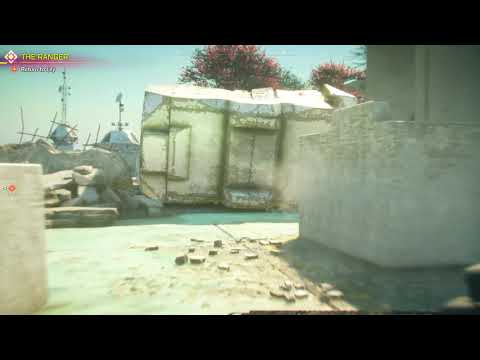
Yes, field of view (FOV) significantly affects motion sickness, particularly in video games. A mismatch between what your eyes perceive and what your inner ear senses is a primary cause of motion sickness. In gaming, a too-narrow FOV can amplify this conflict, while, surprisingly, an excessively wide FOV can also trigger nausea. Finding the right FOV setting is crucial for a comfortable and immersive gaming experience. Let’s delve deeper into why this happens and how you can optimize your FOV to avoid digital-induced dizziness.
Understanding Motion Sickness and FOV
The Sensory Conflict Theory
Motion sickness, also known as kinetosis, arises from a sensory conflict. Your eyes, inner ear (vestibular system), and proprioceptors (sensors in your muscles and joints) constantly feed information to your brain about your body’s position and movement. When these signals don’t align, your brain gets confused, triggering the unpleasant symptoms of motion sickness: nausea, dizziness, headache, and general discomfort.
In video games, your eyes see movement on the screen, creating the illusion of forward motion or rotation. However, your body is stationary. This discrepancy is exacerbated by a limited FOV.
Narrow FOV: Tunnel Vision Trouble
A narrow FOV in a game creates a “tunnel vision” effect. Your peripheral vision is severely restricted, forcing your brain to rely solely on the visual information within the narrow frame. The issue here is that your brain is not able to see its surroundings, which makes you feel like you are travelling at an unnatural speed. This is not healthy, and can cause headaches, motion sickness, or other symptoms.
Wide FOV: The Fish-Eye Fiasco
While a narrow FOV is a common culprit, an excessively wide FOV can be equally problematic. Extremely wide FOVs introduce a distorted “fish-eye” effect, curving the image at the edges of the screen. This distortion can also confuse your brain and trigger motion sickness, as the perceived motion becomes unnatural and disorienting.
Finding Your FOV Sweet Spot
What is the best field of view for motion sickness?
There is no universal “best” FOV; it varies based on several factors, including:
- Screen Size: Larger screens often benefit from wider FOVs.
- Screen Distance: The closer you are to the screen, the wider the FOV you may need.
- Game Type: First-person shooters (FPS) often require wider FOVs than third-person games.
- Personal Sensitivity: Some people are more sensitive to FOV changes than others.
- Monitor Aspect Ratio: Ultrawide monitors may require more FOV.
Generally, a FOV between 90 and 110 degrees is a good starting point for many first-person games on a standard monitor. However, experimentation is key. Start with a moderate FOV and gradually adjust it until you find a setting that feels comfortable and minimizes motion sickness.
The FOV Slider: Your Best Friend
Most modern games include a FOV slider in their graphics settings. Use this slider to adjust the FOV until you find a comfortable setting. If the game doesn’t have an FOV slider, it may be possible to manually adjust the FOV by editing the game’s configuration files. This method usually requires advanced technical knowledge of the game files.
Beyond FOV: Other Factors to Consider
Adjusting the FOV is often the most effective solution, but other settings can also impact motion sickness:
- Motion Blur: Disable motion blur, as it can intensify the sensation of movement and exacerbate motion sickness.
- Head Bobbing: Reduce or disable head bobbing, as it can create unnecessary visual noise.
- Camera Shake: Minimize camera shake, especially during intense action sequences.
- Frame Rate: Ensure a stable and consistent frame rate. Fluctuations in frame rate can contribute to motion sickness.
Addressing Motion Sickness Beyond Game Settings
Real-World Considerations
While optimizing your game settings is crucial, addressing real-world factors can also help prevent motion sickness:
- Ventilation: Ensure good ventilation in your gaming area. Stale air can worsen nausea.
- Posture: Maintain good posture while gaming. Slouching can restrict blood flow and contribute to discomfort.
- Breaks: Take frequent breaks to rest your eyes and stretch your body.
- Hydration: Stay hydrated by drinking plenty of water.
- Ginger: Consume ginger in the form of tea, candy, or supplements. Ginger is a natural remedy for nausea.
- Acupressure: Try wearing acupressure wristbands, which apply pressure to the P6 acupressure point, believed to alleviate nausea.
- Medications: In severe cases, consider taking over-the-counter motion sickness medications like Dramamine or Bonine. Consult a doctor before taking any medication.
The Games Learning Society and Understanding Game Design
Understanding how games are designed and how they affect the player is a complex and fascinating field. Organizations like the Games Learning Society (https://www.gameslearningsociety.org/) explore the intersection of games, learning, and cognition. By studying game design principles and their impact on player experience, we can better understand and address issues like motion sickness.
Frequently Asked Questions (FAQs)
1. What is the most common cause of motion sickness in video games?
The most common cause is a mismatch between visual and vestibular information, often amplified by a narrow field of view.
2. Can a too-high FOV cause motion sickness?
Yes, an excessively wide FOV can cause motion sickness due to the distorted “fish-eye” effect and unnatural motion perception.
3. How do I find the right FOV for my monitor?
Experiment with the FOV slider in your game settings. Start with a moderate FOV (90-110 degrees) and adjust it until you find a setting that feels comfortable. Keep in mind factors such as monitor size, screen distance, and game type.
4. What other graphics settings can contribute to motion sickness?
Motion blur, head bobbing, and camera shake can all exacerbate motion sickness. Disable or minimize these settings.
5. Is there a medical reason I get motion sickness more easily than others?
Certain conditions like migraines, inner ear disorders, and pregnancy can increase your susceptibility to motion sickness. Also, women are more susceptible than men, and children are more susceptible than elderly people.
6. Can I train myself to be less susceptible to motion sickness?
Yes, visuospatial training exercises can help desensitize you to motion sickness. Playing games regularly with a comfortable FOV can also help you adapt.
7. What are some natural remedies for motion sickness?
Ginger, peppermint, and acupressure are popular natural remedies.
8. Do motion sickness medications really work?
Yes, over-the-counter medications like Dramamine and Bonine can effectively prevent motion sickness.
9. Is it better to sit in the front or back of a car to avoid motion sickness?
Sitting in the front of a car is generally better, as you can anticipate the car’s movements.
10. Does alcohol make motion sickness worse?
Yes, alcohol consumption can worsen motion sickness.
11. Does age affect susceptibility to motion sickness?
Yes, children are more susceptible to motion sickness than adults. Elderly people are the least susceptible to motion sickness.
12. Can poor ventilation make motion sickness worse?
Yes, poor ventilation can exacerbate motion sickness.
13. What is the P6 acupressure point?
The P6 acupressure point is located three finger-widths away from the wrist, roughly in the middle of the forearm. Applying pressure to this point is believed to alleviate nausea.
14. Are some antihistamines better than others for motion sickness?
Yes, sedating antihistamines like dimenhydrinate (Dramamine) and meclizine are more effective than non-sedating antihistamines.
15. Where can I learn more about the impact of game design on player experience?
You can explore resources from organizations like the GamesLearningSociety.org, which studies the intersection of games, learning, and cognition.
By understanding the interplay between FOV, sensory conflict, and individual sensitivity, you can optimize your gaming experience and minimize the risk of motion sickness. Experiment with different settings, address real-world factors, and find what works best for you. Happy gaming!