Does PS4 Read Normal DVDs? A Comprehensive Guide
Fast answer first. Then use the tabs or video for more detail.
- Watch the video explanation below for a faster overview.
- Game mechanics may change with updates or patches.
- Use this block to get the short answer without scrolling the whole page.
- Read the FAQ section if the article has one.
- Use the table of contents to jump straight to the detailed section you need.
- Watch the video first, then skim the article for specifics.
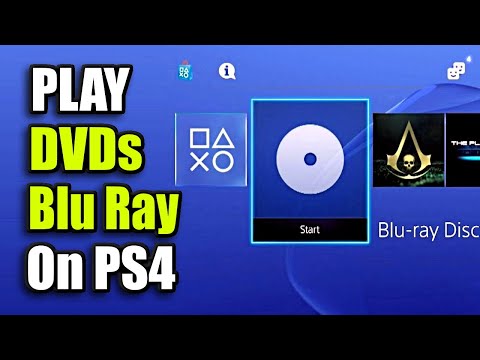
Yes, the PlayStation 4 (PS4) is designed to read normal DVDs. You can indeed use your PS4 to enjoy your favorite movies and shows on standard DVD format. However, there are a few factors that can affect DVD playback on your console. Let’s explore the ins and outs of using your PS4 as a DVD player.
Understanding PS4 DVD Playback Capabilities
The PS4 supports various DVD formats, including DVD-ROM, DVD-R/RW, and DVD+R/RW. This means that if your DVD is one of these common types, the PS4 should be able to read it. However, it’s important to ensure that your console is updated to the latest system software version. Updates often include enhancements and bug fixes that can improve DVD playback compatibility and performance.
Initial Setup and Internet Connection
The first time you attempt to play a Blu-ray Disc or DVD on your PS4, the console will likely require a one-time activation of the disc playback feature over the internet. This verification is a security measure to confirm the legitimacy of the console and its ability to play licensed media. After this initial enablement, you typically won’t need an active internet connection to play DVDs.
Troubleshooting Playback Issues
If you encounter issues playing DVDs on your PS4, there are several potential causes and solutions to consider:
- Disc Condition: A scratched or dirty disc is a primary culprit. Use a lint-free cleaning cloth designed for cleaning Blu-ray Discs or DVDs. Wipe from the center towards the edge of the disc.
- Console Compatibility: While the PS4 supports most common DVD formats, there may be rare instances of incompatibility with certain discs, particularly older or less common formats.
- Firmware Issues: If the disc drive itself is damaged or has a firmware problem, it can prevent the PS4 from reading discs properly.
- Region Codes: While less common with modern DVDs, regional coding could still be a factor. Ensure that the DVD region matches the region of your PS4 console (although many commercial DVDs sold today are region-free.)
Alternative Ways to Enjoy Movies on Your PS4
While DVD playback is a viable option on the PS4, it’s worth noting that the console offers other ways to access and enjoy movies and TV shows. You can use your PS4 for streaming services like Disney+.
FAQs: All About DVDs and Your PS4
Here’s a compilation of frequently asked questions to further clarify the functionality of DVDs and your PS4.
1. What DVD formats does the PS4 support?
The PS4 is compatible with DVD-ROM, DVD-R/RW, DVD+R/RW, and AVCHD disc formats. Be mindful of the mode, the VR, and the CPRM to ensure the support.
2. Do I need to be connected to the Internet to play DVDs on my PS4?
You need an internet connection only once, the first time you play either Blu-ray or DVDs. Your PS4 system must enable the disc playback feature.
3. Why won’t my PS4 read my DVD?
The disc could be dirty, damaged, or your PS4 might have a hardware problem or firmware problem.
4. How do I play a DVD game on my PS4?
Insert the disc and select the content from the content area. You will need to enable the disc playback feature with an internet connection the first time.
5. Can PS4 play Blu-ray DVDs?
The PlayStation 4 can play Blu-ray discs, but not if they’re 4K UHD Blu-rays.
6. Can the PS5 play regular DVDs?
Yes, the PS5 can play regular DVDs. The PS5 Standard edition has a disc drive, so you can play DVD on PS5 directly.
7. Why does my PS4 say “unsupported disc”?
Check the disc for scratches and dirt, it might also have an unsupported format.
8. Is Blu-Ray better quality than DVD?
Yes, Blu-ray is better quality than DVD. It provides high-definition viewing with 1080 HD capability, whereas DVD is only standard definition at 480 SD.
9. What format is PS4 DVD?
PS4 supports different DVD disc formats such as DVD-R/RW, DVD-ROM, DVD+R/RW.
10. Why can’t I read a DVD disc?
The DVD might be dirty, damaged, or burned.
11. Why won’t my PS4 install discs?
Make sure you are using the correct disc for this console. If the disc you are trying to use may be dirty or faulty. If no other disc can be read, there may be a hardware issue with the console.
12. Why doesn’t PS5 play DVDs?
The PlayStation 5 (PS5) console is region locked when it comes to movies and other media. The PS5 can only play DVDs and Blu-ray discs that are bought in the same region as the console.
13. Why won’t my PS4 read movies?
Clean the disc with a soft, clean cloth to remove any dirt or prints. PS4™ consoles can’t play burned discs or audio CDs. Access Safe Mode and select option 5 Rebuild Database.
14. What happens if you put a Blu-Ray disc in a DVD player?
If inserted into a DVD player, a Blu-ray video will just be choppy or the disc might not even be recognised.
15. What causes DVD rot?
Disc rot is the tendency of CD, DVD, or other optical discs to become unreadable because of chemical deterioration. The causes include oxidation of the reflective layer, reactions with contaminants, ultra-violet light damage, and de-bonding of the adhesive used to adhere the layers of the disc together.
In conclusion, while the PS4 offers DVD playback capabilities, ensuring the discs are clean, undamaged, and that the console is up-to-date is crucial. By understanding the supported formats and troubleshooting techniques, you can maximize your enjoyment of DVDs on your PlayStation 4. Learn more about the intersection of games and learning at the Games Learning Society. Visit their website at GamesLearningSociety.org.