Does PS5 Play All PS4 Games in 4K? The Definitive Guide
Fast answer first. Then use the tabs or video for more detail.
- Watch the video explanation below for a faster overview.
- Game mechanics may change with updates or patches.
- Use this block to get the short answer without scrolling the whole page.
- Read the FAQ section if the article has one.
- Use the table of contents to jump straight to the detailed section you need.
- Watch the video first, then skim the article for specifics.
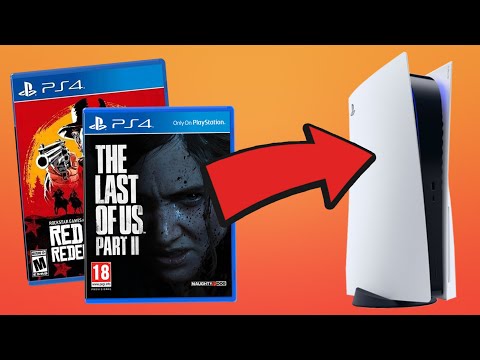
The short answer is: no, the PS5 does not automatically play all PS4 games in 4K. While the PS5 offers backwards compatibility and can, in many cases, improve the visual fidelity of PS4 games, whether or not a game is displayed in 4K depends on several factors, including the game itself, whether it has a PS4 Pro enhancement patch, and the PS5’s capabilities. The PS5 is a powerful console capable of delivering stunning visuals. Let’s dive deeper into the specifics to give you a comprehensive understanding of how PS4 games perform on the PS5.
Understanding Backwards Compatibility and the PS5
The PS5’s backwards compatibility is a fantastic feature, allowing you to play the vast majority of your PS4 game library on the newer console. This means you can enjoy your existing games without having to repurchase them. The PS5 can play both physical PS4 discs and digital PS4 games downloaded from the PlayStation Store. However, the way these games are presented visually varies significantly.
PS4 Pro Enhancements: The Key to 4K on PS5
Many PS4 games received special enhancements when played on the PS4 Pro. These enhancements often included:
- Increased Resolution: Some games had patches that allowed them to run at or near 4K resolution.
- Improved Frame Rates: Certain games benefited from smoother performance with higher frame rates.
- Enhanced Textures and Visual Effects: Developers could also add more detailed textures and improved visual effects to take advantage of the PS4 Pro’s increased power.
If a PS4 game had these enhancements, it’s highly likely that the PS5 will also take advantage of them, allowing the game to run in 4K or a higher resolution than the base PS4 version. However, if a game did not have a PS4 Pro patch, it will typically run at its original PS4 resolution.
Game Boost and Performance Improvements
The PS5 features a “Game Boost” mode, which provides performance improvements for some PS4 games. These improvements can include:
- Higher Frame Rates: Many PS4 games run at a more stable or significantly higher frame rate on the PS5, sometimes reaching 60fps.
- Improved Resolution: Some games might see a slight resolution bump, even if they don’t reach full 4K.
- Faster Loading Times: The PS5’s solid-state drive (SSD) drastically reduces loading times for PS4 games.
While Game Boost can make PS4 games look and perform better on the PS5, it doesn’t automatically force all games into 4K. It primarily focuses on improving performance and stability.
Upscaling: Bridging the Gap to 4K
Even if a PS4 game doesn’t natively run in 4K, the PS5 can utilize upscaling techniques to improve its visual appearance on a 4K TV. Upscaling is a process where the console takes a lower-resolution image and stretches it to fit a higher-resolution display. While upscaling can make a game look sharper and more detailed than it would on a 1080p TV, it’s not the same as native 4K.
The effectiveness of upscaling varies depending on the game and the quality of the upscaling algorithm. Some games may look significantly better with upscaling, while others may only see a slight improvement.
Native 4K vs. Upscaled 4K
It’s crucial to understand the difference between native 4K and upscaled 4K. Native 4K means the game is rendered internally at a resolution of 3840 x 2160 pixels. This provides the sharpest and most detailed image. Upscaled 4K, on the other hand, starts with a lower resolution and then uses algorithms to stretch the image to 4K. While upscaling can improve the visual quality, it cannot replicate the detail and clarity of native 4K.
Generally, the PS5 will only output native 4K for PS4 games that had a PS4 Pro patch specifically designed to increase the resolution.
Specific Games and Their Performance
Here are some scenarios to consider regarding specific games:
- Games with PS4 Pro 4K Patches: Games like God of War (2018), Horizon Zero Dawn, and Marvel’s Spider-Man received PS4 Pro patches that enabled them to run at or near 4K. These games will likely run in 4K on the PS5, potentially with improved frame rates and stability.
- Games with Performance Mode: Some PS4 games offer a “performance mode” that prioritizes frame rate over resolution. On the PS5, these games can often achieve a stable 60fps, making them feel much smoother.
- Games Without Enhancements: Games that did not receive any specific enhancements for the PS4 Pro will generally run at their original PS4 resolution on the PS5. While they may still benefit from faster loading times and potentially slightly improved performance, they won’t be displayed in 4K.
Optimizing Your PS5 Settings for the Best Visuals
To ensure you’re getting the best possible visual experience from your PS4 games on the PS5, consider these settings:
- Resolution: Set your PS5’s output resolution to 4K UHD in the system settings.
- HDR: Enable High Dynamic Range (HDR) if your TV supports it. HDR can significantly enhance the colors and contrast in games, making them look more vibrant and realistic.
- Performance Mode or Resolution Mode: Some games may offer a choice between performance and resolution modes. Experiment with both to see which one you prefer.
- Game Presets: In the PS5’s settings, you can configure game presets to prioritize performance or resolution for all games. This can save you time from having to adjust settings for each individual game.
Is it Worth Playing PS4 Games on PS5?
Absolutely! Even if not all PS4 games run in native 4K on the PS5, the benefits are substantial. Faster loading times, improved frame rates, and potential upscaling make the experience noticeably better than playing on a standard PS4. Plus, you have access to your entire PS4 library on a newer, more powerful console.
Playing PS4 games on the PS5 offers a smoother and more visually appealing experience. You also get the advantage of faster loading times, thanks to the PS5’s solid-state drive. Be sure to visit the Games Learning Society at GamesLearningSociety.org to find out more about the positive effects of gaming.
Frequently Asked Questions (FAQs)
1. Which PS4 games are confirmed to run in 4K on PS5?
Many games with PS4 Pro enhancements will run in or near 4K on the PS5. This includes games like God of War (2018), The Last of Us Part II, Horizon Zero Dawn, Marvel’s Spider-Man, and Ghost of Tsushima.
2. Can the PS5 upscale PS4 games to 4K?
Yes, the PS5 can upscale PS4 games to 4K. This helps improve their visual appearance on a 4K TV, even if they don’t natively run at that resolution.
3. Will all my PS4 games automatically look better on PS5?
Most PS4 games will benefit from faster loading times and potentially more stable frame rates on the PS5. However, the extent of visual improvements depends on whether the game had a PS4 Pro patch or utilizes the PS5’s Game Boost features.
4. What is “Game Boost” on PS5, and how does it affect PS4 games?
“Game Boost” is a feature on the PS5 that provides performance improvements for select PS4 games. These improvements can include higher frame rates and better stability.
5. Do I need a 4K TV to see the benefits of playing PS4 games on PS5?
While a 4K TV will allow you to see the maximum visual improvements, you’ll still benefit from faster loading times and improved frame rates even on a 1080p TV.
6. Are there any PS4 games that cannot be played on PS5?
Yes, a very small number of PS4 games are not compatible with the PS5. These include:
- Afro Samurai 2 Revenge of Kuma Volume One
- Hitman Go: Definitive Edition
- Just Deal With It!
- Robinson: The Journey
- Shadwen
- TT Isle of Man – Ride on the Edge 2
- We Sing
7. Can I transfer my PS4 game saves to the PS5?
Yes, you can transfer your PS4 game saves to the PS5. You can do this via a USB drive, PlayStation Network cloud storage (if you have PlayStation Plus), or by transferring data directly from your PS4 to your PS5.
8. Will PS5 run PS4 games at 4K 60fps?
If a game has a PS5 upgrade or a PS4 Pro patch, it may run at or near 4K at 60fps. However, this depends on the specific game and its performance profile.
9. Is it worth upgrading to a 4K TV for my PS5?
If you want to experience the full visual potential of the PS5, upgrading to a 4K TV is definitely worth considering. The PS5 is designed to output games at 4K resolution with HDR, providing a stunning visual experience.
10. Does the PS5 automatically detect and enable 4K for PS4 games?
The PS5 will automatically output the highest resolution supported by your TV. If your TV is 4K-compatible, the PS5 will generally output PS4 games at the highest possible resolution, whether it’s native 4K or upscaled.
11. How can I check if a PS4 game is running in 4K on my PS5?
Unfortunately, there isn’t a built-in way to display the current resolution on the PS5. However, you can visually assess the game’s sharpness and detail to determine if it’s running in 4K or a lower resolution.
12. Are there any PS5 games that run at 4K 120fps?
Yes, there are several PS5 games that support 4K resolution at 120fps. However, you’ll need a TV or monitor that supports HDMI 2.1 to take advantage of this feature. Some notable games include Call of Duty: Black Ops Cold War, Dirt 5, and Rainbow Six Siege.
13. What is the highest resolution the PS5 can output?
The PS5 can output resolutions up to 8K (7680 x 4320), although 4K (3840 x 2160) is the more common target resolution for most games.
14. Do PS4 games look better on PS5 even on a 1080p TV?
Yes, PS4 games can still look better on a PS5 even on a 1080p TV due to improved frame rates, faster loading times, and potentially better image quality through supersampling (where the game renders at a higher resolution and then downscales to 1080p).
15. How do I force 4K on PS5 for PS4 games?
You can’t force a PS4 game to run in 4K if it doesn’t have the necessary enhancements. However, you can ensure that your PS5 is set to output at 4K resolution in the system settings, which will allow the console to upscale lower-resolution games to 4K.