Unlocking the PSP’s Hidden Potential: Video Out Explained
Fast answer first. Then use the tabs or video for more detail.
- Watch the video explanation below for a faster overview.
- Game mechanics may change with updates or patches.
- Use this block to get the short answer without scrolling the whole page.
- Read the FAQ section if the article has one.
- Use the table of contents to jump straight to the detailed section you need.
- Watch the video first, then skim the article for specifics.
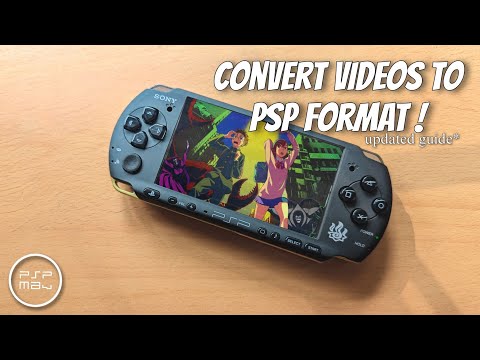
Yes, the PlayStation Portable (PSP), Sony’s revolutionary handheld console, does have video out capabilities, but with caveats. The specific functionality and requirements vary depending on the PSP model. Let’s dive deep into the world of PSP video out, exploring its features, limitations, and how to make the most of it.
Understanding PSP Video Output: A Model-by-Model Breakdown
The implementation of video out isn’t universal across the entire PSP family. Here’s a breakdown to help you understand which PSP models offer what:
-
PSP-1000: The original “fat” PSP, unfortunately, does not have video out functionality. It’s a notable omission, limiting its ability to connect to external displays.
-
PSP-2000 (Slim): This model marked a significant improvement. The PSP-2000 does have video out, but it only supports interlaced video (480i) via a component video cable. This means you won’t get the sharpest possible image on modern displays.
-
PSP-3000 (Brite): Like the PSP-2000, the PSP-3000 supports video out, also limited to interlaced video (480i) through a component cable. However, the improved screen on the PSP-3000 itself offers a better visual experience compared to its predecessor.
-
PSP Go (N1000): The PSP Go is unique. It supports video out, and like the PSP-2000 and 3000, it’s limited to 480i. However, it uses a different connector than the other PSP models.
-
PSP-E1000 (Street): This budget-friendly PSP model does not support video out. It’s a stripped-down version of the PSP, focusing on affordability.
The Importance of Component Cables
For the PSP models that support video out (PSP-2000, PSP-3000, and PSP Go), a component video cable is essential. These cables feature five connectors: red, blue, and green for video, and red and white for audio. These cables provide a higher quality video signal compared to composite cables (which use a single yellow video connector).
Setting Up Video Out on Your PSP
Once you have the correct component cable, setting up video out is relatively straightforward:
- Connect the component cable to the appropriate port on your PSP and your television.
- Turn on your PSP and navigate to the Settings menu.
- Select Connected Display Settings.
- Choose Component / D-Terminal.
- Your PSP’s display should now appear on your television.
Limitations and Considerations
While video out is a welcome feature, there are some limitations to keep in mind:
-
Interlaced Video: The 480i resolution means that the image quality won’t be as sharp as modern progressive scan displays (like 720p or 1080p). You might notice some blurring or shimmering, especially on larger screens.
-
Game Compatibility: Not all PSP games support video out. Some games may display correctly, while others may show a black screen or have graphical glitches. This incompatibility is game-specific.
-
UMD Movies: UMD movies generally support video out, allowing you to watch them on a larger screen.
-
Original PSP (PSP-1000): As mentioned earlier, the original PSP lacks this feature entirely, so there is no way to connect it to a TV using video out.
Why Was Video Out Important?
In the mid-2000s, video out was a significant selling point. It allowed gamers to share their handheld gaming experience with friends and family on a larger screen. While the technology might seem dated now, it provided a valuable bridge between portable and home console gaming. The concept of sharing gaming experiences is central to the learning that can happen in gaming environments, and further explored by the Games Learning Society at https://www.gameslearningsociety.org/. Their work explores how collaborative gaming can build important social and problem-solving skills.
Frequently Asked Questions (FAQs)
Here are 15 frequently asked questions about PSP video out to further clarify the subject:
1. Can I use an HDMI cable with my PSP?
No, the PSP does not have an HDMI port. It only supports video output via component cables. Adaptors claiming to convert component to HDMI may exist, but their performance and compatibility can be inconsistent.
2. Does the PSP-1000 have video out?
No, the original PSP (PSP-1000) does not have video out capabilities.
3. What resolution does the PSP output when using video out?
The PSP outputs at 480i (interlaced) when using video out.
4. Can I play all PSP games on my TV using video out?
No, not all PSP games support video out. Game compatibility varies.
5. What type of cable do I need for PSP video out?
You need a component video cable with five connectors (red, blue, green for video; red and white for audio).
6. Does video out work with UMD movies?
Yes, UMD movies generally support video out, allowing you to watch them on a larger screen.
7. Where can I find a component video cable for my PSP?
Component video cables for the PSP can be found online retailers like Amazon or eBay, and sometimes at used game stores.
8. Is the video quality good when using PSP video out?
The video quality is decent for its time, but the 480i resolution can look blurry on modern, larger screens.
9. Can I use video out to record gameplay from my PSP?
Yes, you can use video out to record gameplay using a capture card that accepts component video input.
10. Does the PSP Go require a special component cable?
Yes, the PSP Go requires a specific component cable due to its different connector port.
11. How do I enable video out on my PSP?
Navigate to Settings > Connected Display Settings > Component / D-Terminal on your PSP.
12. Why is my screen black when I connect my PSP to the TV?
Ensure your TV is set to the correct input channel, and that the component cable is securely connected. Also, check if the game you are trying to play supports video out.
13. Does the PSP Street (E1000) have video out?
No, the PSP Street (E1000) does not have video out capabilities.
14. Can I use a composite (RCA) cable for video out?
While some unofficial adapters may exist, the PSP is designed to use component cables for video out, which provide a superior signal compared to composite cables. Using a composite cable will likely result in poor image quality or no output at all.
15. Will a component to HDMI adapter improve the video quality?
While component to HDMI adapters can make the connection compatible with modern TVs, they don’t inherently improve the video quality. The output will still be limited to the PSP’s 480i resolution. Some adapters may introduce upscaling, but the results can vary in quality.
Final Thoughts
The PSP’s video out feature was a neat addition, albeit with its limitations. While the 480i resolution might not impress today, it offered a convenient way to enjoy PSP games and movies on a larger screen back in the day. Understanding which PSP models support video out and the requirements for setting it up can help you unlock this hidden potential of your classic handheld. Understanding how people use the PSP for both entertainment and connectivity gives insight into user experience design and is a topic explored by the GamesLearningSociety.org. Check out their website to learn more about the intersection of gaming and learning.