Does Steam Track Your Information? Unveiling the Truth Behind Valve’s Data Collection Practices
Fast answer first. Then use the tabs or video for more detail.
- Watch the video explanation below for a faster overview.
- Game mechanics may change with updates or patches.
- Use this block to get the short answer without scrolling the whole page.
- Read the FAQ section if the article has one.
- Use the table of contents to jump straight to the detailed section you need.
- Watch the video first, then skim the article for specifics.
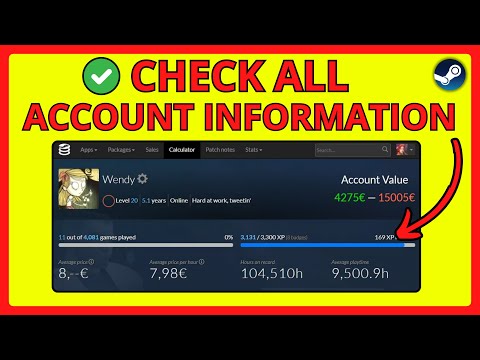
Yes, Steam tracks your information. As one of the largest digital distribution platforms for PC gaming, Steam collects a significant amount of data from its users. This data collection is multifaceted, encompassing everything from your game activity and purchase history to your hardware specifications and communication within the Steam community. While Valve, the company behind Steam, asserts that this data collection is primarily aimed at improving user experience, providing targeted content, and combating fraud, it’s essential to understand the specifics of what information is collected, how it’s used, and what options you have to manage your privacy. This article will dissect Steam’s data collection practices, offering a comprehensive overview and addressing common concerns.
Understanding Steam’s Data Collection
What Types of Data Does Steam Collect?
Steam gathers a wide array of data, which can be broadly categorized as follows:
- Personal Data Provided Directly by You: This includes information you explicitly provide during account creation, such as your email address and potentially your date of birth (required for accessing age-restricted content). It also encompasses any information shared in Steam Community forums, chats, and user-generated content like reviews and guides.
- Gameplay Activity: Steam tracks the games you play, the duration of your playtime, and your in-game achievements and statistics. This data is used to populate your Steam profile and can be shared with your friends or made private.
- Hardware and Software Information: Steam collects data about your computer’s hardware (CPU, GPU, RAM, etc.) and software (operating system, drivers). This helps Valve ensure game compatibility and optimize performance.
- Purchase History: Steam records all your purchases made on the platform, including games, DLCs, and virtual items. This information is used for billing purposes and to provide personalized recommendations.
- Communication Data: Steam monitors your communication within the platform, including chats, forum posts, and voice communication. This data is used to enforce community guidelines and prevent harassment.
- Network Information: Steam collects your IP address and other network information for security purposes and to prevent fraud. This information is not shared with other players.
- Steam Cloud Data: Games can utilize Steam Cloud to store your game settings, save games, profile stats, and other user-specific data. This ensures your progress is saved even if you switch computers or reinstall the game.
How is Your Data Used?
Valve uses the collected data for a variety of purposes:
- Improving User Experience: Data is analyzed to identify areas where Steam can be improved, such as game recommendations, matchmaking, and performance optimization.
- Personalized Content: Steam uses your purchase history, gameplay activity, and preferences to provide personalized recommendations for games and other content.
- Combating Fraud and Abuse: Data is used to detect and prevent fraudulent activities, such as account theft, credit card fraud, and cheating.
- Providing Customer Support: Data is used to assist users with technical issues and other problems they may encounter while using Steam.
- Game Development Support: Valve shares aggregated and anonymized data with game developers to help them understand how players are interacting with their games and make informed design decisions. This is why Valve stopped using Google Analytics, due to customer privacy concerns.
- Marketing and Advertising: Steam may use your data to display targeted advertisements for games and other products.
What are Your Privacy Options?
Steam provides several options for managing your privacy:
- Profile Privacy Settings: You can control who can see your profile information, including your game details, friends list, and wishlist.
- Gameplay Activity Privacy: You can set your total playtime and game details to private, preventing others from seeing what games you play and when you play them.
- Invisible Mode: You can set your status to “Invisible,” which allows you to remain online but hide your gaming activities from your friends.
- Data Deletion Requests: You can request that Valve delete your personal data, although this may result in the termination of your Steam account.
- Reviewing Third-Party Connections: You can review and revoke access for third-party applications connected to your Steam account.
Frequently Asked Questions (FAQs) about Steam Privacy
1. Does Steam share my IP address with other players?
No, Steam does not share your IP address with other players. Your IP address is used internally for security and fraud prevention purposes.
2. Can my friends on Steam see my game activity if my profile is private?
If you set your Game Details to private, no one, including your friends, will be able to see what games you play and when you play them.
3. Is it safe to provide my real address to Steam?
While it’s generally safe to provide your real address to Steam, as the information you provide for purchases is encrypted, it’s still a good idea to be cautious. Providing your real address is beneficial in case your Steam account is compromised.
4. Can people see my real name on Steam?
Yes, if you have a “Real Name” listed on your Steam Profile, everyone who visits your profile can see it. You can choose to remove or change this information in your profile settings.
5. Is my Steam account name public?
Yes, your current Steam username will be in public view, even if you set your profile to ‘private’. However, the original account name you used to create the account will be kept private, only used for logging in.
6. Can friends see my profile on Steam if it’s private?
No, Steam profiles are private by default. Users must choose to make their profiles public in order for others to view them.
7. Does deleting Steam delete my game save data?
Deleting Steam does not automatically delete your game save data if your game save has been saved to the Steam cloud. If not, it will be lost.
8. Where is my Steam account data stored?
Steam account data is stored locally on your computer in the following location: C:Program Files (x86)Steamuserdata. The folder named with a long string of numbers is your Steam ID, which contains save data.
9. Does Steam ask for my date of birth?
Yes, Steam asks for your date of birth when you view certain games that are age-restricted due to adult content. This is to comply with regulations and ensure that only users over 18 can access such content.
10. Is it legal for Steam to track my IP address?
Yes, it is legal for Steam to track your IP address. Websites, apps, and ISPs track IP addresses for security and fraud prevention purposes. As long as the IP address is not used for criminal activities, it is not a legal issue.
11. How do I hide my personal information on Steam?
To hide your personal information, navigate to your Steam Profile, click “Edit Profile,” then go to the “My Privacy Settings” tab. Here, you can adjust your privacy settings to control who can see your profile information, game details, and friends list.
12. Does Steam share data with Google?
Valve stopped using Google Analytics for Steam traffic reporting due to concerns over customer privacy. This means that Valve no longer shares data with Google for this purpose.
13. Can you tell if someone is watching you on Steam?
You will receive a notification when a friend either requests to watch or starts watching your game. You can also see a list of viewers from the Steam overlay broadcast box.
14. What does hiding games on Steam do?
Hiding games on Steam allows you to keep your gaming activities private. By setting your game details to private, you can prevent others from seeing what you’re playing.
15. Is Steam good at privacy?
Valve’s privacy policy doesn’t raise major concerns, but it is a little vague. One positive aspect is that they don’t require users to provide a real name when signing up for a Steam User Account.
Conclusion
Steam’s data collection practices are comprehensive, but also transparent to a certain degree. Understanding the types of data collected, how it’s used, and the privacy options available empowers you to make informed decisions about your privacy on the platform. While it’s impossible to completely eliminate data collection when using online services, taking advantage of Steam’s privacy settings can significantly reduce the amount of information shared. By understanding these principles, we can continue to push for ethical data practices. Further, it’s important to remember that understanding how games can impact education, which can be explored through organizations such as the Games Learning Society. Check out GamesLearningSociety.org to learn more about games and education.