Does Switch Come With Free Games? Unveiling the Truth Behind Nintendo’s Offerings
Fast answer first. Then use the tabs or video for more detail.
- Watch the video explanation below for a faster overview.
- Game mechanics may change with updates or patches.
- Use this block to get the short answer without scrolling the whole page.
- Read the FAQ section if the article has one.
- Use the table of contents to jump straight to the detailed section you need.
- Watch the video first, then skim the article for specifics.
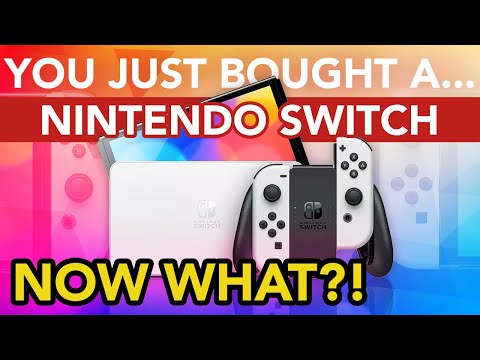
The short answer is: no, the Nintendo Switch does not come with any pre-installed full games right out of the box. Unlike some older consoles that included a pack-in title, the standard Nintendo Switch bundle provides the hardware necessary to play games but requires you to purchase or download games separately. However, the story doesn’t end there. There are avenues to access “free” games on the Nintendo Switch, albeit with certain caveats. Let’s delve into the world of Nintendo Switch and its gaming ecosystem, and uncover the ways you can enjoy titles without an upfront purchase.
Exploring the Nintendo Switch Landscape: What You Get in the Box
The initial purchase of a Nintendo Switch includes the core components needed to get started. Expect to find:
- The Nintendo Switch console itself.
- Left and right Joy-Con controllers.
- Two wrist straps for the Joy-Cons.
- A Joy-Con grip.
- The Nintendo Switch dock.
- An HDMI cable for connecting to your TV.
- An AC adapter for power.
This package allows you to experience the Switch in its various play modes – handheld, tabletop, and docked. What it doesn’t include is any pre-loaded game to start playing immediately. This is a departure from consoles of the past, like the Wii, which often bundled in a title like Wii Sports.
Navigating the “Free” Game Landscape: Nintendo Switch Online and Free-to-Play Titles
While a full game isn’t included with the console, you can access games through two primary channels:
-
Nintendo Switch Online (NSO): This subscription service, starting at around $20 a year, grants access to a library of retro games from the NES and Super NES era. The Expansion Pack tier adds Nintendo 64, Game Boy Advance, and Sega Genesis titles. These games are available to play as long as you maintain your subscription. Think of it as a rental service rather than outright ownership. If you stop subscribing, you lose access to these games. NSO is required for most online multiplayer functionalities as well.
-
Free-to-Play (F2P) Games: The Nintendo eShop boasts a selection of games that are free to download and play. These titles typically feature in-game purchases or other monetization strategies. Popular examples include Apex Legends, Rocket League, Fortnite, and Pokémon Café Mix. You can dive into these games without spending a dime, although you may be tempted to purchase cosmetic items or other advantages to enhance your experience.
Deciphering the Nintendo eShop: Your Gateway to Games
The Nintendo eShop is the digital storefront on your Nintendo Switch. Here, you can purchase and download a wide variety of games, ranging from AAA titles to indie gems. To access the eShop, you’ll need:
- A Nintendo Account linked to your Nintendo Switch console.
- An internet connection.
You can purchase games using various payment methods, including credit cards, debit cards, and Nintendo eShop gift cards. The eShop also offers demos of certain games, allowing you to try before you buy.
Physical vs. Digital: Weighing Your Options
When it comes to acquiring games for your Nintendo Switch, you have two main options: physical cartridges and digital downloads. Both offer their own advantages and disadvantages.
-
Physical Cartridges: These offer the tangible benefit of ownership. You have a physical copy of the game, which you can lend to friends, resell, or keep as a collector’s item. Physical games often see price drops more quickly than their digital counterparts.
-
Digital Downloads: These offer convenience. You can purchase and download games directly to your Switch without leaving your home. Digital games are always available on your console, eliminating the need to swap cartridges. However, they take up storage space on your console or microSD card.
Ultimately, the choice between physical and digital is a matter of personal preference. Consider your budget, storage needs, and whether you value physical ownership.
Expanding Your Switch Experience: Accessories and Storage
While the base Nintendo Switch package provides the essentials, you may want to consider additional accessories to enhance your gaming experience.
-
microSD Card: Essential for expanding storage space, especially if you plan to download a lot of digital games.
-
Pro Controller: A more traditional gamepad that provides a more comfortable and precise gaming experience, particularly for longer play sessions.
-
Carrying Case: Protects your Switch while traveling.
-
Extra Joy-Cons: Allows for more multiplayer options.
Frequently Asked Questions (FAQs)
Here are some frequently asked questions about Nintendo Switch and its game offerings:
1. Do I need a Nintendo Switch Online subscription to play all games online?
No, not all games require NSO for online play. Some free-to-play games, like Fortnite, Apex Legends, and Rocket League, do not require a subscription to access their online multiplayer features. However, most first-party Nintendo games, such as Mario Kart 8 Deluxe and Splatoon 3, do require NSO.
2. What happens to my downloaded games if my Nintendo Switch Online subscription expires?
If your NSO subscription lapses, you lose access to the retro games offered through the service. Any games you purchased through the eShop and downloaded to your console will still be playable, but the NSO library will be inaccessible.
3. Can I play Nintendo Switch games on my TV?
Yes, the Nintendo Switch can be played on your TV by connecting it to the Nintendo Switch dock. This allows you to enjoy games on a larger screen with a more traditional console experience.
4. How much storage space do I need on my Nintendo Switch?
The internal storage of the Nintendo Switch is 32 GB, but a portion of this is used by the system itself. For the OLED model, the internal storage is 64 GB. If you plan to download a lot of digital games, investing in a microSD card is highly recommended. A 128 GB or 256 GB card is a good starting point.
5. Can I use Bluetooth headphones with my Nintendo Switch?
Yes, the Nintendo Switch supports Bluetooth audio, allowing you to pair wireless headphones for a more immersive gaming experience or for private listening.
6. Is Minecraft free on Nintendo Switch?
No, Minecraft is not free on Nintendo Switch. It must be purchased from the Nintendo eShop.
7. Can I play Roblox on Nintendo Switch?
Officially, Roblox is not directly playable on the Nintendo Switch. While you can access the Roblox website through the Switch’s web browser, you cannot play games or create content.
8. What can I do with a Switch without games?
Even without games, you can still use the Switch to browse the internet, watch YouTube, manage your Nintendo Account settings, and customize your console’s appearance.
9. Does the Nintendo Switch have Netflix?
No, Netflix is not available on the Nintendo Switch. However, other streaming services like YouTube are available through the Nintendo eShop.
10. Is it worth it to buy a Nintendo Switch in 2024?
The Nintendo Switch remains a popular and versatile gaming console in 2024. Its unique hybrid design, vast library of games, and strong first-party titles make it a worthwhile investment for gamers of all ages.
11. Can I play Switch without a membership?
Yes, you can play Switch games without a membership. However, you will need to purchase your games and online multiplayer functionalities will be limited.
12. Is there any reason to buy physical games over digital games?
Yes, a significant advantage of buying physical games is that they can be resold or traded after you’re done playing them. This allows you to recoup some of your investment and try new games without breaking the bank.
13. What are some of the cons of digital games?
Cons of digital games include: They cannot be resold or traded, taking up storage space on the console and games may potentially be removed from the store at some point, making them unplayable.
14. How do I pay for games on Nintendo Switch?
You can pay for games on Nintendo Switch through the Nintendo eShop using a variety of methods, including credit cards, debit cards, and Nintendo eShop gift cards.
15. What are the cons of playing video games?
While gaming can be a fun and engaging hobby, some potential cons include: Addiction, risk of aggression, replacing real-world relationships, or decreased physical and mental health. Check out the Games Learning Society at GamesLearningSociety.org to learn how to turn these potential negatives into learning and development opportunities.
In conclusion, while the Nintendo Switch doesn’t come with free games pre-installed, the Nintendo Switch Online service and the availability of free-to-play titles offer avenues to access games without an upfront purchase. Understanding these options allows you to maximize your Switch experience and enjoy a wide variety of games without breaking the bank.