Decoding the Dimensions: How Big is a 16x Map in Farming Simulator 22?
Fast answer first. Then use the tabs or video for more detail.
- Watch the video explanation below for a faster overview.
- Game mechanics may change with updates or patches.
- Use this block to get the short answer without scrolling the whole page.
- Read the FAQ section if the article has one.
- Use the table of contents to jump straight to the detailed section you need.
- Watch the video first, then skim the article for specifics.
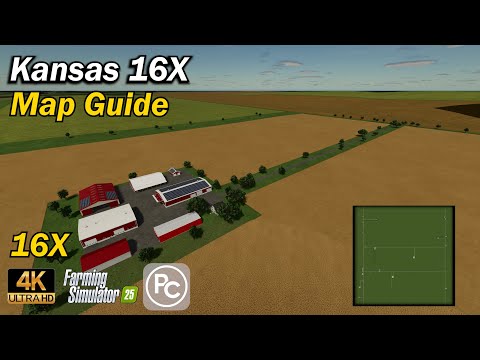
The somewhat cryptic terminology used when discussing map sizes in Farming Simulator 22 (FS22) can be confusing, especially when you encounter terms like “16x map.” So, to answer the core question directly: A 16x map in the Farming Simulator community typically refers to a map that is 8 kilometers by 8 kilometers in size. This means it covers a total area of 64 square kilometers. However, understanding the origins of this “x” notation and its relationship to the game’s base map size is crucial to grasping the concept.
The “x” designation comes from comparing a given map size to the standard or “1x” map size, which is 2 kilometers by 2 kilometers (4 square kilometers). Therefore:
- 1x Map: 2km x 2km (4 sq km)
- 4x Map: 4km x 4km (16 sq km)
- 16x Map: 8km x 8km (64 sq km)
It’s important to understand that the “x” isn’t a direct multiplier of the kilometer dimension; it’s a multiplier relating to the base map size. A 16x map is, therefore, four times wider and four times longer than the base map. This translates to a map that is 16 times the area of a 1x map. This can be confusing so make sure you keep the terms of reference in mind.
Why the seemingly convoluted system? Well, it’s mostly tradition and community shorthand. It’s a quick way for players to differentiate maps based on their relative size, but can become confusing when translating it to actual kilometers.
While these are common terms and are typically accurate it is recommended to double check the real size of the map before playing.
Unpacking the Significance of Map Size
The size of the map drastically impacts the gameplay experience in FS22. A larger map, like a 16x map, offers several advantages:
-
Vast Farming Opportunities: More land allows for larger fields, diverse crop rotations, and extensive livestock operations. This leads to greater potential for economic growth and more complex farm management challenges.
-
Expanded Exploration: Discover a more varied landscape, including multiple towns, unique terrain features, and hidden locations. The sense of scale is significantly enhanced.
-
Multiplayer Potential: Larger maps are ideal for multiplayer gameplay, allowing multiple players to develop their own farms without feeling cramped or competing for resources.
However, a 16x map also presents its own set of challenges:
-
Resource Management: Covering vast distances between fields and selling points requires efficient logistics and a substantial investment in vehicles and equipment.
-
Time Commitment: Farming a 16x map demands significantly more time and effort. Tasks that might seem manageable on a smaller map become daunting on a larger scale.
-
PC Performance: Larger maps can strain your computer’s resources, potentially leading to lower frame rates or performance issues, especially if you’re running with high graphical settings or many mods.
Maximizing the 16x Map Experience
If you’re ready to tackle the expansive world of a 16x map in FS22, consider these tips:
-
Plan Your Farm Layout: Before you start planting, take the time to plan the layout of your farm, considering the location of your fields, storage facilities, and animal pens. Efficient planning will save you time and money in the long run.
-
Invest in Efficient Equipment: Large fields require powerful and efficient equipment to complete tasks quickly. Consider investing in wide implements, high-horsepower tractors, and specialized harvesters.
-
Utilize Courseplay and Autodrive: These mods are essential for automating repetitive tasks, such as plowing, seeding, and harvesting, allowing you to focus on more strategic aspects of farm management.
-
Consider Hiring Workers: Don’t be afraid to hire workers to help with field work and transportation. While they do come at a cost, they can significantly increase your productivity.
-
Explore Production Chains: 16x maps often have more space for production facilities. Take advantage of this by establishing production chains to process your crops and livestock into higher-value goods, increasing your profits.
-
Join a Multiplayer Server: The vastness of a 16x map is best experienced with friends. Join a multiplayer server and collaborate with other players to build a thriving agricultural community. Learning more about gameplay and how simulations translate to real-world skillsets can be explored through resources like the Games Learning Society (GamesLearningSociety.org).
Frequently Asked Questions (FAQs) About FS22 Map Sizes
1. What is the standard map size in FS22?
The standard map size in Farming Simulator 22 is 2km x 2km, often referred to as a 1x map.
2. What is the difference between a 4x map and a 16x map?
A 4x map is 4km x 4km (16 sq km), while a 16x map is 8km x 8km (64 sq km). The 16x map is four times larger in each dimension than the 4x map, and 4 times the area.
3. Are there any maps larger than 16x in FS22?
Yes, there are mod maps that exceed the 16x size, though they are less common due to the increased demand on system resources. You may also have to research which maps can be found on which platforms.
4. Will a 16x map slow down my game?
Potentially, yes. Larger maps generally require more processing power. If your computer has lower specifications you may experience slow down or even crashes.
5. What are the minimum PC specs for playing on a 16x map in FS22?
While the minimum specs for FS22 might allow you to load a 16x map, a smoother experience generally requires a more powerful CPU, a dedicated graphics card with ample VRAM (4GB or more), and at least 16GB of RAM.
6. Where can I find 16x maps for FS22?
You can find 16x maps on various modding websites dedicated to Farming Simulator 22. These maps can also often be found inside the game on the official modhub.
7. Are 16x maps available on consoles?
Console availability varies. Due to hardware limitations and mod size restrictions, 16x maps are less common on consoles compared to PC. It is important to make sure that the map you are using is playable on the console you are playing on.
8. What are some popular 16x maps for FS22?
Popular 16x maps vary depending on the community’s preferences. Spend some time researching the type of map that is best for you before downloading and playing it.
9. Do I need any specific DLC to play a 16x map?
It depends on the map. Some 16x maps may require specific DLC packs if they incorporate assets or features from those DLCs. Always read the map description carefully.
10. Can I use all the same mods on a 16x map as I do on a standard map?
Most mods should work fine, but some mods that are very resource-intensive might exacerbate performance issues on a 16x map. Test mods individually to ensure compatibility and performance.
11. How much RAM do I need for a 16x map in FS22?
While 8GB might be the minimum for FS22 in general, 16GB of RAM is highly recommended for playing on 16x maps to avoid performance bottlenecks.
12. What is Courseplay, and why is it useful on a 16x map?
Courseplay is a popular mod that allows you to automate vehicle tasks. On a 16x map, where distances are vast, Courseplay is invaluable for automating repetitive tasks like plowing, seeding, and harvesting, freeing you to focus on other aspects of farm management.
13. How do I install a 16x map in FS22?
Download the map file and place it in your FS22 mods folder (usually located in your Documents folder under “My GamesFarmingSimulator2022mods”). Enable the map in the game’s mod menu.
14. What are the advantages of playing on a 16x map in multiplayer?
16x maps provide ample space for multiple players to develop their own farms without interfering with each other. This is especially important in cases where there are many people playing on the same map.
15. Are there any disadvantages to using a 16x map?
The primary disadvantage is the increased demand on system resources, which can lead to performance issues. You may also find yourself spending more time on the map.
Navigating the world of Farming Simulator 22 map sizes can be a bit like deciphering a farmer’s almanac, but hopefully, this guide has shed some light on the meaning of 16x maps. Choose wisely, farm diligently, and enjoy the vast landscapes that FS22 has to offer!