How to Play Games Without Damaging Your Eyes
Fast answer first. Then use the tabs or video for more detail.
- Watch the video explanation below for a faster overview.
- Game mechanics may change with updates or patches.
- Use this block to get the short answer without scrolling the whole page.
- Read the FAQ section if the article has one.
- Use the table of contents to jump straight to the detailed section you need.
- Watch the video first, then skim the article for specifics.
Playing video games is a popular pastime, enjoyed by millions worldwide. However, prolonged gaming sessions can put a strain on your eyes, leading to discomfort and potential long-term issues. The key to enjoying gaming without harming your eyes lies in implementing preventative strategies and being mindful of your habits. This article will equip you with the knowledge and techniques needed to protect your vision while indulging in your favorite games.
Essential Strategies for Eye Protection While Gaming
To play games without damaging your eyes, you need a multi-faceted approach. Here are the core principles you should adopt:
1. The 20-20-20 Rule: Your Best Friend
The 20-20-20 rule is the cornerstone of preventing eye strain during gaming. Every 20 minutes, take a break and look at something 20 feet away for at least 20 seconds. This simple practice allows your eye muscles to relax and refocus, reducing fatigue and preventing strain. Setting a timer or using a reminder app can help you stay consistent with this practice.
2. Take Regular Breaks Beyond the 20-20-20 Rule
While the 20-20-20 rule is effective, it’s crucial to incorporate more extensive breaks during your gaming sessions. For every two hours of gaming, take a 15-minute break. During these breaks, step away from your screen, move around, and give your eyes a complete rest. This will give your eyes a proper recovery period and will reduce the risk of cumulative strain.
3. Optimize Your Gaming Environment
Your gaming environment plays a crucial role in preventing eye strain. Here are some crucial steps to take:
*   **Proper Lighting:** Avoid playing in a dark room. The contrast between the bright screen and a dark environment can significantly strain your eyes. Use ambient lighting that is comfortable and reduces glare. Ensure the light isn’t directly shining on the screen to prevent reflections.
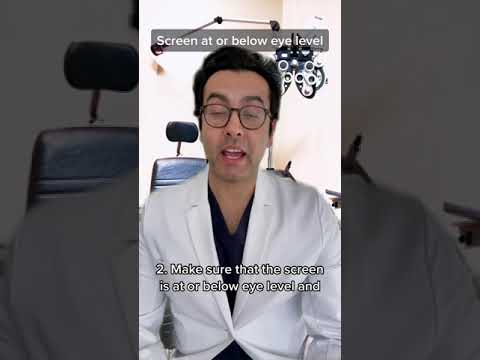
*   **Screen Placement:** Maintain a comfortable distance from your screen, generally about **arm's length away**. Adjust the height of your monitor so that the top of the screen is at or slightly below eye level. This helps avoid eye strain and neck strain.
*   **Screen Brightness:** Adjust the screen brightness to match the surrounding environment. A screen that is too bright or too dim can strain your eyes. Aim for a brightness level that feels comfortable.
*   **Anti-Glare:** Use a screen protector with an **anti-reflective coating**. This can significantly reduce glare from lights and windows, making it easier for your eyes to focus.
4. Remember to Blink
When concentrating on a screen, people tend to blink less frequently. The average person blinks around 12 times per minute, but this can drop to 5 times or fewer when using a screen. Reduced blinking can lead to dry eyes, a common cause of discomfort and eye strain. Make a conscious effort to blink more frequently during your gaming sessions. You can even set a reminder or create an automated gameplay pause to encourage you to blink. Use lubricating eye drops or artificial tears if you experience persistent dryness.
5. Maintain Proper Posture
Your posture while gaming can impact more than just your back; it can affect your vision as well. Slouching or being too close to the screen can worsen eye strain. Ensure you’re sitting in an ergonomic chair with proper back support. Keep your feet flat on the floor and maintain a comfortable distance from your screen.
6. Consider Blue Light Filters
While there’s ongoing debate about the effectiveness of blue light glasses, there’s some evidence to suggest they may help with sleep, and they can reduce glare. Blue light emitted from screens can suppress melatonin production, potentially disrupting your sleep cycle. If you game frequently in the evenings, consider using blue light filter settings or blue light glasses to mitigate this effect, as it may contribute to less eye strain through better sleep.
7. Hydrate Well
Dehydration can contribute to dry eyes. Drinking plenty of water is crucial for overall health, and it also helps maintain adequate tear production. Ensure you’re drinking enough water throughout the day, especially before, during, and after gaming sessions.
8. Eye Exercises and Regular Checkups
While eye exercises cannot fix conditions like nearsightedness, farsightedness, or astigmatism, they can help with eye muscle function. Simple eye movements and focusing exercises can help with reducing visual fatigue. Regular checkups with an optometrist are crucial. A professional can identify any underlying issues and recommend the best course of action, including vision correction if needed.
FAQs: Protecting Your Vision While Gaming
1. Does playing video games damage your eyes?
Excessive video game use can lead to eye strain, blurry vision, headaches, and focusing problems. Limiting play time and implementing eye care practices are important. Playing video games for more than three hours at a single sitting can be harmful.
2. Can screens cause permanent eye damage?
There is no conclusive evidence that computer screens cause permanent eye damage. However, prolonged screen time without breaks can lead to eye strain and discomfort.
3. What is digital eye strain?
Digital eye strain, also known as computer vision syndrome, refers to a group of eye problems caused by prolonged use of computers, tablets, and smartphones. Common symptoms include dry eyes, headaches, blurred vision, and neck pain.
4. Do blue light glasses really work?
The effectiveness of blue light glasses is still under debate. They may not prevent eye strain, but they can help reduce blue light exposure and possibly improve sleep, especially when used before bedtime.
5. What if I already have eye problems?
If you already have pre-existing eye conditions, it’s important to consult your optometrist about best practices while gaming, or other screen time activities. They may recommend specific steps or treatments.
6. How often should I rest my eyes when using a computer?
Follow the 20-20-20 rule. Take 15-minute breaks after every two hours of continuous computer use.
7. Are contact lenses making my eyes feel tired?
Tiredness when wearing contact lenses could be due to poor fit, uncorrected refractive error, overuse, or dry eyes. Consult your eye doctor if you experience ongoing discomfort.
8. Can video games improve my vision?
Action-oriented video games may improve visual attention and reaction time. However, this doesn’t mean they can correct existing vision problems. There is evidence that games can be used in the treatment of certain eye disorders such as lazy eye (amblyopia) by training the brain to work with the affected eye.
9. How do pro gamers protect their eyes?
Professional gamers adopt similar practices, such as: regular breaks, proper screen settings, adequate lighting, safe distance from screens, and consulting with optometrists when needed.
10. Is it better to game in the dark or with lights?
Gaming in a dark room is not recommended as it creates a significant contrast, straining the eyes. Always use proper lighting to reduce glare and eye fatigue.
11. Are sunglasses useful when indoors?
While sunglasses can block blue light outdoors, they aren’t usually necessary when you are indoors. Focus instead on making your monitor more comfortable.
12. What is the 20 minute eating rule?
The 20 minute eating rule is unrelated to eye care. It suggests that it takes about 20 minutes for your brain to recognize fullness, promoting mindful eating habits.
13. What foods are good for eye health?
Fruits rich in Vitamin C like citrus fruits and berries, along with carrots, mangoes, papayas and foods rich in omega-3 fatty acids, are beneficial for eye health.
14. What causes eye strain?
Eye strain can be caused by prolonged focusing on screens, poor lighting, improper posture, dry eyes, and uncorrected vision problems.
15. How can I improve my eyesight naturally?
While natural remedies can support eye health, they cannot correct vision problems. Regular eye check-ups, proper diet, hydration, and protective eye measures (such as wearing sunglasses) are essential.
Conclusion
Protecting your eyes while gaming is a matter of adopting healthy habits and being mindful of your body’s needs. By implementing the 20-20-20 rule, taking regular breaks, optimizing your environment, and staying hydrated, you can enjoy your favorite games without compromising your vision. Remember to listen to your body, consult with an optometrist for any concerns, and prioritize your eye health for long-term well-being.