How to Play Games Without Hurting Your Hands: A Gamer’s Guide to Prevention and Pain Relief
Fast answer first. Then use the tabs or video for more detail.
- Watch the video explanation below for a faster overview.
- Game mechanics may change with updates or patches.
- Use this block to get the short answer without scrolling the whole page.
- Read the FAQ section if the article has one.
- Use the table of contents to jump straight to the detailed section you need.
- Watch the video first, then skim the article for specifics.
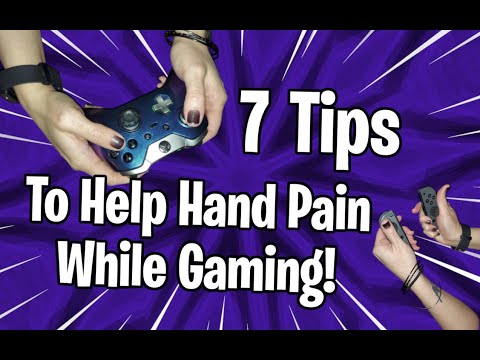
Playing video games is a fun and engaging hobby, a competitive sport, and even a viable career path for some. However, prolonged gaming sessions can lead to hand and wrist pain, potentially resulting in serious conditions like carpal tunnel syndrome, tendonitis, and gamer’s thumb (De Quervain’s tenosynovitis). The key to enjoying gaming without the pain lies in adopting proactive strategies focused on ergonomics, moderation, and hand care. Here’s a comprehensive guide:
- Prioritize Ergonomics: Ensure your gaming setup promotes good posture and minimizes strain on your hands and wrists. This includes using an ergonomic keyboard and mouse, positioning your monitor at eye level, and choosing a comfortable chair with proper back support.
- Take Frequent Breaks: Implement the 20-20-20 rule: every 20 minutes, look at something 20 feet away for 20 seconds. Also, stand up, stretch, and walk around for a few minutes every hour. Short breaks can significantly reduce repetitive strain.
- Warm-Up and Stretch Regularly: Before and during gaming sessions, perform hand and wrist stretches. These exercises improve flexibility, circulation, and range of motion, preparing your hands for the demands of gaming.
- Optimize Controller Settings: Customize controller settings to reduce the amount of force and motion required. Adjust button mapping, cursor sensitivity, and vibration intensity to minimize strain.
- Choose the Right Equipment: Select a controller or mouse that comfortably fits your hand. Lightweight options are generally preferable, as they reduce the amount of weight your hands need to support.
- Vary Your Gaming Activities: Avoid prolonged periods of playing the same game or using the same input method. Alternate between different genres and control schemes to engage different muscle groups.
- Strengthen Your Hands and Forearms: Incorporate hand and forearm strengthening exercises into your routine. These exercises improve the stability and endurance of your muscles, reducing the risk of injury.
- Maintain Good Posture: Proper posture helps distribute weight evenly and reduces strain on your hands and wrists. Sit upright with your shoulders relaxed and your elbows close to your body.
- Listen to Your Body: Pay attention to any signs of pain, discomfort, or fatigue in your hands and wrists. If you experience any symptoms, stop gaming and rest your hands until the symptoms subside.
These proactive measures, when implemented consistently, can greatly reduce your risk of developing gaming-related hand injuries, allowing you to enjoy your favorite games for years to come.
Frequently Asked Questions (FAQs)
1. What are the most common hand injuries associated with gaming?
The most common hand injuries related to gaming include:
- Carpal Tunnel Syndrome: Compression of the median nerve in the wrist, causing numbness, tingling, and pain in the hand and fingers.
- Tendonitis: Inflammation of the tendons in the hand and wrist, often caused by repetitive movements.
- De Quervain’s Tenosynovitis (Gamer’s Thumb): Inflammation of the tendons on the thumb side of the wrist, causing pain and difficulty moving the thumb.
- Synovitis: Inflammation of the membrane protecting the joints.
2. How can I tell if I have carpal tunnel syndrome?
Symptoms of carpal tunnel syndrome include:
- Numbness, tingling, or pain in the thumb, index, middle, and ring fingers.
- Weakness in the hand.
- Pain that radiates up the arm.
- Symptoms that worsen at night.
If you experience these symptoms, consult a doctor for diagnosis and treatment.
3. What are some effective hand and wrist stretches for gamers?
Some effective stretches include:
- Wrist Extensions and Flexions: Extend your arm straight out with your palm down and bend your wrist up and down. Repeat with your palm up.
- Finger Stretches: Extend your hand with fingers straight, then gently bend each finger back towards your wrist.
- Thumb Stretches: Gently pull your thumb away from your hand and hold.
- Wrist Circles: Rotate your wrists clockwise and counterclockwise.
Perform these stretches regularly throughout your gaming sessions.
4. How often should I take breaks while gaming?
Aim to take a short break every 20-30 minutes. This allows your hands and wrists to rest and recover from repetitive movements. During your break, stand up, stretch, and walk around to improve circulation.
5. What type of gaming equipment is best for preventing hand injuries?
Look for equipment that:
- Fits Comfortably: The controller or mouse should fit comfortably in your hand without requiring excessive stretching or gripping.
- Is Lightweight: Lightweight equipment reduces the amount of strain on your hands and wrists.
- Has Adjustable Settings: Customize button mapping, cursor sensitivity, and vibration intensity to minimize force and motion.
6. Can gaming gloves help prevent hand injuries?
Gaming gloves may provide some benefits, such as:
- Warmth: Keeping your hands warm can improve circulation and reduce stiffness.
- Grip: Some gloves have rubber grips on the palms to help maintain a better grip on the controller.
- Support: Certain gloves offer wrist support, which can help prevent carpal tunnel syndrome.
However, gaming gloves are not a substitute for proper ergonomics and regular breaks.
7. Are there any exercises I can do to strengthen my hands and forearms?
Yes, some exercises include:
- Grip Strength Exercises: Use a hand gripper or stress ball to strengthen your grip.
- Wrist Curls: Use light weights to perform wrist curls, both palm up and palm down.
- Reverse Wrist Curls: Similar to wrist curls, but with your palm facing down.
Start with light weights and gradually increase the resistance as you get stronger.
8. How important is posture for preventing hand injuries while gaming?
Posture is very important. Poor posture can lead to:
- Increased strain on your hands and wrists.
- Neck and back pain.
- Reduced circulation.
Maintain good posture by sitting upright with your shoulders relaxed and your elbows close to your body. Adjust your monitor to eye level and use a comfortable chair with proper back support.
9. What should I do if I start experiencing pain in my hands while gaming?
If you experience pain, stop gaming immediately and rest your hands. You can also try:
- Applying ice or heat: Apply ice for up to 20 minutes several times a day to reduce inflammation. Heat can help loosen stiff muscles.
- Taking over-the-counter pain relievers: NSAIDs like ibuprofen or naproxen can help reduce pain and inflammation.
- Stretching and massaging your hands.
If the pain persists, consult a doctor or hand therapist.
10. Is gaming bad for my hands?
Gaming itself is not inherently bad for your hands. However, prolonged gaming sessions with poor ergonomics and insufficient breaks can increase the risk of hand injuries. By adopting proactive strategies, you can enjoy gaming without the pain.
11. Can video games improve my hand dexterity?
Yes, certain video games can improve manual dexterity. Controller-based games require precise hand-eye coordination and finger movements, which can enhance fine motor skills.
12. Do professional gamers experience hand problems?
Yes, professional gamers are at a higher risk of developing hand injuries due to the long hours they spend practicing and competing. Carpal tunnel syndrome, tendonitis, and gamer’s thumb are common professional hazards for gamers.
13. What is “gamer’s thumb” or “gamer’s wrist?”
“Gamer’s thumb” or “gamer’s wrist” refers to De Quervain’s tenosynovitis, an inflammation of the tendons on the thumb side of the wrist. This condition causes pain and difficulty moving the thumb and wrist.
14. How do I choose the right size controller for my hands?
The right size controller should fit comfortably in your hand without requiring excessive stretching or gripping. Consider visiting a gaming store to try out different controllers and see which one feels the most comfortable.
15. Where can I find more information about the benefits of games?
You can find more information about the benefits of games on the Games Learning Society website at https://www.gameslearningsociety.org/. The GamesLearningSociety.org is dedicated to researching and promoting the positive impacts of games on learning and development.
Conclusion
By implementing these strategies and listening to your body, you can continue to enjoy gaming without suffering from hand injuries. Remember, prevention is key, so prioritize ergonomics, moderation, and hand care to keep your hands healthy and happy.