How can I play Windows games on my Android tablet?
Quick answer
This page answers How can I play Windows games on my Android tablet? quickly.
Fast answer first. Then use the tabs or video for more detail.
- Watch the video explanation below for a faster overview.
- Game mechanics may change with updates or patches.
- Use this block to get the short answer without scrolling the whole page.
- Read the FAQ section if the article has one.
- Use the table of contents to jump straight to the detailed section you need.
- Watch the video first, then skim the article for specifics.
 ▶
▶
Fast answer first. Then use the tabs or video for more detail.
- Watch the video explanation below for a faster overview.
- Game mechanics may change with updates or patches.
- Use this block to get the short answer without scrolling the whole page.
- Read the FAQ section if the article has one.
- Use the table of contents to jump straight to the detailed section you need.
- Watch the video first, then skim the article for specifics.
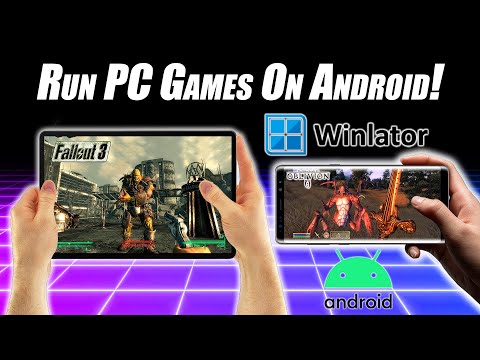
To play Windows games on an Android tablet, you can use various methods such as streaming services like GeForce Now or apps like Moonlight, or utilize Steam’s Remote Play feature if your hardware supports it, and there are also apps like Winlator that allow you to play some PC games directly on your Android device. Additionally, you can use remote desktop software like AnyViewer to access your computer and play PC games on your Android tablet from anywhere.
Playing Windows Games on Android Tablet
The process of playing Windows games on an Android tablet involves a few steps, including downloading and installing the required app, setting up your computer and Android device for streaming, and pairing a controller for a better gaming experience.
Streaming Services
Streaming services like GeForce Now allow you to play Windows games on your Android tablet by streaming them from a remote server, eliminating the need for a powerful computer or gaming console.
Remote Desktop Software
Remote desktop software like AnyViewer enables you to access your computer from your Android tablet and play PC games remotely, as long as you have a stable internet connection.
Steam’s Remote Play
Steam’s Remote Play feature allows you to play Steam games on your Android tablet by streaming them from your computer, using your computer’s processing power to run the games.
Frequently Asked Questions (FAQs)
Here are 15 FAQs that provide additional information on playing Windows games on an Android tablet:
-
Can I play PC games on Android without PC?
Yes, you can play PC games on Android without a PC using cloud gaming services like Google Stadia or Microsoft xCloud, which allow you to stream PC games directly to your Android device.
-
How do I run Windows games on Android?
To run Windows games on Android, you can use apps like Winlator, which allow you to play some PC games directly on your Android device, or use streaming services like GeForce Now to stream Windows games from a remote server.
-
Can I install PC games on tablet?
Yes, you can install PC games on a tablet using apps like Winlator, but the game must be compatible with the Android operating system and the tablet’s hardware.
-
Which app can I use to play PC games on Android?
You can use apps like Winlator, Moonlight, or GeForce Now to play PC games on Android, depending on the type of game and the required hardware specifications.
-
Can you run PC games on an Android tablet?
Yes, you can run PC games on an Android tablet using streaming services like GeForce Now or Steam’s Remote Play feature, as long as your tablet meets the minimum hardware requirements.
-
Can I play Steam games on my tablet?
Yes, you can play Steam games on your tablet using the Steam Link app, which allows you to stream Steam games from your computer to your Android tablet.
-
Which tablet can run PC games?
Tablets like the Asus ROG Flow Z13, Amazon Fire HD 10, or iPad Pro can run PC games, depending on the game’s system requirements and the tablet’s hardware specifications.
-
Can you play Microsoft games on tablet?
Yes, you can play Microsoft games on a tablet using the xCloud service, which allows you to stream Xbox games to your Android tablet.
-
How do I put games on my Android tablet?
You can put games on your Android tablet by downloading them from the Google Play Store or by installing them using an APK file.
-
Why can’t PC games run on Android?
PC games cannot run on Android because they are designed for Windows and require a Windows operating system to function, but you can use emulators or streaming services to play PC games on Android.
-
Can I play PC games without a gaming PC?
Yes, you can play PC games without a gaming PC using cloud gaming services like Google Stadia or Microsoft xCloud, which allow you to stream PC games directly to your Android device.
-
How do I open an EXE file on Android?
You can open EXE files on Android using apps like Inno Setup Extractor or DOS BOX, but EXE files are designed for Windows and may not work on Android.
-
Can I convert PC games to Android?
Yes, you can convert PC games to Android by porting the game, which involves adapting the game’s source code and visual assets to work on Android.
-
Is it possible to run Windows app on Android?
No, it is not possible to run a Windows app on Android without using emulators or streaming services, as Windows apps are designed for Windows and require a Windows operating system to function.
-
Can I install Microsoft on my tablet?
Yes, you can install Microsoft Office on your tablet using the Microsoft Office app, which allows you to view, edit, and share Office files on your Android tablet.