Mastering Pokémon HOME: A Comprehensive Guide to Trading
Fast answer first. Then use the tabs or video for more detail.
- Watch the video explanation below for a faster overview.
- Game mechanics may change with updates or patches.
- Use this block to get the short answer without scrolling the whole page.
- Read the FAQ section if the article has one.
- Use the table of contents to jump straight to the detailed section you need.
- Watch the video first, then skim the article for specifics.
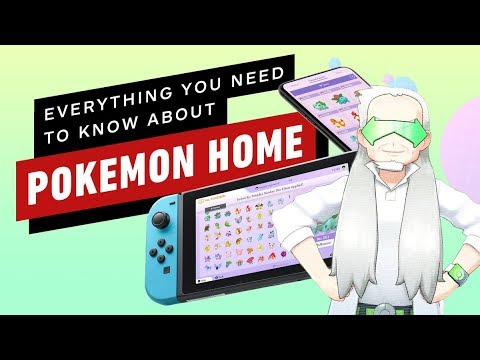
So, you’re itching to trade Pokémon in Pokémon HOME, huh? Excellent! This cloud-based service is a fantastic hub for all your pocket monster needs, and trading is a core function. Let’s break down exactly how to swap Pokémon with trainers around the globe. The central method is accessing Pokémon HOME through either the Nintendo Switch app or the mobile app. With either method, you can perform Wonder Trades (randomized trades), trade in the GTS (Global Trade System) by specifying the Pokémon you are trading and the Pokémon you want to receive in return, or trading directly with friends via friend code.
Trading Methods in Pokémon HOME
Pokémon HOME offers a few distinct ways to trade, each with its own advantages:
-
Wonder Box: Think of this as the mystery gift of the trading world. You place a Pokémon in the Wonder Box, and it gets traded randomly with someone else using the service. The beauty of the Wonder Box is that trades happen automatically, even when you’re not actively using the app. This is a fantastic option for clearing out duplicates or unwanted Pokémon.
-
Global Trade System (GTS): The GTS is a more targeted approach. You deposit a Pokémon and specify exactly which Pokémon you want in return (species, level, even gender!). This allows you to search for specific Pokémon you need to complete your Pokédex or acquire competitive creatures. Be prepared for some potentially outlandish requests though, as players sometimes ask for Legendaries in exchange for common Pokémon!
-
Friend Trade: This is the most direct method. After becoming friends within Pokémon HOME (requiring a friend code exchange), you can initiate a trade with a specific person. This is ideal for coordinating trades with friends, family, or trusted members of online communities.
Trading via Mobile Device
Trading on your mobile device provides flexibility and convenience. Here’s the general process:
- Open the Pokémon HOME mobile app.
- Navigate to the “Trade” section. The interface is fairly intuitive.
- Choose your desired trading method: Wonder Box, GTS, or Friend Trade.
- Follow the on-screen prompts for your selected method. For example, with the Wonder Box, you’ll select which Pokémon to deposit. With the GTS, you’ll specify the Pokémon you’re offering and seeking. For Friend Trade, you’ll select a friend from your list to initiate the trade.
- Confirm the trade and wait for it to complete.
Trading via Nintendo Switch
While the core trading mechanics are the same as the mobile version, the Switch offers some added functionality related to moving Pokémon between compatible games:
- Open the Pokémon HOME app on your Nintendo Switch.
- Select “Pokémon”. This allows you to access your Pokémon boxes and those within your compatible games.
- Move Pokémon to your HOME boxes. You need the Pokémon within HOME to perform any trades.
- Go to “Trade” and select the trade method you want.
- The process for Wonder Box, GTS, and Friend Trade is nearly identical to the mobile version, only with the added bonus of playing on your TV or in handheld mode.
Important Considerations
- Premium Plan vs. Free Version: While a paid Premium Plan isn’t required to transfer Pokémon on Nintendo Switch, it significantly expands your storage capacity (up to 6,000 Pokémon compared to the free version’s 30) and unlocks the ability to place more Pokémon in the Wonder Box and GTS simultaneously.
- Pokémon Compatibility: Not all Pokémon can be transferred to Pokémon HOME. Pokémon that are in a Gym in Pokémon GO, costumed Pokémon, Buddy Pokémon, Shadow Pokémon, and Mega-Evolved Pokémon.
- Trading Limits: Free users have limits on Friend Trades.
- Internet Connection: A stable WiFi connection is essential for trading in Pokémon HOME. You don’t, however, need a Nintendo Switch Online subscription.
- Error Codes: Error code 500, for instance, often indicates a server-side issue.
FAQs: Delving Deeper into Pokémon HOME Trading
Here are 15 frequently asked questions to further enhance your understanding of Pokémon HOME trading:
Can I trade in Pokémon HOME without a Premium Plan?
Yes, you can trade in Pokémon HOME without a Premium Plan. However, the free version has limitations, such as restricted storage space and fewer Pokémon that can be put in the Wonder Box or GTS at once.
What Pokémon cannot be traded in Pokémon HOME?
Certain Pokémon cannot be traded. Mythical Pokémon that have been traded once before can be traded with friends, but they cannot be traded in the GTS.
How many times can I trade with a friend in Pokémon HOME if I don’t have a Premium Plan?
Users who aren’t paying for the app can only make 10 Friend Trades each day.
Why can’t I trade specific Pokémon in Pokémon HOME?
Certain Pokémon cannot be traded because they are Mythical Pokémon (like Mew) and Pokémon that have previously been traded once before cannot be traded.
Do I need Nintendo Switch Online to trade in Pokémon HOME?
No, a Nintendo Switch Online membership is not required to use Pokémon HOME. You only need an internet connection.
How many Pokémon can Pokémon HOME hold?
With the free version, Pokémon HOME can only hold 30 Pokémon. The Premium Plan can hold up to 6,000 Pokémon.
What is error code 500 on Pokémon HOME and how do I fix it?
Error code 500 typically indicates a connection issue between your device and the Pokémon HOME server. This is usually due to server problems on Nintendo’s end, so the best course of action is to wait and try again later.
Will Pokémon evolve when traded in Pokémon HOME?
No, Pokémon cannot evolve within Pokémon HOME itself. Evolution requires interaction with the core game mechanics of a compatible Pokémon game.
What happens to my Pokémon if my Pokémon HOME Premium Plan expires?
Upon expiration of your Premium Plan, your Pokémon are not deleted. However, you will only have access to the first box, with the rest of the Pokémon being locked until you renew your subscription. Transferring from 3DS to Switch also requires a premium plan.
Can I trade hacked Pokémon in Pokémon HOME?
Trading hacked Pokémon is risky. While Pokémon HOME has checks in place, they are not foolproof. Trading very obviously hacked Pokémon could potentially result in penalties, including the loss of those Pokémon.
Can I trade shiny Pokémon in Pokémon HOME?
Yes, you can trade shiny Pokémon in Pokémon HOME via any of the available trading methods (Wonder Box, GTS, Friend Trade). The Stardust costs are higher for Pokémon you don’t own in the app.
Can I transfer Mythical Pokémon from Pokémon GO to Pokémon HOME?
Yes, Pokémon GO trainers can transfer their Legendary and Mythical Pokémon to Pokémon HOME. You must use the GO Transporter and have sufficient transporter energy.
What is the point of Pokémon HOME?
Pokémon HOME is a cloud-based service designed to allow players to manage their Pokémon collections across multiple compatible games, trade Pokémon with other players, and receive Mystery Gifts.
What happens when you complete the Pokédex in Pokémon HOME?
When you complete the National Pokédex in Pokémon HOME, you are awarded an Original Color Magearna, which is a special form of Magearna colored gold and red.
How do I become friends with someone in Pokémon HOME to perform Friend Trades?
You need to exchange friend codes within the Pokémon HOME app. Go to your profile, find your friend code, share it with the person you want to add, and then have them add you using your code. Once they accept, you’ll appear on each other’s friend lists and can initiate Friend Trades.
Conclusion
Trading in Pokémon HOME offers a variety of ways to connect with other trainers and expand your Pokémon collection. Whether you prefer the random excitement of the Wonder Box, the targeted approach of the GTS, or the direct interaction of Friend Trade, Pokémon HOME provides the tools you need. Remember to consider the limitations of the free version, the compatibility of Pokémon, and the risks associated with potentially hacked creatures. Now go forth and trade, trainer! To expand your learning even further, check out the Games Learning Society at GamesLearningSociety.org. It’s a great resource to learn more about games.