How do I add more storage to my PS5?
Fast answer first. Then use the tabs or video for more detail.
- Watch the video explanation below for a faster overview.
- Game mechanics may change with updates or patches.
- Use this block to get the short answer without scrolling the whole page.
- Read the FAQ section if the article has one.
- Use the table of contents to jump straight to the detailed section you need.
- Watch the video first, then skim the article for specifics.
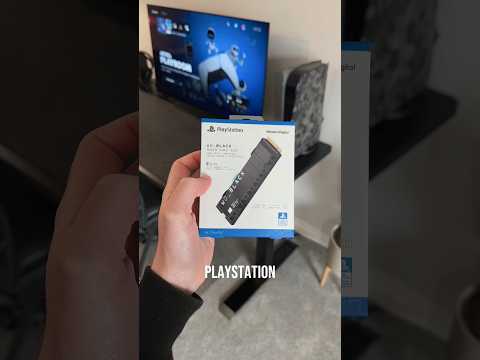
To add more storage to your PS5, you can either use USB Extended Storage by connecting a USB drive to your console or install an M.2 SSD internally, which can be used to download, copy, and launch PS5 games and PS4 games, as well as media apps. By doing so, you can increase the storage space available on your PS5 console, providing more room for your games and improving your console’s performance.
Understanding PS5 Storage Options
USB Extended Storage
The PS5 allows you to connect a USB drive to expand your storage capacity, which can be used to store and play PS4 games, as well as store PS5 game data to free up space on your internal drive. To use USB Extended Storage, simply connect your USB drive to a USB port on the back of your PS5 console, go to Settings > Storage, select USB Extended Storage > Format as USB Extended Storage, and follow the prompts.
M.2 SSD Storage
Installing an M.2 SSD is a more involved process, but it provides a significant boost to your PS5’s performance. To install an M.2 SSD, you’ll need to remove the back cover of your PS5, remove the expansion slot cover, move the screw and spacer inside the SSD housing, insert the SSD and use the mounting screw, and then format the SSD. This process can be completed in under 10 minutes, even for those who have never installed an SSD before.
Frequently Asked Questions
- What if my PS5 doesn’t have enough storage? If there is not enough free space on the console storage, consider using extended storage depending on your needs. If an error occurs even though the free space is reserved, try changing the save destination to either the console storage or the extended storage.
- What if my PS5 storage is full? You can move PS4 games to USB Extended Storage to free up room on the PS5’s internal storage. Enable the option to Always Install PS4 Games to USB Extended Storage, and PS4 titles that haven’t received a PS5 upgrade will be installed on the external drive by default.
- How much does it cost to expand PS5 storage? Price-wise, you’re looking at $106.98 /£190.79 for 1TB, $180.98 for 2TB, and $485.98 for 4TB variants, depending on the storage solution you choose.
- How to upgrade PS5 storage – Easy Step by Step Guide? To upgrade your PS5 storage, you can either use USB Extended Storage or install an M.2 SSD internally, following the steps outlined above.
- Can I extend PS5 storage? Yes, you can extend your PS5 storage using either USB Extended Storage or an M.2 SSD.
- Why add an M.2 SSD to your PS5 console? Adding an M.2 SSD to your PS5 console allows you to increase the storage space available, providing more room for your games and improving your console’s performance.
- Is upgrading PS5 storage worth it? Installing an SSD can improve your PS5’s performance, providing faster load times and more storage space for your games.
- Does extended storage slow down PS5? While external HDDs may be slower than internal storage, they can still provide a significant boost to your PS5’s storage capacity and are a more affordable option.
- How much GB should a PS5 have? A PS5 comes with an 825GB drive built-in, but not all of that is available for you to use. After some rounding and the core system files needed for the operating system, your PS5 will come with 667.2GB of usable storage space.
- Is 1TB enough extra storage for PS5? Moving your games to a 1TB external drive for your PS5 is a good idea if you want to free up space on your internal storage, allowing you to keep a larger library of games without worrying about running out of space.
- Why can’t PS5 games be on extended storage? You can’t download PS5 games to an external drive because you can not play PS5 games off of an external drive. They will, by default, always download on your internal drive.
- Why is PS5 storage so fast? The PS5 SSD is faster than PC SSDs because it uses a custom SSD that is specially designed for the PS5, providing a significant boost to your console’s performance.
- How many games can a PS5 hold? The quick answer is 12 – 15 games, depending on the size of the games and the amount of usable storage space available on your PS5.
- How many PS5 games can 2TB hold? With up to 2TB of capacity, your PlayStation 5 console has the additional space to store up to 50 games, providing plenty of room for your favorite titles.
- How do I free up space on my PS5 without deleting games? To free up space on your PS5 without deleting games, you can move them to USB Extended Storage or install an M.2 SSD internally, providing more room for your games and improving your console’s performance.