How to Add Ragnarok to Ark: A Comprehensive Guide
Fast answer first. Then use the tabs or video for more detail.
- Watch the video explanation below for a faster overview.
- Game mechanics may change with updates or patches.
- Use this block to get the short answer without scrolling the whole page.
- Read the FAQ section if the article has one.
- Use the table of contents to jump straight to the detailed section you need.
- Watch the video first, then skim the article for specifics.
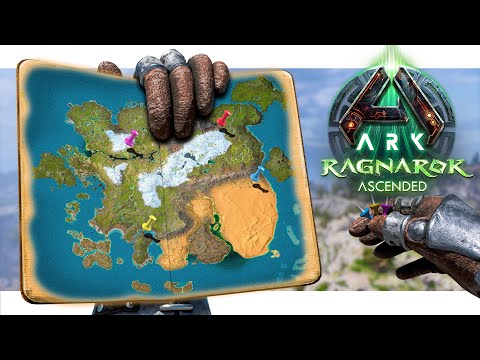
Adding the Ragnarok map to your Ark: Survival Evolved experience is a fantastic way to expand your gameplay, offering a vast and beautiful landscape filled with unique creatures and challenges. Here’s how you do it:
The process depends on whether you are playing on single-player, non-dedicated server, or a dedicated server. For single-player and non-dedicated sessions, simply select “Ragnarok” from the map selection menu when starting a new game or session. For dedicated servers, you’ll need to modify your server’s configuration file to specify Ragnarok as the active map. This typically involves changing the MapName parameter to Ragnarok. Remember to restart your server after making these changes for them to take effect.
Single-Player and Non-Dedicated Sessions
For those playing in single-player mode or hosting a non-dedicated server, adding Ragnarok is incredibly straightforward.
- Launch Ark: Survival Evolved: Open the game through Steam or your chosen platform.
- Select “Host/Local”: Navigate to the main menu and select the “Host/Local” option. This allows you to create a single-player game or host a non-dedicated server for a limited number of players.
- Choose “Ragnarok” from the Map Selection: On the hosting screen, you’ll find a dropdown menu or a series of selectable tiles displaying the available maps. Locate “Ragnarok” and select it.
- Configure Your Settings: Customize the game settings to your preference. This includes difficulty, resource spawn rates, engram learning rates, and more. Adjust these settings to create the desired gameplay experience.
- Start the Game: Once you’re satisfied with the configuration, click the “Play Single Player” or “Host Non-Dedicated Session” button to launch the game on the Ragnarok map.
That’s it! You’re now ready to explore the wonders and face the dangers of Ragnarok.
Dedicated Server Configuration
Setting up Ragnarok on a dedicated server requires a bit more technical expertise, involving editing the server’s configuration files. This ensures that the server consistently launches with the Ragnarok map.
- Access Your Server Configuration Files: The location of these files depends on your hosting provider or your server setup. Typically, you’ll find them within the Ark: Survival Evolved server installation directory. Common filenames include
GameUserSettings.iniandGame.ini. - Locate the
MapNameParameter: Open theGameUserSettings.inifile using a text editor. Search for the line that containsMapName=. If it doesn’t exist, you may need to add it within the[ServerSettings]section. - Change the
MapNameValue toRagnarok: Modify theMapNameparameter toMapName=Ragnarok. This tells the server to load the Ragnarok map upon startup. - (Optional) Add
ActiveModsParameter: If you wish to use mods alongside Ragnarok, locate theActiveModsparameter. Add your desired Mod IDs separated by commas. For instance,ActiveMods=123456789,987654321. Ensure that Ragnarok is compatible with your chosen mods. - Save the Changes: Save the modified
GameUserSettings.inifile. - Restart Your Server: This is crucial. The changes you’ve made will only take effect after the server is restarted. Use your hosting provider’s control panel or your server management tools to restart the server.
- Verify the Map Change: After the server restarts, connect to it and confirm that the Ragnarok map is loaded correctly. You should be spawning in one of Ragnarok’s designated spawn zones.
By following these steps, you’ll successfully configure your dedicated server to run the Ragnarok map.
Important Considerations
- Server Performance: Ragnarok is a large and detailed map. Ensure your server has adequate resources (CPU, RAM, storage) to handle the increased load.
- Mod Compatibility: Always check the compatibility of any mods you plan to use with Ragnarok. Incompatible mods can cause crashes or other issues.
- Map Updates: Ark: Survival Evolved receives regular updates, which may occasionally affect map compatibility. Stay informed about updates and any necessary adjustments.
- Backup Your Configuration: Before making any changes to your server configuration files, it’s wise to create a backup. This allows you to easily revert to the previous configuration if something goes wrong.
- Spawn Zones: Familiarize yourself with the available spawn zones on Ragnarok. Some areas are more challenging than others, so choose wisely based on your experience level.
Frequently Asked Questions (FAQs)
1. Is Ragnarok a free DLC for Ark: Survival Evolved?
Yes, Ragnarok is a completely free DLC for Ark: Survival Evolved. You don’t need to purchase it separately. It’s available to all players who own the base game.
2. Can I transfer my character from another map to Ragnarok?
Yes, you can transfer your character, items, and creatures between different Ark maps, including Ragnarok. Use the Ark data transfer system at Obelisks, Supply Crates, or Tek Transmitters. However, server settings might restrict transfers. Check your server’s configuration.
3. Are there unique creatures on Ragnarok?
Yes, Ragnarok features several unique creatures, including the Ice Wyvern, Griffin, and more regional variants of existing creatures. These add new challenges and taming opportunities.
4. Does Ragnarok have a boss arena?
Yes, Ragnarok has a boss arena where you can fight the Manticore. Defeating the Manticore is a necessary step to progress through the game’s storyline.
5. Can I use mods on Ragnarok?
Yes, you can use mods on Ragnarok, provided they are compatible with the map and the current version of Ark: Survival Evolved. Always check mod compatibility before installing.
6. How do I find the Desert Titan on Ragnarok?
The Desert Titan does not natively spawn on Ragnarok. It is found on the Extinction map. However, some mods might add the Desert Titan to Ragnarok.
7. What are some good base locations on Ragnarok?
Ragnarok offers numerous excellent base locations. Some popular choices include the Viking Bay, Hidden Lake, and the Highlands. Consider factors like resource availability, defense potential, and aesthetics when choosing.
8. Does Ragnarok have all the resources from the base game?
Yes, Ragnarok has all the essential resources from the base game, including metal, crystal, oil, and obsidian. Resource distribution might differ from other maps.
9. How do I fix Ragnarok not showing up in the map selection?
Ensure your game is up to date. If you’re using Steam, verify the game files. If it’s still not showing, try reinstalling the game or contacting the game support for further assistance.
10. Can I play Ragnarok on console?
Yes, Ragnarok is available on consoles, including PlayStation and Xbox. The process for selecting the map is the same as on PC – choose it from the host/local menu.
11. Does Ragnarok support custom spawn codes?
Yes, Ragnarok supports custom spawn codes. You can use admin commands to spawn specific creatures or items in specific locations. Consult the Ark Wiki for the correct spawn codes.
12. Why is my Ragnarok server crashing?
Server crashes can have several causes. Incompatible mods, insufficient server resources, or corrupted game files are common culprits. Check server logs for error messages and troubleshoot accordingly.
13. How much RAM does my server need to run Ragnarok smoothly?
The amount of RAM needed depends on the number of players and the mods you’re using. A minimum of 8GB of RAM is recommended for a small server with a few players. More players and mods will require more RAM.
14. Can I customize the resource spawns on Ragnarok?
Yes, you can customize the resource spawns on Ragnarok by modifying the game’s configuration files. This allows you to tailor the resource distribution to your liking.
15. Where can I find the Artifacts needed for boss fights on Ragnarok?
Artifacts on Ragnarok are located in various caves and underwater locations. Consult the Ark Wiki or online guides for specific locations and strategies for acquiring them. Prepare for challenging encounters!