How to Claim Your EA FC 24 Ultimate Edition: A Pro’s Guide
Fast answer first. Then use the tabs or video for more detail.
- Watch the video explanation below for a faster overview.
- Game mechanics may change with updates or patches.
- Use this block to get the short answer without scrolling the whole page.
- Read the FAQ section if the article has one.
- Use the table of contents to jump straight to the detailed section you need.
- Watch the video first, then skim the article for specifics.
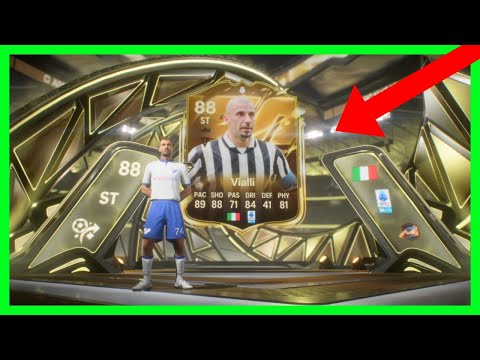
So, you’ve splashed out on the Ultimate Edition of EA FC 24, congratulations! You’re in for the deluxe experience. But unlocking all those shiny extras can sometimes feel like navigating a digital labyrinth. Fear not, fellow football fanatic, I’m here to guide you through claiming all the bonuses that come with your purchase, ensuring you get every last bit of value from your investment. Let’s dive in!
The Direct Answer: Claiming Your Ultimate Edition Perks
The process of claiming your EA FC 24 Ultimate Edition benefits varies slightly depending on your platform. Here’s the breakdown:
-
Pre-Orders (Digital): If you digitally pre-ordered the Ultimate Edition, the majority of your content should automatically be granted to your account upon launching the game for the first time. This includes packs, player items, and other bonuses. Ensure you are logging in with the EA account used to make the purchase. If anything is missing, give it a few hours; sometimes there’s a delay.
-
Pre-Orders (Physical): For physical pre-orders, you should find a code inside the game box. Redeem this code on your platform’s store (PlayStation Store, Xbox Store, Nintendo eShop, or EA App on PC). This code unlocks the Ultimate Edition content, which will then be applied to your account when you launch the game.
-
Post-Launch Purchase (Digital): If you purchased the Ultimate Edition after the official launch, the content should again be automatically granted to your account upon launching the game, provided you’re logging in with the correct EA account. Again, patience is key; give it some time to propagate.
-
Post-Launch Purchase (Physical): Similar to physical pre-orders, look for a redemption code inside the game case and redeem it on your platform’s store.
Key things to remember:
- Correct Account: Double-check that you’re logging into EA FC 24 with the same EA account you used to purchase the Ultimate Edition. This is the most common reason for missing content.
- Redemption Codes: Always redeem your codes! Don’t let them gather dust inside the box.
- Patience: Sometimes it takes a little while for the content to appear in your game. Give it a few hours, and restart the game.
- EA Support: If you’ve followed all the steps and still haven’t received your content after 24 hours, contact EA Support. They’re equipped to help resolve account-specific issues.
Frequently Asked Questions (FAQs) About Claiming Your Ultimate Edition
Here’s a comprehensive list of FAQs to address any potential issues or curiosities you might have:
Common Questions About Receiving EA FC 24 Ultimate Edition Benefits
-
I pre-ordered the digital Ultimate Edition, but I don’t see my packs. What should I do?
- First, verify that you’re logging in with the EA account you used to make the purchase. Then, completely close and restart the game. If the packs still aren’t there after a few hours, contact EA Support. Sometimes there is a propagation delay on the packs depending on server load. Be patient and ensure you are logging in on the account you pre-ordered the game with.
-
I redeemed the code from my physical Ultimate Edition copy. Where do I find my content in the game?
- The content will typically be delivered directly to your Ultimate Team account. Look for packs in the store under the “My Packs” section. Player items should appear directly in your club.
-
I accidentally redeemed my Ultimate Edition code on the wrong account. Can I transfer the content?
- Unfortunately, content is typically tied to the EA account on which the code was redeemed and cannot be transferred. Contact EA Support immediately; they may be able to assist, but there’s no guarantee.
-
How do I claim the Nike Ultimate Team Campaign rewards that come with the Ultimate Edition?
- These rewards are usually granted periodically throughout the game cycle. Keep an eye on your Ultimate Team account for announcements and objectives related to the Nike campaign. Complete the objectives to unlock the rewards.
-
I purchased the Ultimate Edition after the game’s release. Do I still get all the same benefits as a pre-order?
- Yes, you should receive all the same benefits as a pre-order, including packs, player items, and other bonuses. However, some time-sensitive bonuses might only be available for pre-orders. Read the details on the edition before purchasing to ensure you get everything you expect.
-
What is the difference between the Standard Edition and the Ultimate Edition?
- The Standard Edition provides access to the base game. The Ultimate Edition includes the base game plus additional content, such as bonus packs, player items, and sometimes early access to the game. The specifics of the added content vary from year to year.
-
My friend and I share a console. Can we both claim the Ultimate Edition benefits on our separate accounts?
- No, the Ultimate Edition benefits are tied to a single EA account and cannot be shared across multiple accounts, even on the same console.
-
I’m having trouble redeeming my code. What could be the issue?
- Double-check that you’re entering the code correctly, including any hyphens or special characters. Make sure you are redeeming the code on the correct platform store (PlayStation Store, Xbox Store, Nintendo eShop, or EA App on PC). If the issue persists, contact your platform’s support.
-
How long do I have to claim my Ultimate Edition content?
- While most content is available immediately, some items, such as weekly packs, are distributed over a longer period. Be sure to log in regularly to claim your rewards.
-
I’m playing on PC through Steam/Epic Games Store. How does claiming work for me?
- When you launch the game through Steam or Epic Games Store for the first time, you’ll be prompted to link your EA account. Make sure to use the same EA account you used to purchase the Ultimate Edition. The content should then be automatically applied to your account.
-
What if my Ultimate Team starter pack players disappeared?
- These player items may be untradeable loan players. Check their contract length and confirm the players are not expired from your club.
-
I didn’t receive my 4,600 FC Points that came with the Ultimate Edition.
- This is a common issue. Check your EA Account email for a confirmation from EA about your game entitlements. Check for any other additional details and instructions in the email. If you still don’t have them after a day, contact EA Support with any screenshots or the email as proof of purchase.
-
Where can I learn more about the educational potential of video games?
- The Games Learning Society explores how games can be leveraged for learning and engagement. Visit their website at GamesLearningSociety.org for more information. They delve into the theory and practice of game-based learning, offering valuable insights for educators and researchers alike.
-
I am on a shared console, will everyone receive the benefits of the Ultimate Edition?
- No, only the EA Account which purchased, pre-ordered, or redeemed the code for the Ultimate Edition will receive the benefits and rewards associated with the bundle. If you are sharing a console and signed into multiple accounts, each account will have to purchase their own version of the game to receive the benefits of the Ultimate Edition.
-
How do I know if the packs that I receive in Ultimate Team from the Ultimate Edition are tradeable?
- Look at the top left corner of the pack. If there is a small icon that indicates the item is untradeable. If the icon is not there, and you are able to list it on the transfer market, this means it is tradeable. Typically the packs with guaranteed rewards like special edition players or high rated players are untradeable.
Claiming your EA FC 24 Ultimate Edition content should be a straightforward process. By following these steps and consulting the FAQs, you’ll be enjoying all the perks in no time! Remember, patience and verifying your account details are key. Good luck, and happy gaming!