Connecting to the Past: A Comprehensive Guide to Joining Call of Duty 2 Servers
Fast answer first. Then use the tabs or video for more detail.
- Watch the video explanation below for a faster overview.
- Game mechanics may change with updates or patches.
- Use this block to get the short answer without scrolling the whole page.
- Read the FAQ section if the article has one.
- Use the table of contents to jump straight to the detailed section you need.
- Watch the video first, then skim the article for specifics.
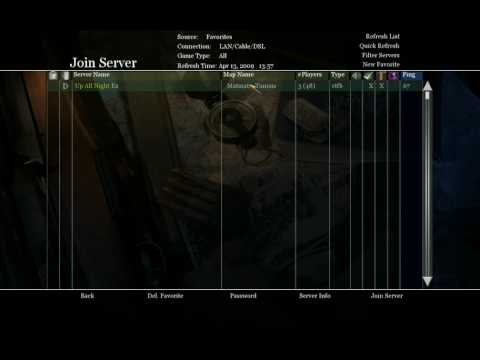
How to Connect to a Call of Duty 2 Server
Getting back into the classic action of Call of Duty 2 (CoD 2) online can be a rewarding experience. Unlike modern iterations, connecting to a CoD 2 server involves a more direct, hands-on approach. Here’s a step-by-step guide to get you into the fray:
-
Locate a Server: You’ll need to find the IP address and port number of the server you wish to join. These can often be found on community forums, websites dedicated to CoD 2, or via friends who are hosting servers. A typical address looks something like
208.167.246.90:28960. -
Launch Call of Duty 2: Start your game. Make sure it’s fully patched to the latest version to avoid any compatibility issues with the server.
-
Open the In-Game Console: Once in the main menu of CoD 2, you need to access the game’s console. This is typically done by pressing the tilde key (
~) located below the Escape (Esc) key on most keyboards. -
Use the Connect Command: In the console, type the following command, replacing the example with the actual IP address and port number you found:
connect 208.167.246.90:28960Press Enter.
-
Wait and Play: The game will attempt to connect to the server. If successful, you’ll be loaded into the game lobby, ready for action. If you experience an issue, double-check the IP address and port number, and ensure your firewall is not blocking the game.
This straightforward method provides you a gateway to the intense multiplayer mayhem that Call of Duty 2 offered. However, given the game’s age, the server ecosystem is decentralized, requiring some independent effort.
Frequently Asked Questions (FAQs) about CoD 2 Multiplayer
General CoD 2 Multiplayer
-
Is Call of Duty 2 still playable online?
Absolutely! While not as populated as newer titles, dedicated communities still host servers for Call of Duty 2, allowing you to experience the classic Axis vs. Allies gameplay. -
How many players can a CoD 2 server hold?
On PC, a server can hold up to 64 players. This number was reduced to eight players on the Xbox version. -
Are there still active CoD 2 servers?
Yes, you can find a variety of active servers, though they might be more scattered than servers for modern titles. Community forums and dedicated websites are the best places to discover these servers. -
Can I play with friends on CoD 2?
Yes, you can play with friends by joining the same server. Coordinate with your friends to ensure you’re all connecting to the same IP address and port. -
Is a dedicated server required to play CoD 2 multiplayer with friends?
No, anyone can host a server directly from their PC, making it easy to play with friends. Simply set up a server through the game’s options and share the IP address and port with your friends.
Connecting and Troubleshooting
-
What if I get an error when trying to connect to a server?
Common connection errors include issues with your internet connection, incorrect IP/port inputs, server inactivity, or firewall restrictions. Ensure your game is updated, your firewall isn’t blocking the game and double-check the server IP and port. -
Can I use a server browser in CoD 2?
The in-game server browser is not reliable; you will need to obtain the specific IP and port and use the console to connect directly. -
How do I create my own CoD 2 server?
To host a Call of Duty 2 server, launch the game and navigate to the “Start New Server” option. You can then customize settings, like the name and game type, and share your IP address so others can join. -
What are the common types of CoD 2 game modes?
Classic game modes like Team Deathmatch, Search and Destroy, and Capture the Flag are commonly played on CoD 2 servers.
Server Information and Game Mechanics
-
Are there new maps available for CoD 2?
The game comes with 13 official maps, including three remakes from the original Call of Duty. There have been community created maps available online, but these vary in availability and quality. -
Can I modify CoD 2 for improved gameplay?
Yes, but this often requires using third-party tools and modifications. These range from visual improvements to gameplay tweaks, but be careful when adding them to not interfere with the game’s stability. -
Is there a ranking or leveling system in CoD 2 multiplayer?
CoD 2 utilizes a simpler multiplayer system without complex ranking or leveling systems. It’s more about skill and teamwork in the battle.
Modern vs. Classic CoD
-
How does the CoD 2 multiplayer experience compare to modern Call of Duty titles?
CoD 2 focuses on more deliberate and strategic gameplay than modern Call of Duty titles. The older title offers a more tactical approach that many players still love. -
Does Call of Duty 2 support cross-platform play?
No, Call of Duty 2 does not support cross-platform play. PC players can only play with other PC players, and Xbox players can only play with Xbox players. -
Can I still get CoD 2 and play it in 2024?
Yes, copies of the game can still be purchased or located in used game stores. Its age makes it fully compatible with many modern systems, provided that the correct system requirements are met.
Rediscovering the Roots
Connecting to a CoD 2 server is a trip back to the basics of online multiplayer. While it may require a bit more effort than modern games, the satisfaction of experiencing this classic remains undiminished. Armed with the correct IP address, port number, and the simple connect command, you can join others in the battlefield, reliving or discovering the core of what made the Call of Duty franchise the giant it is today. So grab your weapons and get connected to a piece of gaming history!