How to Redownload Deleted DLC on PS4: A Comprehensive Guide
Fast answer first. Then use the tabs or video for more detail.
- Watch the video explanation below for a faster overview.
- Game mechanics may change with updates or patches.
- Use this block to get the short answer without scrolling the whole page.
- Read the FAQ section if the article has one.
- Use the table of contents to jump straight to the detailed section you need.
- Watch the video first, then skim the article for specifics.
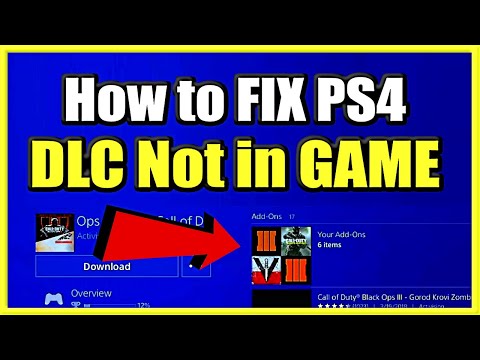
So, you’ve accidentally deleted some crucial DLC for your favorite PS4 game? Don’t panic! It happens to the best of us. The good news is, redownloading deleted DLC on your PS4 is a straightforward process. Here’s how to do it:
- Quit the Game: If the game the DLC belongs to is currently running, make sure to close it completely.
- Navigate to Your Library: From the PS4 home screen, go to the Library icon.
- Select “Purchased”: In the Library, look for and select the “Purchased” section. This shows all the games and content you’ve bought through the PlayStation Store.
- Choose Your Game: Find the game associated with the DLC you want to redownload and select it.
- Scroll Down to PlayStation Store and Open “My Add-ons”: On the game’s page, scroll down until you see the PlayStation Store section. Within that section, you should find an option called “My Add-ons”. Select it.
- Locate and Download Your DLC: A list of all available add-ons for the game will appear. Find the DLC you want to redownload and select the “Download” button next to it.
- Wait for the Download and Installation: The DLC will now download and automatically install. You can check the progress in the “Downloads” section of the Quick Menu (accessed by holding the PS button).
- Restart Your Game: Once the download and installation are complete, restart the game. The DLC content should now be available.
That’s it! You’ve successfully redownloaded your deleted DLC. Now, let’s delve into some frequently asked questions to cover other aspects of managing DLC on your PS4.
Frequently Asked Questions (FAQs) about PS4 DLC
What happens if I delete DLC on PS4?
Don’t worry, deleting DLC doesn’t erase your game progress or permanently remove the DLC from your account. It simply removes the content from your console’s storage. Your saved data remains intact, and you can easily redownload the DLC as outlined above.
Can I restore licenses on my PS4?
Yes! Restoring licenses is a good troubleshooting step if you’re having trouble accessing your purchased content. To do this, go to Settings > Account Management > Restore Licenses. This process verifies your purchases with the PlayStation Network and ensures you have access to the content you’ve paid for.
Can I recover deleted game data on PS4?
Yes, there are a few options. If you have PlayStation Plus, your saved game data is likely backed up to the online storage. You can restore it by going to Settings > Application Saved Data Management > Saved Data in Online Storage > Download to System Storage. If you don’t have PS Plus, you might be able to recover data from a USB drive if you’ve previously created a backup. Otherwise, data recovery may not be possible without specialized tools.
What happens if I delete a downloaded game on PS4?
Deleting a game removes the game files from your console’s storage. However, your saved game data is usually retained unless you specifically choose to delete it as well. This means that if you reinstall the game, you can typically pick up where you left off.
How do I redownload content (games and DLC) on PS4?
As explained earlier, you can redownload games and DLC from the “Purchased” section of your Library. Simply find the content you want to download and select the “Download” option.
Can I recover deleted saved games if I don’t have PlayStation Plus?
Unfortunately, without PlayStation Plus or a manual backup to a USB drive, recovering deleted saved games is very difficult. PS Plus automatically uploads your saves to the cloud, providing a safety net. It’s always a good idea to back up your saves regularly to avoid potential data loss.
What happens if I download DLC without owning the base game?
If you purchase DLC before buying the base game, the DLC will be added to your account, but you won’t be able to download or use it until you install the game. The DLC is tied to the base game and requires it to function.
Does PlayStation offer refunds for DLC?
Yes, PlayStation has a refund policy. For games, DLC, and season passes, you can request a refund within 14 days of purchase, provided you haven’t started downloading or streaming the content. There are some exceptions, so it’s best to check the PlayStation Store’s refund policy for complete details.
Does deleting game data also delete DLC?
No. Deleting game data only removes your saved progress and game settings. Your DLC remains associated with your account and can be redownloaded at any time. The DLC license is tied to your PSN account, not to your game saves.
How do I know if my DLC is installed correctly?
The easiest way to check is to launch the game and look for the DLC content within the game itself. This might be new characters, levels, items, or features. You can also check the game’s add-ons section in the PlayStation Store to see if the DLC is listed as “Installed.”
What happens if I delete a digital game and its associated DLC?
Deleting both the game and the DLC removes them from your console’s storage, but your purchases remain linked to your PlayStation Network account. You can redownload both the game and the DLC whenever you want, as long as you’re logged into the same account.
Why can’t I redownload a game or DLC on my PS4?
There could be several reasons:
- Insufficient storage space: Make sure you have enough free space on your PS4’s hard drive.
- Account issues: Ensure you’re logged in with the same account you used to purchase the content.
- Network problems: Check your internet connection.
- PSN server issues: Sometimes, the PlayStation Network experiences outages. Check the PSN status page for any known issues.
- Content no longer available: In rare cases, the content might have been removed from the PlayStation Store.
Does deleting a game on PS4 delete it forever?
No, deleting a game only removes it from your console’s storage. The purchase remains tied to your PlayStation Network account, and you can redownload it at any time.
Can I transfer DLC from one PS4 to another?
DLC is tied to your PlayStation Network account, not to a specific console. As long as you’re logged in with the same account, you can access and download your DLC on any PS4 console.
How does DLC relate to game-based learning and educational outcomes?
DLC, while primarily for entertainment, illustrates the power of adaptive learning and continued engagement in digital environments. DLC expands the lifespan of a game, offering new challenges and opportunities for skill development. The principles behind effective DLC design can be applied to educational games to keep learners motivated and engaged. The work of organizations like the Games Learning Society, also known as GamesLearningSociety.org, explores the potential of games and game-like elements in educational settings, demonstrating how well-designed interactive experiences can foster learning and problem-solving skills.
By following these steps and keeping these FAQs in mind, you’ll be well-equipped to manage your DLC on your PS4 and ensure you always have access to your favorite content. Happy gaming!