How do I get my Sims packs from Origin to EA?
Fast answer first. Then use the tabs or video for more detail.
- Watch the video explanation below for a faster overview.
- Game mechanics may change with updates or patches.
- Use this block to get the short answer without scrolling the whole page.
- Read the FAQ section if the article has one.
- Use the table of contents to jump straight to the detailed section you need.
- Watch the video first, then skim the article for specifics.
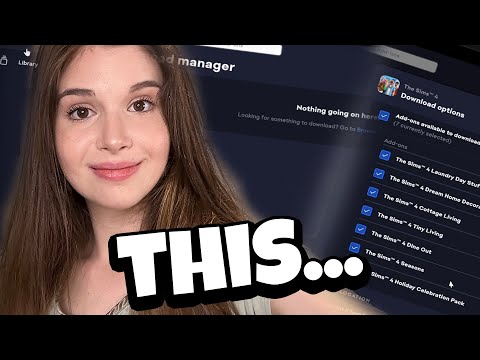
To transfer Sims packs from Origin to EA, you don’t need to take any additional steps, as your EA App and Origin game libraries are linked through your EA account, ensuring that any packs you’ve purchased will automatically be available in both platforms. Once you download the EA app, your packs will be transferred over from Origin, allowing you to access and play them seamlessly.
Understanding the Transition from Origin to EA
The EA app has replaced Origin as the primary platform for downloading and launching The Sims 4 on PC, offering a faster and more streamlined experience. This transition aims to provide a better gaming environment, with the EA app designed to be more efficient and user-friendly than its predecessor.
Frequently Asked Questions
Can I transfer Sims packs from PS4 to PC?
Unfortunately, you cannot transfer Sims packs from PS4 to PC, as they are platform-specific and purchased from separate stores.
How do I link my Origin account to EA?
To link your Origin account to EA, simply go to the EA Account sign-in page, choose the option to sign in using your platform credentials, and fill in the login details from your platform.
Will my Origin games transfer to the EA app?
Yes, the games you’ve downloaded through Origin should be ready to launch through the EA app, with no need to re-download them.
Is my Origin account also my EA account?
Yes, your Origin account is essentially the same as your EA account, with EA renaming Origin accounts to better represent all of their games and services.
What’s EA Play?
EA Play is the new name for EA Access and Origin Access, offering the same great benefits with a new look and name.
Why are my Origin games not showing on EA app?
If your Origin games are not showing on the EA app, you may have bought the game on another account, so try logging in to the Origin client with other email addresses you may have used.
Will EA stop using Origin?
Yes, the EA app will replace Origin as the primary platform for downloading and launching PC games.
Can you return Sims 4 expansion packs on Origin?
Unfortunately, expansion packs are non-refundable, so you won’t be able to return Sims 4 expansion packs on Origin.
Does EA Play give you all Sims 4 packs?
No, EA Play does not give you all Sims 4 packs, but rather includes specific packs such as The Sims 4 Get To Work Expansion Pack and The Sims 4 Toddler Stuff Pack.
How do you bundle Sims 4 packs on EA app?
To bundle Sims 4 packs on the EA app, open the EA app, search for The Sims 4, and click Bundle and save.
Do I need Origin if I have EA?
No, you don’t need Origin if you have EA, as you can purchase and play games directly through the EA app.
Can I redeem Origin code on EA app?
Yes, any keys you would have previously redeemed in Origin should still work in the EA app.
How is EA app different from Origin?
The EA app is essentially Origin but with improvements, offering a faster and more streamlined experience with fewer bugs and crashes.
Can you have both EA app and Origin?
Yes, you can have both EA app and Origin installed, but you cannot use them at the same time.
Is Sims on Origin or EA?
The Sims 4 requires an Origin client to play, but with the transition to the EA app, you can now access and play The Sims 4 through the EA app.
How do I get my Sims back from Origin?
If you’ve uninstalled The Sims 4 and Origin, you can redownload Origin from EA’s website and reinstall it to access your Sims games again.
Can you transfer Sims 4?
Yes, you can install The Sims 4 on any computer through Origin, and play it on any computer as long as they aren’t using the same Origin account at once, but note that save files will not transfer automatically.