How do I get NSFW on Steam?
Fast answer first. Then use the tabs or video for more detail.
- Watch the video explanation below for a faster overview.
- Game mechanics may change with updates or patches.
- Use this block to get the short answer without scrolling the whole page.
- Read the FAQ section if the article has one.
- Use the table of contents to jump straight to the detailed section you need.
- Watch the video first, then skim the article for specifics.
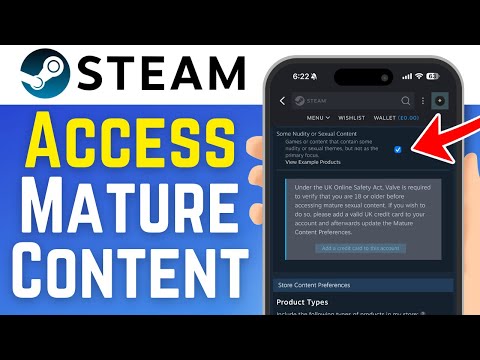
To enable NSFW (Not Safe For Work) content on Steam, you need to access your account preferences, either through the Steam client or the web browser, and then navigate to the Mature Content section, where you can check the box next to “Adult Only Sexual Content” to view these types of games. This will allow you to browse and purchase adult content on the Steam store, but be aware that some games may still be restricted based on your region or Steam’s content policies.
Introduction to Steam Content Settings
Steam, the popular digital distribution platform, offers a wide variety of games and content, including mature and adult themes. To access this content, users must adjust their Steam account settings to allow for the display of NSFW material.
Enabling NSFW Content
To access NSFW content on Steam, follow these steps:
- Open the Steam client and click on your username in the top right corner.
- Select “Store Preferences” from the dropdown menu.
- Scroll down to the Mature Content section.
- Check the box next to “Adult Only Sexual Content”.
- Confirm your selection to save the changes.
Managing Mature Content Settings
Users can manage their mature content settings by accessing their account preferences and adjusting the Mature Content Filtering options. This allows for control over the types of content that are displayed on the Steam store.
FAQs
- How do I remove content restrictions on Steam? Open the Steam Settings menu, go to the “Family” tab, and click on “Manage” in the Family View section to disable Family View.
- How do I filter games on Steam? Use the Steam filters by typing in the search bar and selecting from the suggested filters to narrow down your game search.
- Can friends see what games I own on Steam? Yes, friends can see which games you’ve played and for how many hours, unless you hide your game activity or make your Steam profile private.
- How do I change my privacy settings on Steam? Navigate to your Steam Profile, click “Edit Profile”, and then select “My Privacy Settings” to adjust your privacy state.
- What are hidden games on Steam? Hidden games are games that you’ve chosen to hide from your library view, but they are still visible on your profile unless you permanently remove them.
- How do I enable hidden games on Steam? You can view your hidden games by clicking “View” and then “Hidden Games” in the Steam menu.
- How do I make hidden games visible on Steam? To unhide a game, right-click it in your Hidden games library and select “Remove from hidden”.
- How do I filter games by age on Steam? Set parental controls by logging into the Steam account, clicking the Steam menu, and following the Family View wizard.
- How do I uncensor my Steam store? Change your language preferences to the third option to remove text censorship.
- Is Steam safe for kids? Steam is not intended for children under 13, and parents should monitor their child’s use and restrict access to mature games.
- Why does Steam censor swear words? Steam censors swear words to promote civilized posting.
- Is Steam age-restricted? Yes, Steam is not intended for children under 13, and Valve will not collect personal information from children under 13.
- Can people see me playing hidden games on Steam? Friends can still see what you’re playing unless you hide your game activity or make your profile private.
- How do I unhide games on Steam 2023? Open Steam, click “View”, then “Hidden Games”, right-click the game, select “Manage”, and click “Remove from Hidden”.
- Does hiding a game on Steam hide it from friends? Hiding a game only removes it from your library view and doesn’t hide your game activity from friends unless you adjust your privacy settings.