How to Purge the Creation Club: A Comprehensive Guide to Removing Content
Fast answer first. Then use the tabs or video for more detail.
- Watch the video explanation below for a faster overview.
- Game mechanics may change with updates or patches.
- Use this block to get the short answer without scrolling the whole page.
- Read the FAQ section if the article has one.
- Use the table of contents to jump straight to the detailed section you need.
- Watch the video first, then skim the article for specifics.
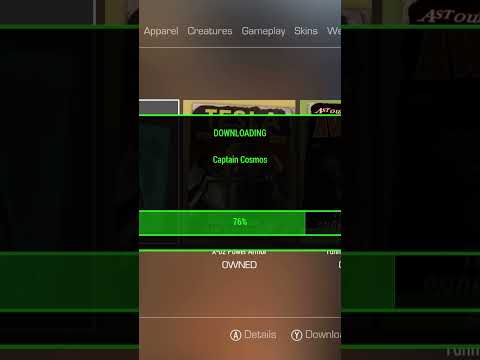
So, you’re looking to rid yourself of Creation Club content in Fallout 4 or Skyrim? Whether it’s due to performance issues, a desire for a purer experience, or simply wanting to reclaim storage space, removing Creation Club content can be a bit tricky, depending on your platform. Here’s a breakdown of the process:
-
PC: This offers the most straightforward approach. Navigate to your game’s Data folder (typically
SteamSteamAppsFallout 4DataorSteamSteamAppscommonSkyrim Special EditionData). Inside, you’ll find files prefixed withcc(short for Creation Club). These are the files you need to delete. Simply select all files starting withccand delete them. Important: Back up these files before deleting them, just in case you want to restore the content later. -
Xbox: Unfortunately, on Xbox, there isn’t a surgical method. The most effective way to remove Creation Club content is to uninstall the game and then reinstall it, carefully selecting which Creation Club items you want to download when prompted. This means deleting any saves associated with the Creation Club content before uninstalling.
-
PlayStation: Similar to Xbox, PlayStation lacks a direct deletion method. The only guaranteed way to completely remove Creation Club content is to uninstall the game, clear your saved game data (if applicable), and then reinstall the game, choosing the desired Creation Club content during the reinstallation process. As with Xbox, remember to back up any saves you wish to keep before you begin.
It’s crucial to understand that Creation Club content is treated differently from regular mods. They are more akin to DLC in how they’re integrated into the game. This means removing them mid-game can lead to instability, corrupted saves, and other unforeseen issues. Always start a new game after making significant changes to your Creation Club installation. Let’s dive into some of the finer details of how to manage Creation Club content.
Frequently Asked Questions (FAQs)
1. How do I choose which Creation Club content to install in Skyrim Anniversary Edition?
If you own The Elder Scrolls V: Skyrim Anniversary Edition, the game gives you the option to pick and choose which content you want to download. However, If you want to remove something you already have, you will have to uninstall the game and clear your save or application data, then reinstall only the content you want. The content can be accessed through the Creation Club menu in-game.
2. Can I disable the Creation Club entirely in Fallout 4?
Yes, but it requires a mod or manual alteration of the game’s .ini files. There’s a mini-mod available that disables the Bethesda.net connection and removes the Creation Club news from the main menu. Alternatively, you can edit the Fallout4.ini file and set bEnablePlatform=0. However, keep in mind that disabling Bethesda.net might affect other features that rely on it.
3. How do I uninstall the Creation Kit?
The Creation Kit is a separate tool from the Creation Club content. To uninstall it, go to your Steam Library, select “Tools” from the dropdown menu, find “Skyrim Creation Kit” or “Fallout 4 Creation Kit,” right-click it, and choose “Uninstall.”
4. Is Creation Club content considered a mod or DLC?
Creation Club content is a hybrid. It’s created by Bethesda and vetted third-party developers, making it “official” content like DLC. However, it’s delivered through a system similar to modding platforms and offers new items, quests, and gameplay mechanics. It does not disable your achievements, though, as mods do. This is because Bethesda completely tests the Creation Club before launch, unlike most mods that are fan-created.
5. Does using Creation Club content disable achievements or trophies?
No. Creation Club content does not disable achievements or trophies on any platform. This is a key difference between Creation Club content and traditional mods. Bethesda fully tests all Creation Club content before release, ensuring it doesn’t break the game or trivialize achievements.
6. If I delete a DLC from Fallout 4, what happens to my saves?
Deleting DLC from Fallout 4 can cause issues with your save files, especially if you were in a DLC area or using DLC-specific items. The best-case scenario is that you lose access to any items or locations added by the DLC. The worst-case scenario is that your save becomes unplayable, particularly if you’re in a DLC area when you delete the DLC. It’s always best to finish DLC content before removing it or start a new game afterward.
7. How can I deactivate or uninstall regular DLC?
On PC, you can disable DLC through Steam. Right-click on Fallout 4 or Skyrim in your Steam Library, select “Properties,” go to the “DLC” tab, and uncheck the boxes next to the DLC you want to disable. To uninstall, remove any save files that utilized the DLC.
8. Will deleting pre-installed apps cause problems on my device?
Disabling pre-installed apps will not cause problems for your device. But if it can be uninstalled, and you choose to uninstall it, it can cause issues with your device.
9. Can I remove Creation Club content mid-game?
While technically possible on PC, it’s strongly discouraged. Removing Creation Club content mid-game can lead to save corruption, instability, and other unexpected issues. It’s best to remove the content before starting a new game. As the article mentions above, “They cannot be removed in the middle of a game without serious consequences to ongoing saves.”
10. Why is the Creation Club option greyed out in Fallout 4?
A greyed-out Creation Club menu usually indicates a connection issue with Bethesda.net. Try fully closing the game, power cycling your console or PC, and checking your internet connection. Make sure Bethesda’s servers are online.
11. Are there any downsides to using Creation Club content?
While Creation Club content is generally high-quality, some players feel it detracts from the community modding scene. Others find the content overpriced or not worth the asking price. Ultimately, it’s a matter of personal preference. Some players find it adds significant enjoyment to the game, while others prefer a purer, mod-free experience.
12. How do I delete a mod I created from Bethesda.net?
To remove a mod you uploaded to Bethesda.net, go to your mod page, select “Edit,” scroll to the bottom, and choose the “Delete” option. You’ll need to confirm your decision to permanently remove the mod.
13. What’s the difference between a mod and Creation Club content?
Mods are created by the community and are generally free. They can range from simple texture changes to extensive overhauls. Creation Club content is created by Bethesda and vetted partners, is paid for, and is designed to integrate seamlessly into the game without disabling achievements.
14. Are there any Creation Club mods that are considered particularly worthwhile?
The value of Creation Club content is subjective, but some popular and well-regarded Creations include the “Saints & Seducers” and “Civil War Champions” packs for Skyrim, and the “Capital Wasteland Mercenaries” and “Armor Paint Jobs” packs for Fallout 4. Research individual Creations to see if they align with your gameplay preferences.
15. How do I disable pre-installed apps on my Android device?
Open your Settings app. Go to the General tab and select Apps and Notifications. Tap on the offending app. At the top will be two buttons, Uninstall and Force Stop. Tap Uninstall to remove it. Some pre-installed apps can only be disabled, not uninstalled. Disabling an app prevents it from running in the background and consuming resources.
Hopefully, this comprehensive guide helps you manage your Creation Club content effectively. Whether you’re looking to remove it entirely or simply customize your experience, understanding the process and potential consequences is crucial. Remember to back up your saves and proceed with caution, and you’ll be enjoying your game the way you want it in no time.
The Games Learning Society is an organization dedicated to the study and advancement of learning through games. If you are interested in learning how to create games, or researching how they are used in education, check out GamesLearningSociety.org.