How to Manually Transfer Save Data from PS4 to PS5
Fast answer first. Then use the tabs or video for more detail.
- Watch the video explanation below for a faster overview.
- Game mechanics may change with updates or patches.
- Use this block to get the short answer without scrolling the whole page.
- Read the FAQ section if the article has one.
- Use the table of contents to jump straight to the detailed section you need.
- Watch the video first, then skim the article for specifics.
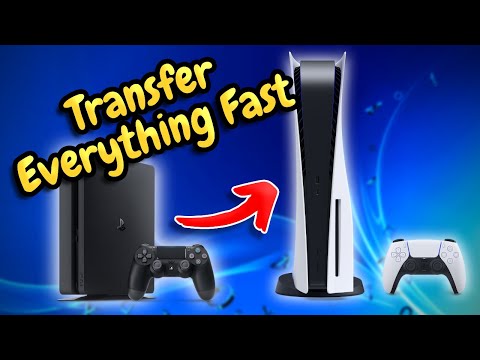
To manually transfer save data from PS4 to PS5, you can use a USB drive to copy your saved data from the PS4 and then transfer it to the PS5, or you can use the PS5‘s built-in feature to download saved data from the PS4 via PlayStation Plus Cloud Storage. This process allows you to continue playing your favorite games on the PS5 without losing your progress, making it a crucial step for gamers upgrading from the PS4 to the PS5.
Understanding the Transfer Process
The manual transfer of save data from PS4 to PS5 involves a few steps, including preparing your PS4, using a USB drive for the transfer, and then importing the data to your PS5. This method is straightforward and ensures that your game progress is preserved.
Preparing for the Transfer
Before you start, ensure your PS4 is updated with the latest software to avoid any compatibility issues. Also, make sure both your PS4 and PS5 are connected to the same PlayStation Network account, as this is crucial for a successful transfer.
Frequently Asked Questions (FAQs)
1. Can You Manually Transfer Data from PS4 to PS5?
Yes, you can manually transfer data from PS4 to PS5 using a USB drive or through PlayStation Plus Cloud Storage.
2. Why Didn’t My Save Data Transfer from PS4 to PS5?
Your PS4 needs to be signed into the same PlayStation Network account as your PS5, and it must have the latest software update.
3. How Do I Transfer Save Data from a PS4 Version of a Game to the PS5 Version?
You can transfer save data by downloading it from PlayStation Plus Cloud Storage on your PS5, or by using a USB drive to copy the data from your PS4.
4. Does Save Data Automatically Transfer from PS4 to PS5?
No, save data does not automatically transfer. You will need to initiate the transfer process either through the PS5 setup or manually.
5. What is the Fastest Way to Transfer Saved Data from PS4 to PS5?
The fastest way is to connect both consoles to the same modem or router and transfer the data wirelessly, or use a LAN cable for a faster connection.
6. Why is My PS5 Data Transfer Not Working?
The transfer might not work due to a poor Internet connection. Check your connection and try again.
7. How Long Does it Take to Transfer PS4 Data to PS5?
The transfer time depends on the data size but can take several hours.
8. Can You Transfer PS4 Data to PS5 Without the Power Button?
No, the power button is necessary for the transfer process. If your PS4 is not turning on, you cannot transfer data directly from it.
9. What Games Don’t Transfer to PS5?
Games like Afro Samurai 2: Revenge of Kuma Volume One, Hitman Go: Definitive Edition, and We Sing are not compatible with the PS5.
10. How Do I Sync My Data to My PS5?
Go to Settings > Saved Data and Game/App Settings > Saved Data (PS4) or (PS5), and enable Auto Sync Saved Data.
11. Is There Any Other Way to Transfer Data to PS5?
Yes, besides using a USB drive, you can also use PlayStation Plus Cloud Storage to transfer your save data.
12. Is Data Transfer Necessary for PS5?
If you want to continue playing your PS4 games on the PS5 without losing your progress, then yes, data transfer is necessary.
13. Will My Game Saves Transfer to PS5?
Yes, you can transfer your game saves from PS4 to PS5 using a USB drive or PlayStation Plus Cloud Storage.
14. Do PS4 Games Look Better on PS5?
Most PS4 games will look the same on PS5, but some may have improved visuals and gameplay with upgrade patches.
15. Will PS6 Be Backwards Compatible?
The PS6, whenever it is released, is expected to continue Sony’s trend of backwards compatibility, allowing players to play PS4 and PS5 games on the new console.