Mastering Wii Memory Management: A Comprehensive Guide to Moving Data to Your SD Card
Fast answer first. Then use the tabs or video for more detail.
- Watch the video explanation below for a faster overview.
- Game mechanics may change with updates or patches.
- Use this block to get the short answer without scrolling the whole page.
- Read the FAQ section if the article has one.
- Use the table of contents to jump straight to the detailed section you need.
- Watch the video first, then skim the article for specifics.
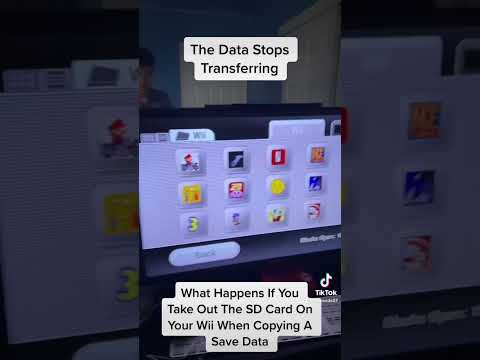
So, you’re looking to move your Wii’s memory to an SD card? Excellent! It’s a smart way to back up your precious game saves, free up internal memory, and even transfer data to another Wii console. Here’s a breakdown of the process:
- Insert a compatible SD Card into the SD Card slot located on the front of your Wii console. Ensure it’s unlocked (if it has a lock switch).
- From the Wii Menu, access the Wii Data Management screen. This is typically found within the Wii Options.
- Navigate to Save Data, then select Wii. This will display the save files stored on your Wii’s internal memory.
- Select the file you wish to copy. Note that some files might be protected and uncopyable (more on that later!).
- Choose Copy.
- Confirm your choice by selecting Yes to initiate the transfer of the data to your SD Card.
That’s the basic process! However, there are nuances and potential roadblocks. Let’s dive deeper into the details and address some common questions you might have.
Understanding Wii Memory and SD Cards
The Wii has a limited amount of internal flash memory (512 MB). This is where your game saves, downloaded WiiWare titles, and Virtual Console games are stored. SD cards provide a convenient way to expand this storage and manage your data.
SD Card Compatibility: What You Need to Know
The Wii supports standard SD cards up to 2GB and SDHC (Secure Digital High Capacity) cards up to 32GB. While some users have reported success with larger cards formatted to FAT32, it’s best to stick to the officially supported limits for optimal performance and compatibility. SDXC and UHS-type cards are not compatible. To format your SD card as FAT32, you can use disk utility software that is available for both Windows and Mac operating systems.
Frequently Asked Questions (FAQs) About Wii Memory and SD Cards
Here are 15 FAQs to provide a complete picture of managing your Wii memory using SD cards:
-
Can I use an SD card as a memory card for Wii?
Yes! The primary function of an SD card on the Wii is to act as an external storage medium for Wii Channels, Virtual Console games, WiiWare titles, game saves, and other media files. It’s a great way to back up your data and free up internal memory.
-
Why can’t I move certain Wii save data to my SD card?
Several factors can prevent you from copying or moving save data. Some saves are deliberately protected by developers to prevent cheating or unauthorized distribution. This protection is often related to wifi-enabled dependencies or online gameplay features. If you are looking to bypass this restriction, you can use the Homebrew Channel to disable copy protection.
-
Can I download Wii games directly to an SD card?
Yes! When downloading WiiWare titles, Virtual Console games, or Wii Channels from the Wii Shop Channel (which is no longer officially available, but may be accessed through unofficial means), you’ll be given the option to save the data directly to your SD card.
-
How do I get my Wii to recognize my SD card?
- First, ensure the Wii is powered off before inserting or removing the SD card.
- Confirm the SD card is compatible (2GB or less for standard SD, up to 32GB for SDHC).
- Verify the SD card is unlocked. Many SD cards have a physical lock switch on the side.
- Re-insert the SD card and turn the system back on. If it still isn’t recognized, try formatting the card (backing up any important data first!).
-
What file system should my SD card be formatted to for use with the Wii?
The Wii uses the FAT32 file system. Make sure your SD card is formatted accordingly. Most SD cards come pre-formatted with FAT32, but if you’re encountering issues, reformatting it using a computer is a good troubleshooting step.
-
Does the Wii use standard SD cards or micro SD cards?
The Wii uses standard-sized SD cards. If you have a mini SD or micro SD card, you’ll need to use an adapter to convert it to the standard SD size.
-
How do I get more storage on my Wii console?
You can expand the available storage space with external USB storage media. USB storage media can be connected to Wii U via the console’s front or rear USB 2.0 connectors.
-
Where are Wii save files stored on the SD card after I move them?
Wii save files are stored in a specific directory structure on the SD card. The typical path is privatewiititleGAMEdata, where “GAME” is a unique identifier for the specific game.
-
Do I need an SD card to save my game progress on the Wii?
No, an SD card is not required to save game progress on the Wii. The Wii has internal memory that allows you to save directly to the console. The SD card is only necessary if you want to back up your saves, transfer them to another Wii, or if you’re running out of internal memory.
-
What’s the best SD card brand for Wii?
While many SD card brands work well, SanDisk is often recommended due to its reliability and compatibility with the Wii.
-
What can I do with an SD card on the Wii?
Besides storing game saves, you can use an SD card to store photos, music, videos, Wii Channels, and WiiWare/Virtual Console games.
-
Can I play Wii games directly from a USB drive?
Officially, no. However, by installing the Homebrew Channel on your Wii, you can play games from a USB drive. This process involves modifying your Wii’s software and may void your warranty, so proceed with caution and at your own risk.
-
Is there a size limit on the SD card I can use in Wii Mode on the Wii U console?
The Wii Mode on the Wii U follows the same SD card limitations as the original Wii: 2GB for standard SD cards and 32GB for SDHC cards. Larger cards might work if formatted to FAT32, but compatibility isn’t guaranteed.
-
What happens when I format my Wii’s system memory?
Formatting your Wii’s system memory will erase all Channels, save data, user information, and other data stored on the console. It effectively returns the Wii to its factory settings. Make sure to back up any important data to an SD card before formatting.
-
Can I use a 256GB SD card for Wii?
While Nintendo officially supports only up to 32GB (SDHC) on the Wii, some users have successfully used larger cards (including 256GB) formatted to FAT32. However, this isn’t officially supported, and there’s a risk of compatibility issues or data corruption. Using a smaller, officially supported card is generally recommended for stability.
Advanced Tips and Considerations
- Homebrew Channel: As mentioned, the Homebrew Channel unlocks a world of possibilities for your Wii, including the ability to bypass save data copy restrictions and play games from USB drives. However, proceed with caution and follow reliable guides to avoid bricking your console.
- Backups are Crucial: Always back up your important save data to multiple locations (e.g., both an SD card and your computer) to prevent data loss.
- Data Corruption: SD cards can be susceptible to data corruption. Regularly check the integrity of your save files and replace aging SD cards.
By following these steps and understanding the nuances of Wii memory management, you can effectively use SD cards to enhance your gaming experience and safeguard your precious save data. Happy gaming!
Interested in learning more about the educational aspects of gaming? Visit the GamesLearningSociety.org website to explore the latest research and insights on the power of games in learning.