How Do I Power Cycle My Console? A Comprehensive Guide
Fast answer first. Then use the tabs or video for more detail.
- Watch the video explanation below for a faster overview.
- Game mechanics may change with updates or patches.
- Use this block to get the short answer without scrolling the whole page.
- Read the FAQ section if the article has one.
- Use the table of contents to jump straight to the detailed section you need.
- Watch the video first, then skim the article for specifics.
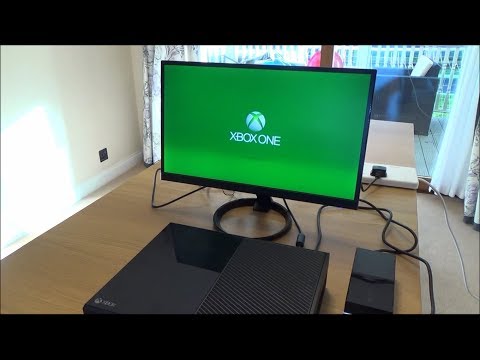
Power cycling your console is a fundamental troubleshooting step that can resolve a variety of issues, from minor glitches to connectivity problems. It’s a simple process that involves completely cutting off power to your device, allowing it to reset and clear any lingering temporary data. This article will provide you with a detailed guide on how to power cycle your console, along with a comprehensive FAQ section to address common questions and concerns.
What Does Power Cycling a Console Mean?
At its core, power cycling involves forcing an electronic device, like your gaming console, to completely shut down and then restart. This process goes beyond a simple restart or putting the device into sleep mode. It aims to perform a clean startup by shutting down all residual processes and applications from the previous session. By completely cutting off power, you are effectively clearing out the console’s temporary memory, often referred to as the cache, and giving it a fresh start.
How to Power Cycle Your Console
Here’s the general process, which can be adapted slightly depending on the specific console you own:
-
Turn Off Your Console: Make sure your console is completely powered off. If it appears to be off but has lights still flashing, hold the power button down until all lights are off and the console is shut down.
-
Unplug the Power Cord: Once the console is off, disconnect the power cord from the back of the console and the wall outlet. This is a crucial step; simply turning off the console isn’t enough.
-
Wait: This is perhaps the most overlooked step, but the most important. Wait a minimum of 30 seconds. Some situations might benefit from waiting 1-2 minutes to ensure complete power drainage. This allows the console’s residual electrical charge to dissipate. Some consoles may recommend even longer wait times, so refer to your console’s instructions for best results.
-
Reconnect the Power Cord: Plug the power cord back into both the console and the wall outlet.
-
Turn on Your Console: Press the power button on the console to turn it back on.
Following these steps allows your console to perform a clean startup, resolving many common glitches or issues.
Frequently Asked Questions (FAQs)
Below, you will find 15 FAQs to provide more detailed information and address various scenarios related to power cycling your console.
1. Why Should I Power Cycle My Console?
Power cycling is a useful troubleshooting step for several reasons. It can fix minor glitches, such as freezing or lag, resolve connectivity issues like problems with Wi-Fi or controllers, and clear corrupted temporary data from the console’s cache.
2. How is Power Cycling Different from a Restart?
A restart typically involves shutting down the operating system and then immediately booting it back up. This may not fully reset the hardware or clear all temporary data. A power cycle, on the other hand, completely cuts power, forcing a much deeper hardware reset.
3. How Do I Power Cycle an Xbox Controller?
To power cycle an Xbox controller: press and hold the Xbox button on the controller for 5-10 seconds, until the controller turns off. Wait a few seconds, and then press and hold the Xbox button again to turn the controller back on. This is helpful when experiencing controller connection issues.
4. How Do I Power Cycle a PS4 Console?
The process for a PS4 is similar, turn off the PS4 and disconnect the power cord from the back of the console and the wall outlet. Let it sit for at least 20 minutes. After this time reconnect the power cable and turn on your PS4.
5. How Do I Power Cycle a PS5 Console?
The process for a PS5 console is similar to PS4, make sure it’s fully off, then unplug the power cord from the back and wait at least 30 seconds before plugging it back in and turning on the console.
6. What Happens to Game Saves and Settings When I Power Cycle?
Power cycling does not affect your saved game data or console settings. This process only clears temporary data stored in the console’s RAM and cache, it doesn’t make changes to your saved game data, which is stored on your console’s hard drive.
7. What If Power Cycling Doesn’t Work?
If a power cycle doesn’t fix the problem, your issue might be more serious, such as a hardware malfunction or corrupted game data. In this case, consider more in depth troubleshooting steps, such as checking for updates, running system diagnostics, and potentially reaching out to customer support.
8. Does Power Cycling Help with Game Installation Issues?
In some cases, power cycling can resolve minor issues during game installations, such as file transfer problems or incomplete downloads. It’s a good first step when encountering these issues. However, if the issue persists, it may be related to your network connection or a problem with the storage space available.
9. Can I Power Cycle a Controller as Well?
Yes, controllers can also be power cycled to resolve issues with connectivity or responsiveness. In addition to the method described above for Xbox controllers, PlayStation controllers can be reset using a small pin to press the small reset button located on the back of the controller. This process is similar to that used to reset most electronic devices.
10. How Often Should I Power Cycle My Console?
Power cycling your console isn’t something you need to do on a regular basis, but you should consider doing it whenever you experience problems with your console. For example, if the console is frozen, it is lagging, or if it is experiencing connectivity issues.
11. Is Power Cycling the Same as a Hard Reset?
While power cycling is a type of hard reset, it’s usually a safe first step. A hard reset or factory reset on the other hand, which is sometimes also referred to as initialize PS4 or reinstall system software, wipes all data and resets the console to its original factory settings.
12. Can Power Cycling Help Fix Disc Reading Problems?
Power cycling can sometimes help resolve minor glitches that cause disc reading problems. If power cycling does not fix disc reading issues, the problem might be due to damage to the console’s disc drive, damaged game disc, or due to system software issues.
13. How Do I Clear My Console’s Cache?
Power cycling your console is an effective way of clearing its cache, it removes the cached data stored in temporary memory.
14. What is the Best Power Mode for My Xbox?
When your Xbox is not being used, the shutdown (energy saving) power mode is the best option. This is because it fully shuts down your console when it is not in use, which helps save on energy consumption, while still allowing automatic updates.
15. What if the Power Light on my PS4 is White?
A persistent white light on a PS4 console typically indicates a loss of connection between the console and the television screen. Power cycling is an appropriate first step. If the problem persists after power cycling, it could indicate HDMI issues.
Conclusion
Power cycling your console is a quick, simple, and effective way to resolve many common issues. By understanding this fundamental troubleshooting step, you can often fix glitches and get back to gaming without the need for more drastic measures. Remember to always wait the recommended time before reconnecting the power cord, as this is crucial for a successful power cycle. Keep this guide handy and the FAQs in mind to help you address any console issues you may experience.