How do I remove personal information from a switch?
Fast answer first. Then use the tabs or video for more detail.
- Watch the video explanation below for a faster overview.
- Game mechanics may change with updates or patches.
- Use this block to get the short answer without scrolling the whole page.
- Read the FAQ section if the article has one.
- Use the table of contents to jump straight to the detailed section you need.
- Watch the video first, then skim the article for specifics.
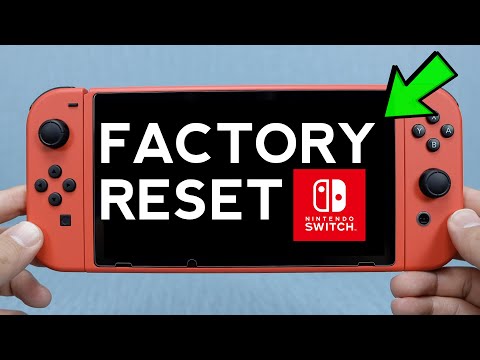
To remove personal information from a Nintendo Switch, you need to perform a factory reset, which will delete all data in the system memory, including game data, save data, screenshots, videos, and user information. This process is essential when giving away or selling your console to prevent any unauthorized access to your personal data.
Removing Personal Information from a Nintendo Switch
Performing a factory reset on your Nintendo Switch is a straightforward process that can be completed in a few steps.
Steps to Remove Personal Information
To do this, go to System Settings on the HOME Menu, scroll down to System, and select Formatting Options at the bottom of the menu. Then, choose Initialize Console to delete all data in the system memory.
Frequently Asked Questions
The following are some frequently asked questions about removing personal information from a Nintendo Switch:
- Q: What happens when I factory reset my Switch? A: Factory resetting your Nintendo Switch will delete all data in the system memory, including game data, save data, screenshots, videos, and user information.
- Q: Can I unlink my Nintendo Account from my Switch? A: Once a Nintendo Account is linked to a user account, this link cannot be undone, and the associated user account must also be deleted to unlink the Nintendo Account from the Nintendo Switch console.
- Q: How do I remove a parental control on a Switch? A: To disable parental controls permanently, go to Home > System Settings > Parental Controls > Unregister App, and enter your PIN.
- Q: What does deregistering a Switch do? A: Deregistering one console will allow you to select a different console as the primary console for your Nintendo Account.
- Q: Can I factory reset a Nintendo Switch with parental controls? A: Yes, you can factory reset a Nintendo Switch with parental controls by entering the PIN when prompted.
- Q: How do I make my child a normal account on Nintendo? A: To lift parental controls restrictions, log in to an admin or parent/guardian Nintendo Account in the family group, select Family group, choose the Nintendo Account you want to stop supervising, and select Lift parental controls restrictions.
- Q: Can you have 2 switches with the same account? A: Yes, you can link your Nintendo Account to multiple consoles, but you can only activate one primary console per Nintendo Account.
- Q: How do I restart a Switch for a new owner? A: To reset your Switch for a new owner, enter Maintenance Mode by turning off the console, holding down volume up + volume down, and then pressing power.
- Q: Are Switch accounts transferable? A: Yes, you can transfer your user and save data to a new console using Nintendo Switch Family.
- Q: How do I escape parental controls? A: There are several ways to bypass parental controls, including figuring out your parents’ passwords, using tech in offline mode, or hacking the family router.
- Q: What is the master key for Nintendo Switch? A: If you forget your PIN, you can obtain a master key (an 8-digit number) by providing your Inquiry number and console serial number over the phone.
- Q: Is it a good idea to factory reset? A: It is recommended to only perform a factory reset when necessary and to make a backup of your data beforehand to avoid losing important information.
- Q: Will I lose my games if I delete a user on Switch? A: You will lose any game save data not backed up to the Cloud, but games you’ve bought on the eShop and Online Membership will remain associated with your account.
- Q: Does deleting a Switch game delete save data? A: No, deleting or archiving software will not impact your save data, and you can redownload the game using the same Nintendo Account.
- Q: Should I factory reset my Switch before selling? A: Yes, factory-resetting your console before selling it will protect any sensitive personal information that could be left on the system, and it is recommended to make a backup of your data beforehand to avoid losing important information.