How do I reset my Nintendo Switch without losing games?
Fast answer first. Then use the tabs or video for more detail.
- Watch the video explanation below for a faster overview.
- Game mechanics may change with updates or patches.
- Use this block to get the short answer without scrolling the whole page.
- Read the FAQ section if the article has one.
- Use the table of contents to jump straight to the detailed section you need.
- Watch the video first, then skim the article for specifics.
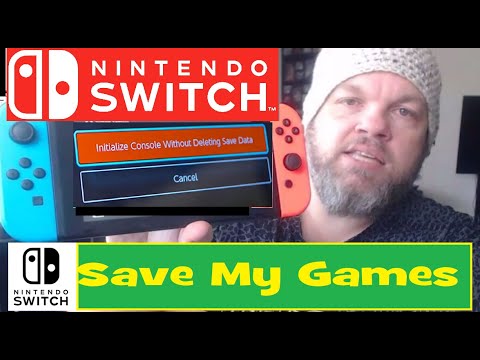
To reset your Nintendo Switch without losing games, you can perform a soft reset or a factory reset with the “Initialize Console Without Deleting Save Data” option, which allows you to reset the console while preserving your saved game data, and then redownload your games from the Nintendo eShop. By following these steps and utilizing cloud saves and game backups, you can ensure that your game progress is safe and easily recoverable after the reset process.
Understanding Reset Options
Types of Reset
There are two main types of reset options for the Nintendo Switch: soft reset and hard reset (also known as factory reset). A soft reset is a simple restart of the console that doesn’t erase any data, while a hard reset restores the console to its original factory settings, erasing all data in the process.
Frequently Asked Questions
-
Q: Will I lose my games if I factory reset my Switch? A: It’s possible to lose some data, but you can reinstall previously purchased games, and if you have cloud saves, your game progress will be preserved.
-
Q: How do I backup my Nintendo Switch before factory reset? A: Go to System Settings, then Data Management, and select Save Data Cloud Backup to backup your save data.
-
Q: What does a soft reset do on a Nintendo Switch? A: A soft reset turns the console off and then back on without erasing any data, making it a safe option to troubleshoot issues.
-
Q: What is a hard reset for Nintendo Switch? A: A hard reset involves holding down the volume up and down buttons and then pressing the power button, leading to the Maintenance Mode where you can choose to initialize the console without deleting save data.
-
Q: How to reset my Nintendo Switch without losing game saves? A: Choose the “Initialize Console Without Deleting Save Data” option during the reset process to preserve your game saves.
-
Q: What to do if a hard reset doesn’t work on Switch? A: Try charging the battery, using another dock or adapter, removing the SD card, performing a soft reset, or another hard reset, and check for any damage.
-
Q: What do you lose on a soft reset? A: A soft reset closes applications and clears RAM but doesn’t erase saved data or settings.
-
Q: Should I reset my Switch before selling? A: Yes, factory-resetting your console protects your personal information and is a recommended step before selling or giving away your Switch.
-
Q: Can I redownload Switch games after factory reset? A: Yes, you can redownload games that you’ve previously purchased from the Nintendo eShop after a factory reset.
-
Q: Can data be recovered after a factory reset Switch? A: Data saved to the cloud can be restored after a factory reset, but other data may be irretrievable.
-
Q: Can you restore data after factory reset Nintendo Switch? A: Unless you have cloud saves, data such as saved games, software, screenshots, and user information will be lost during a factory reset.
-
Q: What will I lose with a factory reset? A: A factory reset erases all data from the console, including games, save data, and personal information, unless it’s backed up or saved to the cloud.
-
Q: How often should you reboot a Switch? A: There’s no need to regularly reboot your Switch unless you’re experiencing issues or performing maintenance updates.
-
Q: Should I factory reset a used Nintendo Switch? A: Yes, if you’re giving away or selling your Switch, a factory reset is necessary to erase personal data and ensure the new user starts with a clean console.
-
Q: What is the difference between reset and restart? A: Restart (or reboot) simply turns the console off and on, while reset can refer to either a soft reset, which restarts the console, or a hard reset (factory reset), which erases all data and restores factory settings.