How to Sell Your CS:GO Skins on Steam: A Comprehensive Guide
Fast answer first. Then use the tabs or video for more detail.
- Watch the video explanation below for a faster overview.
- Game mechanics may change with updates or patches.
- Use this block to get the short answer without scrolling the whole page.
- Read the FAQ section if the article has one.
- Use the table of contents to jump straight to the detailed section you need.
- Watch the video first, then skim the article for specifics.
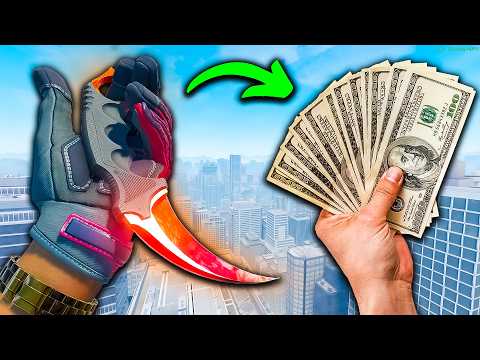
So, you’ve amassed a collection of awesome CS:GO skins and you’re ready to turn those pixels into profit? Selling your skins on Steam is a straightforward process, but understanding the nuances can help you maximize your earnings and avoid potential pitfalls. Let’s dive in!
The most direct way to sell your CS:GO skins on Steam is through the Steam Community Market. To do so, first, launch Steam and navigate to the “Community” tab, then select “Market.” From there, click the “Sell an Item” button. A list of your eligible items will appear. Select the skin you want to sell, set your price (consider researching current market values for similar skins), agree to the Steam Subscriber Agreement, and click “OK, put it up for sale.” Your skin is now listed on the market, waiting for a buyer. It is also possible to go to your inventory, select an item, and then click “Sell” directly in the item’s description window.
Understanding the Steam Community Market
Before you start listing everything you own, let’s delve deeper into the Steam Community Market. It’s a virtual marketplace where players can buy and sell in-game items using Steam Wallet funds. These funds can then be used to purchase games, DLC, or other items on Steam. Unfortunately, Steam does not allow you to directly withdraw the earnings as cash.
Optimizing Your Sales Strategy
Several factors can influence how quickly your skin sells and at what price:
- Rarity and Demand: Rarer skins and those that are currently in high demand will fetch higher prices. Check the market history to see how often a particular skin sells and at what price point.
- Float Value: The “float value” or “wear rating” of a skin (e.g., Factory New, Minimal Wear, Field-Tested, Well-Worn, Battle-Scarred) significantly impacts its value. Skins with lower float values (closer to “Factory New”) are generally more desirable and therefore more expensive.
- Stickers: Stickers applied to your skin can either increase or decrease its value. Rare or popular stickers can significantly boost the price, while common or poorly placed stickers might deter buyers.
- Pricing Strategy: Underpricing your skin will guarantee a quick sale but will result in less money in your pocket. Overpricing it will result in it sitting on the market for a long time. Research the market value carefully.
- Listing Time: Listing during peak hours when more players are online can increase visibility and the likelihood of a sale. Weekends and evenings are generally good times to list.
Fees and Taxes
Keep in mind that Valve takes a cut of every sale on the Steam Community Market. The current fee structure includes a Steam Fee of 5% and, in some cases, a game-specific fee (determined by the game developer) which is generally around 10% for CS:GO. This means that you’ll receive approximately 85-95% of the listed price after the sale.
Alternative Marketplaces: Selling for Real Money
While the Steam Community Market is convenient and safe, it only allows you to earn Steam Wallet funds. If you want to sell your skins for real money, you’ll need to explore third-party marketplaces. These platforms facilitate transactions between buyers and sellers, allowing you to withdraw your earnings via PayPal, bank transfer, or other payment methods.
Risks and Precautions
However, proceed with caution. Selling on third-party marketplaces comes with inherent risks:
- Scams: Fake websites, impersonators, and phishing attempts are common. Always verify the legitimacy of the platform before listing your items.
- Fraudulent Payments: Be wary of buyers who attempt to pay with stolen credit cards or use other fraudulent methods.
- Account Security: Ensure your Steam account is secure with a strong password and two-factor authentication (Steam Guard Mobile Authenticator). Never share your login credentials or API key.
- Trading Bots: Many third-party sites use trading bots to handle transactions. Ensure you’re trading with a legitimate bot and double-check the items before confirming the trade.
Reputable Third-Party Marketplaces
Some of the more reputable third-party marketplaces for selling CS:GO skins include:
- DMarket: Offers immediate payouts and a wide selection of skins.
- Skinport: Known for its user-friendly interface and secure transactions.
- Skinwallet: Provides instant cash offers for your skins.
- Bitskins: Features advanced tracking tools for skin pricing.
Remember to do your research and read reviews before choosing a third-party marketplace. Games Learning Society often highlights the importance of critical evaluation and informed decision-making in the digital world, a skill that’s vital when navigating these marketplaces. You can find more information about their educational initiatives at https://www.gameslearningsociety.org/.
Transferring Skins to Third-Party Marketplaces
The process typically involves connecting your Steam account to the marketplace, generating a trade URL, selecting the skins you want to sell, and then sending them to the marketplace’s trading bot. Make sure to double-check the trade offer to ensure you’re sending the correct items to the correct bot.
FAQs: Selling CS:GO Skins
Here are some frequently asked questions about selling CS:GO skins on Steam and third-party marketplaces:
1. Can I sell CS:GO skins for real money on Steam?
No, the Steam Community Market only allows you to earn Steam Wallet funds, which can be used to purchase other games or items on Steam. You cannot withdraw the funds as real money.
2. How much does Steam take as a fee for selling skins?
Valve charges a Steam Fee of 5%, and in some cases, a game-specific fee (usually around 10% for CS:GO).
3. What is a trade URL, and where do I find it?
A trade URL is a unique link that allows others to send you trade offers on Steam. You can find it in your Steam inventory settings under “Trade Offers.” Click on “Who can send me Trade Offers?” and you’ll see your trade URL.
4. What is a float value, and why does it matter?
The float value (or wear rating) indicates the condition of a skin. Lower float values (e.g., Factory New) represent better condition and are generally more valuable.
5. Can I sell skins if I have a VAC ban on my account?
If you have a VAC ban, you can keep your skins in your inventory, but you won’t be able to trade or sell them on the Steam Community Market.
6. How do I avoid getting scammed when selling skins?
Be cautious of suspicious websites, always double-check trade offers before accepting them, never share your login credentials or API key, and only trade with reputable platforms.
7. Are stickers worth anything on skins?
Rare or popular stickers can significantly increase the value of a skin. However, common or poorly placed stickers might decrease its value.
8. What is the rarest CS:GO skin?
The StatTrak™ M4A4 | Howl is widely considered one of the rarest and most expensive CS:GO skins.
9. Should I sell my skins before a major CS:GO update?
It depends on the update and its potential impact on skin values. Research community sentiment and historical trends to make an informed decision.
10. How do I determine the market value of my skin?
Check the Steam Community Market history and compare your skin to similar listings on third-party marketplaces. Consider the skin’s rarity, float value, and sticker combination.
11. What are some reputable third-party marketplaces for selling skins?
Some reputable options include DMarket, Skinport, Skinwallet, and Bitskins.
12. Is it safe to use trading bots on third-party marketplaces?
As long as you are trading with legitimate bots from reputable marketplaces and double-check the trade details, it can be safe. Always exercise caution.
13. How can I withdraw my earnings from third-party marketplaces?
Most platforms offer various withdrawal methods, including PayPal, bank transfer, and cryptocurrency.
14. What is the difference between selling on Steam versus a third-party marketplace?
Steam only allows you to earn Steam Wallet funds, while third-party marketplaces allow you to sell for real money. However, third-party marketplaces come with higher risks.
15. How do I connect my Steam account to a third-party marketplace?
Each marketplace has its own specific instructions, but typically, you’ll need to log in to the platform via your Steam account and provide your trade URL.