Sharing the Fun: A Comprehensive Guide to Sharing Games on Nintendo Switch
Fast answer first. Then use the tabs or video for more detail.
- Watch the video explanation below for a faster overview.
- Game mechanics may change with updates or patches.
- Use this block to get the short answer without scrolling the whole page.
- Read the FAQ section if the article has one.
- Use the table of contents to jump straight to the detailed section you need.
- Watch the video first, then skim the article for specifics.
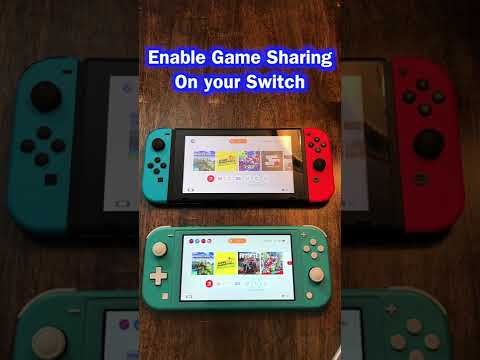
So, you’re looking to share the joy of your favorite Nintendo Switch games with a friend or family member? Excellent! Gaming is always more fun when shared. The world of Nintendo Switch game sharing can seem a bit complex at first, but don’t worry, I’m here to guide you through it. There are a few different ways to approach this, depending on whether you’re dealing with digital games or physical game cartridges.
Essentially, sharing games on the Nintendo Switch involves either lending your physical game cartridges or utilizing the console’s system for digital game sharing by managing primary and non-primary consoles associated with your Nintendo Account.
Digital Game Sharing: The Primary and Non-Primary Console Method
The most common method involves leveraging the Nintendo Switch‘s system for managing digital game licenses. This hinges on the concept of a primary console and non-primary consoles tied to your Nintendo Account.
How It Works:
-
The Primary Console: Your primary console is the Nintendo Switch where your games are freely available to anyone who uses that console, even with different user accounts. Think of it as your “home” base.
-
Non-Primary Consoles: On any Nintendo Switch that isn’t your primary console, your digital games can only be played by you (the account holder). Furthermore, you’ll need an active internet connection to verify your license.
-
The Sharing Process: To share your digital games with a friend or family member, you need to make their console your primary console. This means your digital games become available to anyone on their system.
Step-by-Step Guide to Digital Game Sharing:
-
Deregister Your Current Primary Console: On your Nintendo Switch, go to System Settings > eShop > Deregister. This will remove its status as your primary console.
-
Make Their Console Your Primary: On their Nintendo Switch, log in with your Nintendo Account. Then, open the eShop. This automatically registers their Nintendo Switch as the primary console for your Nintendo Account.
-
Download the Games: On their Nintendo Switch (now your primary console), go to the eShop, navigate to your account icon, and select Redownload. You can now download any digital games purchased with your Nintendo Account.
-
Play on Your Console (Now Non-Primary): Back on your Nintendo Switch (now a non-primary console), you can still play the games you’ve purchased. However, you must be logged in with your Nintendo Account and have an internet connection.
Important Considerations for Digital Game Sharing:
- Internet Connection is Key: You must be connected to the internet to launch and play digital games on a non-primary console. The system needs to verify your license.
- One Primary Console at a Time: Only one Nintendo Switch can be the primary console for a given Nintendo Account.
- Disruptions and Restrictions: While you are using the digital game in a non-primary console, the game may abruptly pause while a license check is in progress.
- Limited to Two Switches: With two people, this works. If more, you’ll need to re-configure often.
Sharing Physical Game Cartridges
Sharing physical game cartridges is much simpler. The process is straightforward because it involves the physical transfer of the game.
How It Works:
Simply take the game cartridge out of your Nintendo Switch and give it to your friend or family member. They can then insert it into their Nintendo Switch and play the game.
Key Benefits:
- No Account Restrictions: Sharing physical games doesn’t involve your Nintendo Account or any primary console settings.
- No Internet Requirement: The recipient doesn’t need an internet connection to play the game (unless the game requires online connectivity for certain features).
- Simple and Direct: It’s the most straightforward way to share a Nintendo Switch game.
Important Considerations for Physical Game Sharing:
- One Person at a Time: Obviously, only one person can play the game at a time since there’s only one cartridge.
- Save Data: Save data is stored on the console itself, not the game cartridge. This means that each Nintendo Switch will have its own separate save data for the game.
Friend Codes and Adding Friends on Nintendo Switch
Beyond game sharing, you can add friends on Nintendo Switch to enjoy multiplayer experiences together.
How to Add Friends:
-
Access User Page: From the HOME Menu, select your user icon to access your user page.
-
Add Friend: Select “Add Friend” on your user page.
-
Choose a Method: You can add friends via:
- Friend Code: Exchange your 12-digit friend code.
- Local Users: Bring consoles together and send a friend request to nearby users.
- Users You Played With: Add users you’ve recently played with online.
- Link to Social Media: Link your Nintendo Account to social media platforms to find friends.
Frequently Asked Questions (FAQs)
1. Can I download the same digital game on two Nintendo Switches simultaneously?
Yes, you can download a game on multiple consoles, but only one can be the primary console for your account. On the non-primary console, you must be logged in and have an internet connection to play.
2. What happens if I own both a digital and a physical copy of the same game?
If you have both, the Nintendo Switch will play the game from the cartridge when it’s inserted. The system prioritizes the physical copy. Save data is stored independently of the game source.
3. How many times can I change my primary console?
You can change your primary console as many times as you need. However, remember that you must deregister your current primary console before setting a new one.
4. Are eShop games tied to my Nintendo Account?
Yes, eShop purchases are tied to the Nintendo Account that made the purchase. Only one primary console can be registered per account, but the games can be played by any user on that primary console.
5. Can multiple users on one Nintendo Switch use my downloaded games?
Yes, on your primary console, any user can play the digital games you’ve downloaded with your Nintendo Account. On a non-primary console, only you can play those games.
6. Do both players need a Nintendo Switch Online subscription to play online together?
In most cases, yes. If you want to play online against each other, each player will need their own Nintendo Switch Online subscription.
7. How many user accounts can I create on one Nintendo Switch?
You can create up to 8 user accounts on a single Nintendo Switch console.
8. Do Switch games save to the console or the cartridge?
Save data for Nintendo Switch games is stored on the console’s system memory, not the game cartridge. This applies to both digital and physical games.
9. What happens if I try to play a game on my non-primary console without an internet connection?
You will not be able to launch and play most digital games on your non-primary console without an internet connection, as the system needs to verify your game license.
10. Can I share a digital game with someone who lives in a different country?
Yes, you can share digital games regardless of location, as long as you manage the primary console settings correctly.
11. If I lend someone a physical game, will their save data be transferred when they return it?
No. Save data is stored on the console, not the cartridge. Their save data will remain on their console, and your save data will remain on yours.
12. Can two people play Mario Kart 8 Deluxe on two different Switches with only one copy of the game?
No, for two separate Nintendo Switch consoles to play Mario Kart 8 Deluxe together, each console needs its own copy of the game. However, you can play split-screen on a single console with one copy.
13. Is it possible to get a digital copy of a game if I already own the physical cartridge?
No, owning the physical cartridge does not entitle you to a free digital copy. You would need to purchase the digital version separately from the eShop.
14. What are the risks of sharing my Nintendo Account with someone?
Sharing your account means sharing access to your payment information and purchase history. Only share with people you trust.
15. Can I share a game that requires online play with someone who doesn’t have Nintendo Switch Online?
They will not be able to access the online features of the game without a Nintendo Switch Online subscription, but they may still be able to play the offline portions of the game if you share a physical copy or make their console your primary console for a digital copy.
Sharing Knowledge:
The world of gaming extends beyond simply playing; it’s about learning, collaboration, and community. To further explore the educational potential of games, I encourage you to visit the website of the Games Learning Society at https://www.gameslearningsociety.org/. Discover how games can be powerful tools for learning and development! Check out GamesLearningSociety.org to learn more.
Conclusion
Sharing games on the Nintendo Switch is a great way to spread the fun and enjoy gaming with friends and family. Whether you’re swapping physical cartridges or managing primary consoles for digital games, understanding the process ensures a smooth and enjoyable experience for everyone involved. Happy gaming!