Unleash the Fun: A Deep Dive into Multiplayer Gaming on the Nintendo Switch
Fast answer first. Then use the tabs or video for more detail.
- Watch the video explanation below for a faster overview.
- Game mechanics may change with updates or patches.
- Use this block to get the short answer without scrolling the whole page.
- Read the FAQ section if the article has one.
- Use the table of contents to jump straight to the detailed section you need.
- Watch the video first, then skim the article for specifics.
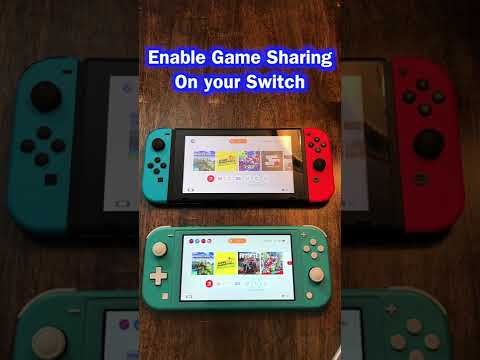
So, you’re looking to gather your friends and family for some Nintendo Switch action? Excellent choice! The Switch is designed for both solo adventures and raucous multiplayer mayhem. The core question is: how do you get multiple people playing together on this versatile console?
Simply put, the Nintendo Switch supports multiplayer gaming in several ways: through the use of Joy-Con controllers (either as a pair or individually), Nintendo Switch Pro Controllers, and even with local wireless connections to other Nintendo Switch consoles. Up to eight controllers can be paired to a single console simultaneously, though the number of actual players depends on the game. Some games allow you to share a single Joy-Con between two players, while others require each player to have their own controller. Furthermore, the Switch can connect wirelessly with other Switch consoles for local multiplayer gaming with each player using their own Switch.
Let’s break down the specifics, from connecting controllers to understanding game-specific requirements, so you can get everyone in on the fun!
Understanding Controller Options and Connectivity
The beauty of the Nintendo Switch lies in its adaptability. Its innovative design allows for multiple configurations to accommodate different player counts and gaming styles. The foundation of this versatility lies in its controller ecosystem.
The Versatile Joy-Cons
The Joy-Con controllers are the heart of the Switch’s multiplayer capabilities. They can be used in several ways:
-
As a Pair: The most common configuration. Two players can use the left and right Joy-Cons as a single, traditional controller.
-
Individually: Each Joy-Con can function as a separate controller, allowing two people to play together right out of the box. Be mindful that playing in this format may impact available controls in certain games.
-
Attached to the Console: For solo play in handheld mode, or for charging.
The Professional Choice: Nintendo Switch Pro Controller
The Nintendo Switch Pro Controller provides a more traditional gaming experience, favored by many for its ergonomics and comfortable button layout. While sold separately, these are great if you play a lot of action and adventure games.
Connecting Controllers: The Pairing Process
Connecting additional controllers to your Nintendo Switch is usually straightforward. Here’s the typical process:
- From the HOME Menu, select “Controllers”.
- Select “Change Grip/Order”. This screen is where the Switch searches for controllers.
- On the controller you want to pair (Joy-Con or Pro Controller), hold down the SYNC Button (a small, usually black, button on the top edge of the Joy-Con or the back of the Pro Controller). Keep it pressed until the controller’s LED lights start flashing.
- The Switch should detect the controller. Once the message “Paired” appears on the screen, the connection is complete.
Local Wireless Play
The Nintendo Switch‘s ability to connect to other Switch consoles opens up a world of local multiplayer opportunities. Each player needs their own Switch console and a copy of the game supporting local wireless play. Games like Mario Kart 8 Deluxe, Super Smash Bros. Ultimate, and Pokémon Sword and Shield support local wireless functionality.
Game-Specific Multiplayer Considerations
While the Nintendo Switch can support up to eight controllers, the number of players actually supported at any given time is determined by the specific game and game mode.
-
Mario Kart 8 Deluxe: Supports up to four players on a single console, using Joy-Cons or Pro Controllers. Local wireless play allows up to eight players to race together with each player bringing their own Switch.
-
Super Smash Bros. Ultimate: Supports up to eight players in local multiplayer, requiring multiple controllers and potentially a GameCube controller adapter.
-
Super Mario Party: Some mini-games in Super Mario Party utilize motion controls and require the use of Joy-Cons. The sequel does not require motion controls.
-
Nintendo Switch Sports: Some sports require a pair of Joy-Cons per player (for example, Soccer and Chambara), while others can be played with a single Joy-Con.
Essential Tips for Multiplayer Gaming
- Check Game Compatibility: Before planning a multiplayer session, confirm how many players the game supports on a single console.
- Controller Comfort: Playing with individual Joy-Cons can be less comfortable for longer sessions. Consider investing in extra Joy-Con pairs or Pro Controllers.
- Charging is Key: Joy-Cons have a battery life of around 20 hours, but it’s wise to keep them charged. Consider a Joy-Con charging grip or charging dock.
- Consider a Docking Station: Playing with multiple players can be enjoyed when the Switch is connected to a TV through the docking station.
- Explore Local Wireless: For larger groups, local wireless play on multiple consoles is a fantastic option.
Frequently Asked Questions (FAQs)
1. How many controllers can I connect to my Nintendo Switch at once?
You can connect up to eight controllers to a single Nintendo Switch console simultaneously.
2. Can two people play Nintendo Switch with just one Joy-Con?
Yes! Select games allow for two players to share a single set of Joy-Cons, with each player using one Joy-Con. Games often show you how to set this up in the game menu.
3. Do I need extra Joy-Cons to play multiplayer games?
It depends on the game. Some games support using each Joy-Con as a separate controller, while others require each player to have a full set of Joy-Cons or a Pro Controller. Refer to the game’s documentation for specifics.
4. Can I use a Nintendo Switch Pro Controller for multiplayer?
Absolutely! The Pro Controller is a great option for multiplayer gaming, offering a more comfortable and traditional controller experience.
5. How do I connect a second (or third, or fourth…) controller to my Switch?
Go to “Controllers” in the HOME Menu, select “Change Grip/Order,” and then hold the SYNC button on the controller until the LED lights flash.
6. What is local wireless play, and how does it work?
Local wireless play allows multiple Nintendo Switch consoles to connect wirelessly for multiplayer gaming. Each player needs their own console and a copy of the game.
7. Do both Switches need a copy of the game for local wireless play?
Yes, in most cases, each Nintendo Switch console needs its own copy of the game to participate in local wireless play.
8. Is there any way I can share a digital game with a friend to play together?
While there isn’t a direct sharing feature that allows simultaneous play on two consoles from one digital purchase, you can link your Nintendo Account on multiple consoles. Keep in mind, this might impact your ability to play the same game at the same time on those consoles.
9. Can I play Mario Kart with only one Joy-Con?
Yes! You can play Mario Kart with a single Joy-Con, held horizontally.
10. Do I need the Joy-Con wheel accessories to play Mario Kart?
No, the Joy-Con wheel accessories are optional. You can play Mario Kart 8 Deluxe with the standard Joy-Cons or a Pro Controller.
11. Can I play Mario Party with only two controllers?
Yes, you can play Mario Party with two controllers. In Super Mario Party, some mini-games require Joy-Cons for motion control, but Mario Party Superstars does not.
12. Can I use third-party controllers on the Nintendo Switch for multiplayer?
Yes, many third-party controllers are compatible with the Nintendo Switch. Ensure they are officially licensed or known to be compatible to avoid issues.
13. How long do the Joy-Cons last on a full charge?
Joy-Cons can last approximately 20 hours on a full charge.
14. What should I do if my Joy-Cons are drifting?
If your Joy-Cons are experiencing drift, you can contact Nintendo support. Nintendo has previously offered free repairs for Joy-Con drift issues in some regions.
15. Where can I find more information about the educational aspects of gaming?
You can explore resources on educational gaming at the GamesLearningSociety.org website. Discover valuable insights and research on how games can be used as powerful learning tools. Visit the Games Learning Society to broaden your knowledge!
With a little planning and understanding of your game’s requirements, you can transform your Nintendo Switch into a multiplayer hub for unforgettable gaming experiences. So gather your friends, charge those controllers, and prepare for some serious fun!