Decoding the Disc: How PS4 Games Actually Work
Fast answer first. Then use the tabs or video for more detail.
- Watch the video explanation below for a faster overview.
- Game mechanics may change with updates or patches.
- Use this block to get the short answer without scrolling the whole page.
- Read the FAQ section if the article has one.
- Use the table of contents to jump straight to the detailed section you need.
- Watch the video first, then skim the article for specifics.
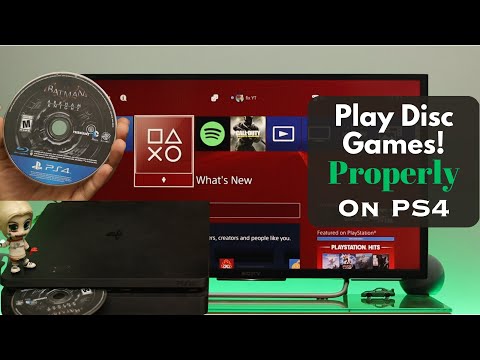
So, you’ve popped a shiny new disc into your PlayStation 4. The game roars to life on your screen, but have you ever stopped to wonder how that little piece of plastic brings such immersive worlds to life? Let’s break down the fascinating process of how PS4 disc games work, demystifying the technology behind your gaming experience.
The short answer is: while the disc gets the process started, the game itself doesn’t actually run directly from the disc. Instead, the PS4 installs the game data from the disc onto its internal hard drive. The disc then primarily serves as a license key, verifying that you own the game and allowing you to play. Think of it as the physical key to unlock a digital world. Let’s delve deeper!
The Installation Process: From Disc to Hard Drive
When you insert a PS4 game disc for the first time, the console springs into action. It reads the data on the disc and begins a process called installation. This involves copying the vast majority of the game’s files – textures, models, code, audio, and more – onto the PS4’s hard drive. The installation can take anywhere from a few minutes to well over an hour, depending on the size of the game.
Why Install? Performance, Performance, Performance!
You might be wondering, why not just play directly from the disc like in the olden days of consoles? The reason boils down to performance. Optical discs, like Blu-ray discs used by the PS4, are significantly slower than modern hard drives in terms of data access speed.
Imagine trying to load a complex environment, complete with detailed textures, numerous character models, and dynamic lighting, all directly from a spinning disc. The loading times would be agonizing, the framerate would stutter, and the overall experience would be far from enjoyable.
By installing the game onto the hard drive, the PS4 can access the necessary data much faster, resulting in smoother gameplay, quicker loading times, and an overall more responsive experience. It’s all about maximizing the potential of the hardware.
The Disc as a License: The Key to the Kingdom
Once the game is installed, the disc takes on a new role: that of a license check. Every time you want to play the game, the PS4 needs to verify that you own it. It does this by checking that the game disc is present in the disc drive.
This is a form of digital rights management (DRM), designed to prevent piracy and ensure that game developers and publishers are compensated for their work. Without the disc, the PS4 will not launch the game, preventing unauthorized access.
Think of it like this: the disc is your proof of purchase, your ticket to play. The PS4 checks your ticket before letting you enter the game world.
Updates and Patches: Evolving Games
Even after installing a game from a disc, you’ll often encounter updates and patches. These are additional files that developers release to fix bugs, add new features, or optimize performance. These updates are downloaded from the internet and installed onto the hard drive, further enhancing the game experience.
This constant evolution is a hallmark of modern gaming. Developers can continuously improve and refine their games long after they’ve been released, ensuring that players have the best possible experience.
Advantages and Disadvantages of Disc Games
While digital downloads have become increasingly popular, disc-based games still offer certain advantages:
- Resale Value: You can resell or trade in physical copies of games, recouping some of your initial investment.
- Collectibility: Many gamers enjoy collecting physical copies of their favorite games.
- Ownership: Some players prefer the tangible feeling of owning a physical copy of a game.
- Offline Play (Potentially): Although updates often require an internet connection, the base game on the disc can typically be played offline (after initial install and any mandatory updates).
However, there are also disadvantages to consider:
- Physical Media: Discs can be lost, scratched, or damaged.
- Disc Drive Required: You need a PS4 with a disc drive to play disc-based games. The PS4 Digital Edition is disc-less.
- Swapping Discs: Switching between games requires physically swapping discs.
- Potential for mandatory online updates: Some games require at least one update download before you can play them.
Understanding the Complete PS4 Gaming Ecosystem
Understanding how PS4 disc games function is only one piece of the puzzle. To further enhance your knowledge, you may want to consider the broader learning aspects of gaming and educational gaming. The Games Learning Society at GamesLearningSociety.org explores how games can be leveraged for learning and skill development.
Frequently Asked Questions (FAQs)
Here are some frequently asked questions about PS4 disc games, designed to provide even more clarity on the topic:
1. Do PS4 disc games have to download?
Technically, you don’t download from a disc. You install the game from the disc onto the PS4’s hard drive. This is a crucial distinction. The installation process copies the game files from the disc to the hard drive for faster access and smoother gameplay. You might then download updates for the game.
2. Can I play games on a PS4 without downloading it from a disc?
Yes, you can, after you installed it. The PS4 installs the game to the hard drive from the disc. Then, the disc is required each time as license-check.
3. Do PS4 discs contain the full game?
Yes, the PS4 disc typically contains the full game data at the time of its initial release. However, subsequent updates, patches, and downloadable content (DLC) are downloaded separately from the internet and added to the installed game files on the hard drive.
4. Why do I have to download updates if I have the disc?
As mentioned earlier, the disc contains the game as it was at the time of its release. Updates and patches are released by developers after the game’s launch to fix bugs, add features, or improve performance. These updates are downloaded from the internet and applied to the installed game files on the hard drive.
5. Do PS4 games save on the disc or console?
Save data is always stored on the console’s hard drive, not on the disc. This includes your game progress, settings, and achievements. Even if you delete the installed game from the hard drive, your save data will typically remain (unless you manually delete it).
6. Does game data transfer from disc to digital?
Yes! Assuming you purchase the digital version of the exact same game, your save data and progress will transfer over seamlessly. The console recognizes that you own both versions of the game and automatically uses the existing save data.
7. Do disc games run better than downloaded games?
In most cases, there is no performance difference between playing a game from a disc or a digital download. Both versions are installed on the hard drive and run from there. Any perceived differences are usually due to factors like internet connection speed (for online games) or the speed of the hard drive itself.
8. Is it faster to download a game or buy the disc?
This depends entirely on your internet speed. If you have a slow internet connection, installing from the disc is usually much faster. However, if you have a fast internet connection, downloading the game digitally might be quicker.
9. How do I install games from a disc on PS4?
Simply insert the disc into the PS4’s disc drive. The console will automatically detect the disc and begin the installation process. Follow the on-screen instructions. If the installation doesn’t start automatically, navigate to the game icon on the PS4’s home screen and select “Install.”
10. Why won’t my game download on PS4 from disc?
There could be several reasons:
- Dirty or damaged disc: Clean the disc with a soft, lint-free cloth. Inspect it for scratches or damage.
- System error: Restart your PS4.
- Insufficient storage space: Make sure you have enough free space on your hard drive.
- Faulty disc drive: If other discs also fail to install, your disc drive might be faulty.
11. Why do I need the disc to play PS4 games?
The PS4 uses the disc as a license check. It verifies that you own the game before allowing you to play it. Without the disc, the console assumes you don’t have the right to play the game.
12. Can you play a disc game without the disc PS4?
If you have installed the game to the hard drive from the disc, the disc needs to be available in the drive to be able to play, as that’s how the PS4 confirms you own the game.
13. How much does it cost to put a game on a disc?
The cost of producing a game disc varies depending on the number of copies being produced. However, it’s generally around $2.50 USD per game disc, case, and insert when you get into higher quantities.
14. Which disc should I install games?
This question isn’t relevant for PS4 as the game is installed to the hard drive of the console.
15. How can I play PS4 games without Internet?
Once you’ve downloaded and installed the game (which initially might require the internet) and any updates, you can generally play most single-player PS4 games offline. You may need to set your PS4 as your primary console to ensure that licenses are cached locally.
By understanding how PS4 disc games work, you gain a deeper appreciation for the technology that powers your gaming experiences. From the initial installation to the ongoing updates, each step is carefully orchestrated to deliver the best possible performance and enjoyment. So, the next time you pop in a disc, remember the fascinating journey the data takes from the plastic to your screen. And, if you want to learn more about games and education, consider visiting the GamesLearningSociety.org website. Happy gaming!