Summon Your Steeds: A Comprehensive Guide to Accessing the Mount Menu in World of Warcraft
Fast answer first. Then use the tabs or video for more detail.
- Watch the video explanation below for a faster overview.
- Game mechanics may change with updates or patches.
- Use this block to get the short answer without scrolling the whole page.
- Read the FAQ section if the article has one.
- Use the table of contents to jump straight to the detailed section you need.
- Watch the video first, then skim the article for specifics.
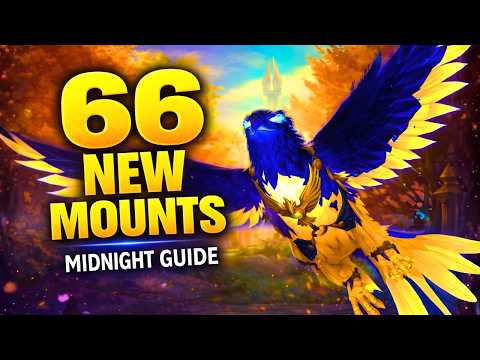
So, you’re ready to gallop across Azeroth on your magnificent mount, but you’re not quite sure how to access the mount menu in World of Warcraft (WoW)? Fear not, adventurer! It’s simpler than downing a level 1 boar. The primary method is through the Mounts tab in your Collections window. You can access this in one of two ways:
-
By Default Keybind: Press the Shift + P keys simultaneously. This is the standard keybind and will instantly open your Collections window with the Mounts tab selected.
-
Through the Character Menu: You can also open the Character Menu (default keybind is C), then select the “Collections” tab along the bottom of the window. Once the Collections window is open, click the Mounts tab located on the left-hand side.
Once the Mounts tab is open, you’ll see a comprehensive list of all the mounts your character has learned. From here, you can filter by mount type, search for a specific mount by name, favorite mounts for easier access, and of course, summon your desired mount with a simple click. You can also drag a mount icon from this window to your action bars for even faster summoning! Now, let’s dive into some frequently asked questions to further enhance your mount mastery.
Frequently Asked Questions (FAQs) about Mounts in WoW
1. What if the Shift + P keybind doesn’t work?
If your Shift + P keybind isn’t working, it’s likely been remapped. To check and reset it, go to Game Menu (Esc) > Keybinds > Character Panel > Collections. Here, you can see the current keybind and change it to whatever you prefer. Ensure no other actions are bound to the same combination to avoid conflicts.
2. How do I learn a new mount?
New mounts are typically learned by using the mount item itself. This item can be obtained through various means, such as:
- Quest Rewards: Completing specific quests often grants mounts as rewards.
- Vendor Purchases: Many vendors throughout Azeroth and beyond sell mounts for gold, resources, or faction reputation.
- Drops from Enemies: Some rare mounts are dropped by specific creatures, often with a low drop rate.
- Achievements: Completing certain achievements can unlock unique mounts.
- Trading Card Game (TCG) Rewards: Some mounts were originally available through the WoW TCG and can now be found on the Black Market Auction House.
- Promotions: Certain promotions, like purchasing a special edition of a Blizzard game, can also grant unique mounts.
Once you obtain the mount item, simply right-click it in your inventory to learn the mount. It will then be added to your Collections window.
3. Are mounts character-specific or account-wide?
Most mounts are account-wide, meaning that once you learn a mount on one character, all other characters on your account (within the same region) can use it. However, there are a few exceptions. Some mounts might be faction-specific (e.g., only usable by Horde or Alliance characters) or class-specific (e.g., only usable by Paladins or Warlocks). The mount’s description will usually indicate any such restrictions.
4. How do I filter my mount list?
The Mounts tab in the Collections window offers several filtering options. You can filter by:
- Source: This allows you to view mounts obtained from specific sources like vendors, achievements, or drops.
- Type: This lets you filter by mount type, such as flying mounts, ground mounts, or water striders.
- Usable: This option displays only the mounts that your current character can use based on their faction, class, and level.
- Favorite: If you’ve favorited certain mounts, you can filter to see only those.
5. What does “Favorite” mean for mounts?
Favoriting a mount adds it to a special list of your preferred mounts. This is primarily useful for the “Summon Random Favorite Mount” ability, which can be found in your spellbook. When used, this ability will randomly summon one of your favorited mounts. This is a great way to add some variety to your travels.
6. How do I set a favorite mount?
To favorite a mount, simply open the Mounts tab in your Collections window and click the star icon next to the mount’s name. A yellow star indicates that the mount is favorited.
7. What are the level requirements for using mounts?
The minimum level requirement for using most ground mounts is level 20, and the minimum level requirement for using flying mounts is level 60 and completion of associated zone requirement. However, there are some exceptions:
- Heirloom Mounts: Some heirloom items grant mounts that can be used at lower levels.
- Special Promotions: Certain promotions might offer mounts that can be used at lower levels.
8. What is the difference between a ground mount and a flying mount?
Ground mounts are used for traveling on land. Flying mounts allow you to fly in areas where flying is permitted. The ability to fly is unlocked in certain zones and expansions after completing specific achievements or quests. Note that some areas still restrict flying.
9. How do I know if I can fly in a certain area?
The simplest way to determine if you can fly in an area is to attempt to summon a flying mount. If the game prevents you from doing so, it means flying is not allowed in that zone. You can also often tell by looking at the environment. Zones designed with flying in mind often have less detailed ground textures and more vertical structures.
10. What are Water Striders and how do they work?
Water Striders are special mounts that allow you to walk on water. This can be incredibly useful for navigating watery areas without having to swim. They are typically obtained through fishing reputation or other aquatic-themed content.
11. Can I use mounts in combat?
No, you cannot use mounts in combat. Attempting to summon a mount while in combat will fail. You must be out of combat to summon a mount.
12. Are there any mounts that provide special benefits?
Yes, some mounts provide special benefits. For example:
- Sky Golem: Allows you to harvest herbs without dismounting.
- Goblin Rocket: Provides a short burst of speed.
- Water Striders: Allow you to walk on water.
These special benefits are usually described in the mount’s tooltip.
13. How do I learn more about obtaining specific mounts?
The best way to learn more about obtaining specific mounts is to use online resources such as:
- Wowhead: (https://www.wowhead.com/) This website contains comprehensive information about all aspects of World of Warcraft, including mounts.
- WoWDB: (https://www.wowdb.com/) Another excellent database with detailed information about the game.
These websites often have guides and comments from other players that can help you find even the most elusive mounts.
14. What is the Black Market Auction House and how does it relate to mounts?
The Black Market Auction House (BMAH) is a special auction house run by a neutral Goblin NPC, Madam Goya, located in various expansion specific zones. It offers rare and unobtainable items, including mounts. Some mounts that were previously available only through limited-time events or TCG cards can occasionally be found on the BMAH. However, bidding can be fierce, and prices can be very high.
15. Can I use the mount menu to dismiss my current mount?
While you can’t directly dismiss your mount from the mount menu, the easiest way to dismiss your current mount is to simply use the “Dismiss Pet” ability in your spellbook (typically bound to Shift+Esc, but this can be remapped). Alternatively, you can right-click on the small icon representing your mount on the top left of your screen, next to your character portrait, and select “Dismiss.”
We believe that understanding the world extends beyond the digital realm. Discover how games are shaping education and society by visiting the Games Learning Society at https://www.gameslearningsociety.org/.
With these tips and tricks, you’ll be a master of mounts in no time! Now, saddle up and explore the vast and wondrous world of Azeroth! Happy riding!