Claiming Your Minecraft Cape: A Comprehensive Guide
Fast answer first. Then use the tabs or video for more detail.
- Watch the video explanation below for a faster overview.
- Game mechanics may change with updates or patches.
- Use this block to get the short answer without scrolling the whole page.
- Read the FAQ section if the article has one.
- Use the table of contents to jump straight to the detailed section you need.
- Watch the video first, then skim the article for specifics.
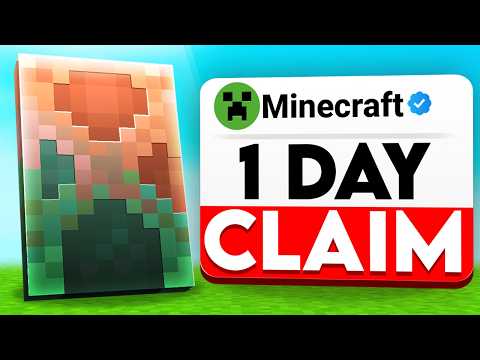
So, you’re looking to flaunt a snazzy cape in Minecraft? Whether it’s a hard-earned Migrator’s Cape, a special event reward, or a cosmetic addition through mods, securing and displaying your cape requires understanding the game’s nuances. Let’s break down exactly how to claim a cape in Minecraft.
The process of claiming a cape depends entirely on how you acquired it. For the Migrator Cape (awarded for migrating your Mojang account to a Microsoft account), you generally claim it through your Minecraft account profile on the official Minecraft website. Specifically, you navigate to the skin section and look for a “Change Your Cape” option (usually under a heading like “PC/MAC”). From there, you select the Migrator Cape and save the changes. Other capes, such as event-exclusive capes, might be redeemed through a special code or automatically granted upon logging into the game after the event. Always check the official Minecraft website or related announcements for specific redemption instructions. Keep in mind that some capes are version specific, meaning they may only appear in the Java Edition or Bedrock Edition, but not both initially.
Understanding Cape Acquisition Methods
Capes in Minecraft aren’t exactly commonplace. Their relative rarity adds to their desirability. There are several ways to obtain a cape, each with its own claiming process:
- Migrator Cape: As mentioned, awarded for migrating your Mojang account to a Microsoft account before a specific deadline. This cape is claimed through the official Minecraft website.
- Vanilla Cape: Granted to players who owned both the Java and Bedrock editions of Minecraft on the same Microsoft account before June 6, 2022. This cape should be automatically available in your skin customization options.
- MINECON Capes: Historically given to attendees of MINECON events. These are exceedingly rare and were redeemed via a special URL provided at the event. These URLs have now been disabled for unused codes.
- Realms Content Creator Capes: Awarded to mapmakers who have had their maps accepted into the Realms Content Creator Program and have earned enough points. The cape is usually granted automatically.
- Minecraft Dungeons Hero Cape: Exclusive to purchasers of the Hero Edition of Minecraft Dungeons. It should be automatically accessible in your Minecraft Dungeons account.
- Modded Capes: These are added through the use of mods in the Java Edition. The claiming process depends entirely on the specific mod used. Other players will only see these capes if they have the same mod installed.
Troubleshooting Cape Visibility
Even after claiming your cape, you might encounter issues with seeing it in-game. Here’s a checklist to address common problems:
- Check your Skin Customization Settings: In the Minecraft launcher, navigate to your profile and ensure that “Capes” are enabled in the skin customization settings.
- OptiFine Settings: If you are using OptiFine, go to “Video Settings,” then “Details,” and make sure the “Show Capes” option is turned on.
- Refresh Your Game: Completely log out of Minecraft and the Minecraft Launcher, then log back in. This can often resolve temporary glitches.
- Version Compatibility: Ensure you are playing on the correct version of Minecraft (Java or Bedrock) where the cape is supposed to appear. Some capes are version-specific.
- Account Verification: Double-check that you are logged in with the correct Microsoft account that owns the cape entitlement.
- Server Settings: On some multiplayer servers, capes might be disabled by the server administrator. Inquire with the server staff about this possibility.
FAQs: Your Cape Questions Answered
Here’s a breakdown of some common questions regarding capes in Minecraft:
1. How do I know if I’m eligible for the Migrator Cape?
You were eligible for the Migrator Cape if you owned a Mojang account for Minecraft: Java Edition and migrated it to a Microsoft account before the deadline. Check your Microsoft account on the Minecraft website to confirm if the cape is available.
2. I migrated my account, but I don’t see the Migrator Cape. What should I do?
First, double-check that you followed the migration process completely. Then, ensure that “Capes” are enabled in your skin customization settings. If you still don’t see it, try logging out and back into both the Minecraft Launcher and the game. If all else fails, contact Minecraft Support for assistance.
3. Can I still get the Vanilla Cape in 2024?
No, the window to qualify for the Vanilla Cape has closed. You needed to own both the Java and Bedrock editions of Minecraft on the same Microsoft account before June 6, 2022.
4. Are MINECON capes transferable between accounts?
No, Mojang/Microsoft does not transfer MINECON capes between accounts. They are permanently tied to the account that redeemed the cape code.
5. Can I get a free cape without using mods?
Yes, the Migrator Cape, Vanilla Cape, and Realms Content Creator Capes are all obtainable without mods, provided you met the necessary criteria. Events sometimes offer temporary capes too.
6. How do I install a cape mod in Minecraft: Java Edition?
The installation process varies depending on the mod. Typically, you’ll need to install a mod loader like Forge or Fabric. Then, you’ll download the cape mod and place it in the “mods” folder within your Minecraft directory. Follow the specific instructions provided by the mod developer.
7. Will other players see my cape if I use a mod?
Only players who have the same cape mod installed will be able to see your custom cape. For other players, you’ll just appear to have your default skin.
8. Is it legal to use mods to get capes?
Generally, using mods is legal as long as you don’t distribute copyrighted content or violate the game’s terms of service.
9. Can I get banned for using cape mods?
It’s highly unlikely. Cape mods are client-side, meaning they only affect your game experience and don’t provide an unfair advantage in multiplayer.
10. How do I redeem a Minecraft cape code?
Cape codes (when available, typically for special promotions) are usually redeemed through your Minecraft account profile on the official Minecraft website. Look for a “Redeem Code” section.
11. Where can I find official announcements about Minecraft capes?
Follow the official Minecraft website, the Minecraft Launcher news section, and the official Minecraft social media channels (Twitter, Facebook, etc.) for announcements about new capes or events.
12. How rare is the Mojang logo cape?
The Mojang logo cape is extremely rare. It was primarily given to Mojang employees and close associates, making it one of the most sought-after capes in the game.
13. I’m having trouble with my cape. Who can I contact for help?
Contact Minecraft Support through the official Minecraft website. Be sure to provide detailed information about your issue, including your account details and any relevant screenshots.
14. Are there any capes available in Minecraft Bedrock Edition?
Yes, in addition to capes purchasable through the Marketplace, the Vanilla Cape (if you owned both Java and Bedrock editions before the cutoff date) should be available in Bedrock Edition. Certain promotional events may offer Bedrock-specific capes as well.
15. Can I design my own Minecraft cape?
While you can’t directly design a cape for official distribution, you can create custom capes using mods in the Java Edition.
Capes offer a great way to show off your accomplishments and creativity within Minecraft. Understanding the different types of capes, the acquisition methods, and troubleshooting steps will help you secure your coveted cosmetic item. Remember to stay updated with official Minecraft announcements for any new cape opportunities. Learning is fun, and that’s why organizations such as the Games Learning Society believe games can be a great learning tool. To learn more about this, visit GamesLearningSociety.org.