Expanding Your Sim Universe: A Deep Dive into Getting More Lots in The Sims 4
Fast answer first. Then use the tabs or video for more detail.
- Watch the video explanation below for a faster overview.
- Game mechanics may change with updates or patches.
- Use this block to get the short answer without scrolling the whole page.
- Read the FAQ section if the article has one.
- Use the table of contents to jump straight to the detailed section you need.
- Watch the video first, then skim the article for specifics.
Unfortunately, the direct answer is: you cannot add new, completely empty lots to the existing neighborhoods in The Sims 4. The game’s world structure is pre-defined with a specific number of lots per neighborhood. However, don’t despair! There are several ways to effectively expand your Sims’ world and create the feeling of having more space and housing options. This article will explore these methods, helping you maximize the potential of your existing neighborhoods.
Maximizing Your Existing Neighborhoods
Instead of adding lots, you can strategically manage the ones you already have:
- Lot Type Conversion: The most straightforward approach is to change the lot type of existing lots. If you have a park your Sims never visit or a bar that always seems empty, consider converting it to a residential lot. This allows you to build a new house or place a pre-made one from the gallery.
- Utilizing Empty Lots: Newcrest is an entirely empty neighborhood designed for you to populate. If you want a completely blank canvas, move a Sim into Newcrest, and start building.
- The Gallery is Your Friend: The Sims 4 Gallery is a vast resource for pre-built houses, community lots, and even entire neighborhoods created by other players. Download these lots and place them on your existing lots to quickly populate your world with new and exciting places.
- Building Upwards (and Downwards!): Don’t forget the power of verticality! Build multi-story houses or even explore basements (requires a specific game pack) to maximize the living space on a single lot.
- Re-Imagining Community Lots: Community lots don’t have to be static. You can completely renovate them in Build Mode to better suit your Sims’ needs and interests. Transform a library into a bustling café, or turn a gym into a trendy nightclub.
Understanding Lot Types
Each lot in The Sims 4 has a specific lot type that dictates its function and how it interacts with your Sims. Here are some of the key lot types:
- Residential: This is where your Sims live. You can build houses, apartments (requires a specific game pack), and other dwellings.
- Generic: These are blank lots, ready to be built upon with any type of building you wish.
- Park: Community lots for Sims to relax and enjoy.
- Bar/Lounge/Nightclub: Hangout spots with associated activities.
- Museum/Library/Gym: Public community buildings offering respective experiences.
- Retail: For stores that can be owned and managed by Sims (requires Get to Work expansion pack).
- Restaurant: To buy food (requires Dine Out expansion pack).
- Vacation Rental: Available in some world to go on vacation.
Using Cheats to Enhance Lot Management
While cheats don’t allow you to create new lots, they can provide some flexibility:
- FreeRealEstate On: This cheat allows your Sims to move into any residential lot, regardless of its cost. This is useful if you want to place a large, expensive house from the gallery without earning the necessary Simoleons. To use it:
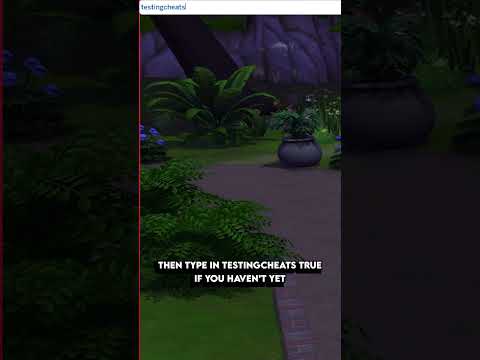
- Open the cheat console (Ctrl+Shift+C on PC, Command+Shift+C on Mac, or press all four shoulder buttons on consoles).
- Type
testingcheats trueand press Enter. - Type
freerealestate onand press Enter.
- Money [Amount]: This cheat directly sets your household’s Simoleons to the specified amount. If you need funds to furnish a new house or buy a lot after changing its type, use this cheat. For instance,
money 9999999will give your household the maximum amount of Simoleons. - bb.moveobjects on: Allows you to freely move objects. This is a build cheat code and is extremely useful for building and decorating.
- bb.enablefreebuild: This cheat allows you to build on normally restricted lots, like the hospital or police station. This doesn’t add new lots, but enables more editing freedom.
Frequently Asked Questions (FAQs) About Sims 4 Lots
1. Can I create completely new neighborhoods in The Sims 4?
No, you cannot create entirely new neighborhoods from scratch. The available worlds and neighborhoods are fixed. However, you can customize existing neighborhoods extensively by changing lot types, building new structures, and downloading content from the gallery.
2. How do I change the lot type of an existing lot?
In Build Mode, click on the Lot Info panel in the top-left corner of the screen. There, you’ll find a dropdown menu labeled “Lot Type.” Select the desired lot type from the list (e.g., Residential, Park, Bar).
3. What is Newcrest, and why is it completely empty?
Newcrest is a special neighborhood designed to be entirely customizable. It contains only empty lots, allowing you to build your own houses, community lots, and businesses from scratch. It is great for new experiences!
4. Can I own multiple residential lots in The Sims 4?
Without mods, you can only actively control one household living on one residential lot at a time. You can move your household to a new lot, but you cannot “own” multiple residential properties simultaneously.
5. How do I move a house from the Gallery to my neighborhood?
Open Build Mode. Click the Gallery button in the upper-right corner. Select “My Library” tab at the top. Click on the house you want to place. Click “Place Lot” in the bottom right corner. Choose the lot you want to place it on.
6. How do I move Sims into a house they can’t afford?
Use the freerealestate on cheat. Open the cheat console (Ctrl+Shift+C on PC/Mac, all shoulder buttons on consoles), type testingcheats true, press Enter, then type freerealestate on, and press Enter. Now, you can move your Sims into any residential lot, regardless of the cost.
7. What is the largest lot size in The Sims 4?
The largest lot size available in The Sims 4 is 64×64. These lots provide ample space for elaborate builds and large families.
8. Why are some lots unfurnished when I try to move in?
@cutycupcakeje Any house or apartment a Sim dies in can’t be moved into by another family furnished. The game will always force you to choose unfurnished or bulldozed on these lots. You can go into build mode and replace an item of furniture to allow the family to move in furnished.
9. What happens if I leave The Sims 4 unpaused for a long period?
While leaving the game unpaused for extended periods can lead to interesting (and sometimes chaotic) developments in your Sims’ lives, it doesn’t directly result in new lots being created. Sims might get divorced, have children, or experience other life events.
10. How do I find the secret lots in The Sims 4?
The Sims 4 has several secret lots, such as Sylvan Glade in Willow Creek. To access them, you typically need to interact with specific objects or locations in the game. For Sylvan Glade, find the Sylvan Tree in Foundry Cove, water it, compliment its leaves, and then talk to it. Eventually, a portal will open.
11. Can I rent a lot in The Sims 4?
Yes, but only with the For Rent Expansion Pack, which allows players to create and manage rental properties. You can convert existing lots into rental units and control multiple tenants.
12. How do I make money quickly in The Sims 4?
Several strategies exist. One popular method involves developing skills like painting or writing and then selling your creations. Alternatively, you can use money cheats like “kaching,” “rosebud,” or “motherlode” to instantly acquire Simoleons. For more long-term wealth creation, consider pursuing careers with high earning potential, such as programming or becoming a successful author. Check out the Games Learning Society to read some papers on gamified skills.
13. What do I do with “homeless” Sims in my game?
“Homeless” Sims are essentially unemployed Sims who wander around the neighborhood. You can invite them to join your household, give them jobs, or simply let them live their lives as NPCs (Non-Player Characters).
14. How can I turn a regular house into a haunted house?
With the Paranormal Stuff Pack any Residential lot can be turned into a Haunted House Residential lot in Build/Buy. In the lot info panel in the top left of the screen, simply click the lot type drop down list and select Haunted House Residential.
15. How do I build anywhere for free in The Sims 4?
First, open the cheat console (Ctrl+Shift+C on PC/Mac, all shoulder buttons on consoles), type testingcheats true, press Enter, then type FreeRealEstate On, and press Enter. This will allow you to build and move your Sims into a home for free. bb.moveobjects on allows you to place object anywhere.
Conclusion
While you can’t create new lots in the traditional sense, The Sims 4 offers ample opportunities to expand your gameplay experience by creatively managing existing lots, utilizing the Gallery, exploring different lot types, and employing helpful cheats. These methods, coupled with your imagination, will enable you to build the Sim universe of your dreams. Dive in, get building, and discover the endless possibilities that await! For resources on gaming, consider visiting GamesLearningSociety.org.