Unleash Your Inner Game Master: How to Give Yourself a Spawner
Fast answer first. Then use the tabs or video for more detail.
- Watch the video explanation below for a faster overview.
- Game mechanics may change with updates or patches.
- Use this block to get the short answer without scrolling the whole page.
- Read the FAQ section if the article has one.
- Use the table of contents to jump straight to the detailed section you need.
- Watch the video first, then skim the article for specifics.
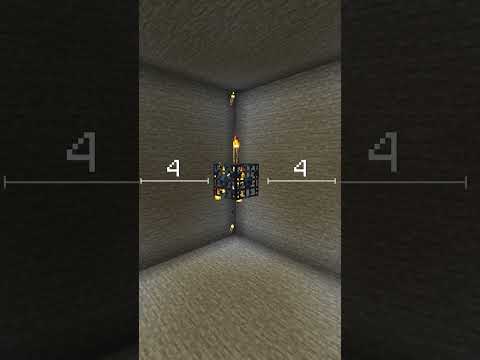
So, you want to conjure mobs out of thin air? You’re yearning for the power of a dungeon master, seeding your world with creatures both friendly and fearsome? You want to know how to give yourself a spawner? Excellent! You’ve come to the right place. The answer, in short, involves a bit of command-line magic in your game, and we’re here to guide you through it.
The direct method to obtain a spawner involves utilizing the /give command in your game’s console (assuming you’re playing a game that supports it, such as Minecraft). Here’s the breakdown:
-
Enable Cheats/Commands: First and foremost, ensure that cheats are enabled in your world. In many games, this is a setting you can toggle when creating a new world, or sometimes by editing world settings.
-
Open the Console: Access the command console. This is usually achieved by pressing the
/key, or sometimes theTkey, depending on the game’s control scheme. -
Enter the Command: Type the following command (or its game-specific equivalent, if necessary):
/give @s minecraft:spawner@sThis is a target selector, telling the game to give the item to the player executing the command (that’s you!).minecraft:spawnerThis specifies the item you want to receive, in this case, a spawner block. You might need to adjust this based on the specific game you’re playing.
-
Press Enter: Execute the command. You should now have a spawner block in your inventory!
-
Set the Spawned Entity (Optional, but Crucial): By default, a newly spawned spawner won’t spawn anything. You need to set the entity it will spawn. This involves using commands to modify the spawner’s data. Here’s the basic concept: place the spawner, then target it with a command and set its “SpawnData” tag. The exact command will vary depending on the game, but it might look something like this:
/data merge block ~ ~ ~ {SpawnData:{entity:{id:"minecraft:zombie"}}}~ ~ ~These coordinates represent the block at your current location (where you placed the spawner).{SpawnData:{entity:{id:"minecraft:zombie"}}}This specifies the entity to spawn – in this case, a zombie. Replaceminecraft:zombiewith the ID of whatever creature you desire.
Important Considerations:
- Game Specifics: The exact commands and entity IDs will vary depending on the game you’re playing. Consult the game’s documentation or online resources for accurate syntax and available entities.
- Creative Mode: This method generally requires you to be in creative mode, as the spawner block is not normally obtainable in survival mode.
- Permissions: You need the necessary permissions to use commands. If you’re playing on a server, you might need to be an administrator or have operator privileges.
- Data Packs/Mods: Some games might use data packs or mods to alter the behavior of spawners or add new types of spawners. Consult the documentation for any data packs or mods you have installed.
Now that you know the core method, let’s delve into some common questions and scenarios to further refine your spawner skills!
Frequently Asked Questions (FAQs) About Spawners
Here are 15 FAQs to help you master the art of manipulating spawners in your game world:
1. Can I get a spawner in Survival mode?
Normally, no. Spawners are typically only obtainable in creative mode using commands. However, some games allow players to move existing spawners using certain tools or mods, which, in effect, allows you to “acquire” one in survival.
2. What if the /give command doesn’t work?
Double-check that cheats are enabled in your world settings. Also, ensure you have the correct permissions if you are playing on a server. Finally, make sure you’ve typed the command correctly, paying attention to capitalization and syntax. Some games also require a prefix before the command (e.g., / or !).
3. How do I change what the spawner spawns?
You’ll need to use a command to modify the spawner’s “SpawnData” tag. The exact command will vary by game, but it usually involves using the /data merge block command targeting the spawner’s location. For example, in Minecraft, you might use:
/data merge block ~ ~ ~ {SpawnData:{entity:{id:"minecraft:skeleton"}}}
This would change the spawner to spawn skeletons instead of whatever it was previously spawning. Remember to replace minecraft:skeleton with the correct entity ID for the creature you want.
4. How do I find the entity ID for a specific mob?
Entity IDs are game-specific. Consult the game’s official wiki or documentation. Online resources like the Minecraft Wiki or other game-specific wikis are excellent sources for finding entity IDs.
5. Can I control the spawn rate of the spawner?
Yes, but the method varies greatly between games. Some games allow you to modify the “Delay” or “SpawnCount” tags of the spawner using commands. Other games might have in-game mechanics or items that affect spawn rates within a certain radius of the spawner.
6. How do I stop a spawner from spawning?
You can either destroy the spawner block (if you no longer need it) or disable it using a command. Some games have a “powered” tag that can be set to 0 to disable the spawner.
7. Can I make a spawner spawn multiple types of mobs?
Yes, some games support this through the use of “WeightedProbabilities” within the spawner’s data. This allows you to specify multiple entities and their relative spawn chances.
8. What’s the difference between a spawner and a naturally generated mob spawn?
A spawner is a block that continuously spawns mobs within a certain radius, regardless of natural spawn conditions (like light level). Naturally generated mobs spawn based on specific criteria (light level, biome, time of day, etc.) determined by the game’s spawning algorithms.
9. Can I move a spawner after I’ve placed it?
In most cases, you can’t directly move a spawner once it’s placed, especially in survival mode. However, some mods or datapacks may add functionality to allow you to move spawners using certain tools.
10. Are there different types of spawners?
Yes, often. Some games have spawners that only spawn specific types of mobs (like cave spiders or blazes). Other games might have different tiers of spawners with varying spawn rates or ranges.
11. Why isn’t my spawner working?
Several factors could be at play. Ensure the spawner has been configured with a valid entity ID. Check that there’s enough space around the spawner for mobs to spawn (usually a 3x3x3 area). Verify that there are no obstacles blocking the spawn area. Also, confirm that the spawner is not disabled (e.g., by a “powered” tag set to 0).
12. Can I use spawners to create mob farms?
Absolutely! This is one of the most common uses for spawners. By creating a system to collect and kill the spawned mobs, you can efficiently farm resources like experience points, mob drops, and other valuable items.
13. Do spawners work in all dimensions?
This depends on the game. In Minecraft, spawners generally work in all dimensions, but the types of mobs that can spawn might be limited by the dimension’s specific properties. For example, a spawner configured to spawn endermen would only function in the End dimension.
14. Can I give a spawner specific equipment?
Yes, through command manipulation. You can modify the “SpawnData” tag to include information about the entity’s equipment. This is a more advanced technique but allows you to create spawners that spawn mobs with specific weapons, armor, or other items.
15. How do I learn more about advanced spawner manipulation?
Explore online resources, such as game-specific wikis, forums, and YouTube tutorials. Experiment with different commands and data tags to discover the full potential of spawners. Understanding JSON formatting (used in commands and data tags) will be invaluable. For insights into how these gaming mechanics contribute to learning and problem-solving, consider exploring the resources available at the Games Learning Society website: Games Learning Society. This website, GamesLearningSociety.org, showcases how games are utilized in education.
Mastering spawners takes practice, experimentation, and a healthy dose of curiosity. So, fire up your game, unleash your inner game master, and start experimenting! With the knowledge you’ve gained here, you’ll be well on your way to becoming a spawner pro. Happy spawning!