How to Open a Store in The Sims 4: A Comprehensive Guide
Fast answer first. Then use the tabs or video for more detail.
- Watch the video explanation below for a faster overview.
- Game mechanics may change with updates or patches.
- Use this block to get the short answer without scrolling the whole page.
- Read the FAQ section if the article has one.
- Use the table of contents to jump straight to the detailed section you need.
- Watch the video first, then skim the article for specifics.
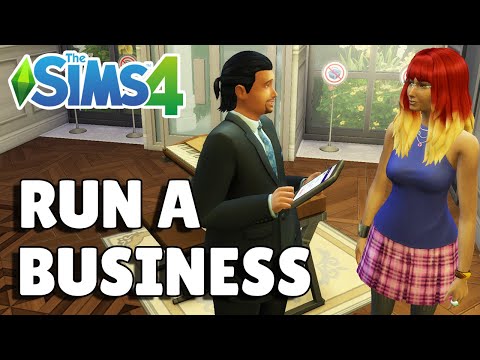
Opening a store in The Sims 4 is a fantastic way to add depth and challenge to your gameplay. It allows you to control every aspect of a business, from stocking shelves to managing employees and setting prices. To open a store, you need The Sims 4: Get to Work expansion pack. Once you have that, the process involves purchasing a retail lot, building and furnishing your store, stocking it with items to sell, hiring employees (optional), and then opening for business! Let’s break it down step-by-step.
Step-by-Step Guide to Opening Your Sims 4 Store
1. Acquire a Retail Lot
First, you’ll need to acquire a retail lot. This can be an empty lot or an existing building you convert. Remember, you cannot start a store on your Sim’s residential lot.
- Using the Phone: Use your Sim’s phone and select “Household” then “Purchase a Retail Lot.” This takes you to the world map.
- World Management: Alternatively, go to “Manage Worlds” from the main menu or by using your Sim’s phone. Choose a world, select an empty lot (or a lot with a building you want to use), and change the lot type to “Retail.”
2. Prepare the Lot
Once you own the lot, travel there and enter build mode.
- Building Your Store: You’ll need to design and build your store. This includes walls, doors, windows, and a cash register. Consider the flow of customers and how you want to display your merchandise.
- Essential Furnishings: Essential items include at least one cash register, displays (shelves, mannequins, tables), dressing rooms (if you’re selling clothes), and decorations to make the store appealing.
3. Stock Your Store
Now comes the fun part: stocking your store with items to sell.
- Buying Merchandise: Most items can be purchased directly from build mode under the retail tab. This includes mannequins for clothing stores, shelves for books, displays for artwork, and so on.
- Crafting and Creating: Sims can also create items to sell through various skills. For example, a Sim with high painting skill can sell their paintings, or a Sim with woodworking skill can sell furniture.
- Pricing Items: After placing your merchandise, click on each item to set the price markup. A higher markup means more profit, but may deter customers. Experiment to find the sweet spot.
4. Hire and Manage Employees (Optional)
As your business grows, you might want to hire employees.
- Hiring: Use the cash register to hire employees. You can check their skills before hiring.
- Training: Train your employees to improve their skills and customer service. Happy employees lead to better customer experiences.
- Tasks: Assign tasks to your employees, like running the cash register, stocking shelves, and cleaning.
5. Open for Business!
Once your store is set up and stocked, it’s time to open for business!
- Opening the Store: Click on the cash register and select “Open Retail.” Your Sim will then be the owner on the job.
- Customer Interaction: Interact with customers to make sales. Offer assistance, compliments, and discounts to encourage purchases.
- Monitor Finances: Keep an eye on your store’s finances through the retail panel. This panel provides insights into your sales, expenses, and overall profit. Adjust your prices, restock merchandise, and manage employees to improve your bottom line.
6. Business Perks
As you make sales, you will earn perk points. These can be spent in the retail perks menu to get some pretty fantastic bonuses!
- Faster Restocking.
- Better Sales.
- Increased Customer Happiness.
Opening a store in The Sims 4 requires patience, planning, and a bit of creativity. But with the right approach, it can be a rewarding and profitable experience for your Sims. From clothing boutiques to art galleries, the possibilities are endless.
Frequently Asked Questions (FAQs) About Sims 4 Stores
1. What Sims pack lets you own a store?
The Sims 4: Get to Work expansion pack is required to own and operate a retail store. This pack introduces the retail system and allows Sims to manage various businesses.
2. How do you get to the Sims 3 store?
To access The Sims 3 Store, open the Sims 3 Launcher, log into your account, and select “Go to Store.” This will open The Sims 3 website where you can browse and purchase items.
3. How much does it cost to buy all the Sims 4 stuff packs?
As of the latest count, purchasing every Sims 4 pack, including expansion packs, game packs, and stuff packs, can cost around $870 USD or more. Prices vary depending on sales and promotions.
4. How do you open a clothing store in Sims 4?
To open a clothing store, purchase a retail lot, build and furnish the store, purchase mannequins, dress them with clothing for sale, and set the price markup on each item.
5. Can you open a store in Sims 4 on your home lot?
No, you cannot open a store on the Sim’s home lot. You need to purchase a separate retail lot.
6. How do you sell outfits on Sims 4?
With the High School Years expansion pack, you can sell outfits through the Trendi app. Select the shopping bag in your inventory and choose the “sell outfit on Trendi” option. Then, ship the outfit via your home mailbox.
7. How do you become a store owner on Sims 4?
Use your Sim’s phone and select the “Household” option, then choose “Purchase a Retail Lot.” This takes you to the world map, where you can buy a property for your business.
8. How do you start a restaurant in Sims 4?
With The Sims 4: Dine Out game pack, use the “Ownership” button in the bottom right corner to select “Buy a Restaurant.” Choose a lot, fund the business, and customize your restaurant.
9. How do you set up a shop on Sims 4?
Adjust the plot type on your desired lot to “Retail” and then press the cash register icon in the bottom right of the screen. This allows you to purchase the retail plot and adjust retail options.
10. Can you buy from Sims store?
Yes, you can buy items from the Sims 3 Store through the Sims 3 Launcher. For Sims 4, there isn’t a store in the same way; instead, new content is acquired through purchasing and installing expansion packs, game packs, and stuff packs.
11. Can you run a cafe in Sims 4?
While you cannot purchase a pre-built café, you can build one. Build a structure and fill it with appropriate items such as ovens, blenders, and coffee makers.
12. How do businesses make money in Sims 4?
Businesses make money by selling items to customers. The profit depends on the price markup you set for your merchandise.
13. Can you open a retail store without being there Sims 4?
Yes, if you have enough employees, you can have your store run even when you’re not there. Use the Store Panel to order the store open and manage it remotely.
14. Can you sell a store on Sims 4?
Yes, through the Store Panel, you can choose to sell your store back to the market. Any debts must be settled first, and the remaining money will transfer to your personal account.
15. Can you sell anything in a retail store Sims 4?
Virtually anything you can purchase or create in the game can be sold in a retail store, offering a huge amount of flexibility.
By following these steps and consulting these FAQs, you’ll be well on your way to creating and managing a successful retail business in The Sims 4. Remember, creativity and experimentation are key to maximizing your profits and having fun! To learn more about the power of gaming and learning, check out the Games Learning Society at GamesLearningSociety.org!