How to Press the PS Button on PS3 Without a Controller: A Comprehensive Guide
Fast answer first. Then use the tabs or video for more detail.
- Watch the video explanation below for a faster overview.
- Game mechanics may change with updates or patches.
- Use this block to get the short answer without scrolling the whole page.
- Read the FAQ section if the article has one.
- Use the table of contents to jump straight to the detailed section you need.
- Watch the video first, then skim the article for specifics.
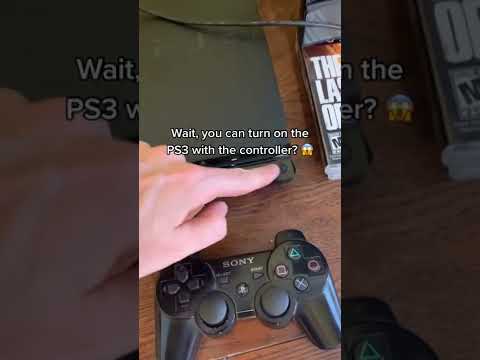
So, you’ve found yourself in a bit of a pickle. Your trusty PS3 controller has gone AWOL, met an untimely demise, or is simply refusing to cooperate. Now you’re staring at your PS3, wondering how on Earth you’re going to navigate the menus, quit a game, or even just turn the darn thing off. The crucial element missing? That darn PS button! Fear not, fellow gamer, for there are several paths to victory in this controller-less conundrum.
The most direct answer is: if you are using a PS4 controller (DualShock 4) on a PS3, you cannot directly press the PS button using the PS4 controller itself. Sony implemented different protocols for the PS button functionality between the PS3 and PS4, making direct emulation impossible. You’ll need an alternative method. Let’s dive into your options:
Solutions for Pressing the PS Button Without a PS3 Controller
Here’s a breakdown of the available methods, ranked from simplest to slightly more involved:
-
The Keyboard Trick: If you have a USB keyboard plugged into your PS3, the Windows key (or its equivalent on other keyboards) might function as the PS button. This isn’t guaranteed, but it’s the first thing you should try. Simply press the Windows key and see if the PS3 responds. If you are trying to use a keyboard to control the console, then it may work.
-
HDMI Device Link (HDMI-CEC): Many modern TVs support HDMI-CEC (Consumer Electronics Control), which allows them to control devices connected via HDMI. The PS3 has a setting called “Enabled HDMI Device Link” in System Settings. If your TV supports HDMI-CEC and this setting is enabled on your PS3, your TV remote can act as a basic controller. You can then navigate using the directional buttons, confirm with the “OK” or “Enter” button, and often, a button on the remote can mimic the PS button’s functionality (often the “Menu” or “Home” button). This is particularly useful for initial setup or simple navigation.
-
Media Remote: The official PS3 Media Remote is designed specifically for controlling media playback on the console. Importantly, it does have a dedicated PS button. If you happen to have one of these lying around, you’re in luck. It’s a simple and reliable solution.
-
Using an Original PS3 Controller (DS3): Of course, the most obvious solution is to simply use a DualShock 3 (DS3) controller. If you can borrow one from a friend, find a used one, or even purchase a replacement, you’ll be back in business in no time.
-
Adapters for PS4 Controllers: Certain third-party adapters allow PS4 controllers to fully function on the PS3, including the PS button. These adapters essentially translate the PS4 controller’s signals into PS3-compatible ones. Research specific adapters to ensure compatibility and functionality before purchasing. A wired connection is your best bet when using the PS4 controller.
-
Remote Play (If Already Set Up): If you previously set up Remote Play on a PS Vita, PSP, or compatible smartphone, you can use that device to control your PS3 remotely, including pressing the PS button. This requires that the PS3 is in Remote Play connection standby mode.
-
Hard Reset (Last Resort): If all else fails and you just need to turn the console off, you can perform a hard reset by holding down the power button on the console itself until it shuts down. However, this should only be done as a last resort, as it can potentially lead to data corruption. It’s not a replacement for using the PS button, but it can get you out of a frozen situation.
Choosing the Right Method
The best solution for you will depend on your specific circumstances:
- Easiest: Try the keyboard first, followed by checking HDMI Device Link functionality.
- Most Reliable: Using a DualShock 3 controller or a PS3 Media Remote.
- Convenient (If Available): Remote Play if you’ve already set it up.
- Adaptable: Third-party adapters for PS4 controllers.
- Emergency Only: Hard reset as a last resort.
It’s important to remember that the PS3 is an older console, and compatibility with newer devices isn’t always guaranteed. However, with a little ingenuity and the right tools, you can overcome the challenge of pressing the PS button without a traditional controller.
Frequently Asked Questions (FAQs)
Here are some frequently asked questions to further clarify the process:
1. Can I use any USB keyboard to control my PS3?
Most standard USB keyboards should work for basic text input and potentially for emulating the PS button with the Windows key. However, advanced keyboard features or specialized gaming keyboards may not be fully compatible.
2. How do I enable HDMI Device Link (HDMI-CEC) on my PS3?
Navigate to Settings > System Settings > Control for HDMI and ensure it is set to “On.” You may also need to enable HDMI-CEC on your TV, which might be called something different depending on the manufacturer (e.g., Bravia Sync on Sony TVs, Anynet+ on Samsung TVs).
3. What if my TV remote doesn’t have the right buttons to control my PS3 via HDMI-CEC?
The level of control you get via HDMI-CEC varies depending on the TV. You might be limited to basic directional control and selection. In some cases, the “Menu” or “Home” button will act like the PS button, but not always. Experiment with the available buttons on your remote.
4. Are there any risks associated with performing a hard reset on my PS3?
Yes, performing a hard reset (holding the power button) can potentially lead to data corruption, especially if the console is in the middle of saving data. It’s best to avoid doing this unless absolutely necessary.
5. Can I use a universal remote to control my PS3?
Some universal remotes, especially newer models with Bluetooth connectivity, may be able to be paired with the PS3. Check your universal remote’s manual for instructions on pairing with Bluetooth devices. If it can be paired, it might offer a way to emulate the PS button.
6. Will any PS3 Media Remote work, or are there different versions?
Any official PS3 Media Remote should work with any PS3 console. There aren’t different versions with incompatible protocols.
7. Where can I find a used DualShock 3 controller?
You can find used DualShock 3 controllers on online marketplaces like eBay, Craigslist, and Facebook Marketplace. Game stores that buy and sell used games may also have them in stock.
8. How do I pair a Bluetooth device (like a remote) with my PS3?
Go to Settings > Accessory Settings > Manage Bluetooth Devices and follow the on-screen instructions to pair a new device. The device must be in pairing mode for the PS3 to detect it.
9. My PS3 is frozen, and none of these methods are working. What can I do?
If your PS3 is completely frozen and unresponsive, your only option might be a hard reset. However, try unplugging the console first, waiting a few minutes, and then plugging it back in. This might sometimes resolve the issue without data loss.
10. Can I use my phone as a controller if I don’t have Remote Play set up?
No, unless you are able to get Remote Play set up on your phone. You’ll need to get the app and link it to your PSN account. Without this, the PS3 won’t recognize your phone as a controller without the phone having the ability to simulate a PS3 controller.
11. Are there any alternatives to official PS3 Media Remotes?
Yes, there are third-party media remotes for the PS3 available online. Just make sure that they’re compatible with the console.
12. How do I update my PS3’s system software without a controller?
Without a working controller, updating the PS3’s system software can be tricky. If you can navigate the menus using HDMI-CEC, you may be able to initiate the update through the System Update option in the Settings menu. Otherwise, you may need to wait until you can get a working controller.
13. Can I use a USB gamepad on my PS3?
Yes, you can connect a USB gamepad to your PS3. This will allow the gamepad to be used in-game; however, this may not allow you to navigate the home menu or use the PS Button.
14. Can you connect a PS4 controller to a PS3 for wireless connection?
Yes, the PS4 controller can connect to the PS3 using a wire, without extra set up. If you want to use it as a wireless connection, you will need to buy a special adaptor.
15. Can I use my PS3 to better understand the design of future games?
Absolutely! The PS3, while an older console, provides valuable insights into game design principles and technological limitations that shaped the industry. Understanding these constraints can inform your approach to modern game development. The Games Learning Society, with its focus on the intersection of games and education, offers resources and community to explore these concepts further. Check out GamesLearningSociety.org for more!