Sharing the Fun: A Comprehensive Guide to Game Sharing on 3 Nintendo Switch Consoles
Fast answer first. Then use the tabs or video for more detail.
- Watch the video explanation below for a faster overview.
- Game mechanics may change with updates or patches.
- Use this block to get the short answer without scrolling the whole page.
- Read the FAQ section if the article has one.
- Use the table of contents to jump straight to the detailed section you need.
- Watch the video first, then skim the article for specifics.
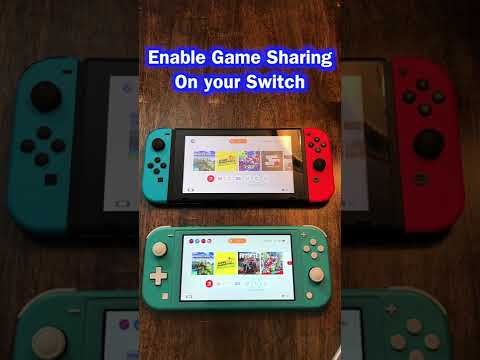
Sharing the joy of Nintendo Switch games across multiple consoles within a family or household is a common desire. While the Nintendo Switch system offers flexibility, it also has specific limitations regarding game sharing. The core principle revolves around the primary console designation and Nintendo Account linking. To share games on three Nintendo Switch consoles, you need to understand that only one console can be designated as the primary console for a given Nintendo Account. This primary console allows anyone using it to access and play the digital games purchased with that account, online or offline. The other two consoles will function as non-primary consoles. On these non-primary consoles, only the Nintendo Account that purchased the game can play it, and they must have an active internet connection. Essentially, you can download the game on all three consoles, but access will be restricted as described above. This guide delves into the details and answers frequently asked questions to clarify the process and navigate its nuances.
Understanding the Nintendo Account and Primary Console System
The foundation of game sharing on Nintendo Switch lies in understanding the role of the Nintendo Account and the primary console designation.
- Nintendo Account: This is your digital identity on the Nintendo Switch system. It’s linked to your digital purchases, save data, and online services.
- Primary Console: This is the Nintendo Switch console you designate as the “home” for your Nintendo Account. Anyone using this console can play your digital games, regardless of their user profile, and even without an internet connection.
- Non-Primary Console: Any other Nintendo Switch console linked to your Nintendo Account is considered a non-primary console. On these consoles, only you (the account holder) can play the digital games you’ve purchased, and only when connected to the internet.
How to Designate a Primary Console
- On the Nintendo Switch console you want to make primary, open System Settings from the HOME Menu.
- Select Users, then select your user profile.
- Scroll down to the Nintendo Account section and select Register as Primary Console.
- Follow the on-screen instructions. If you’ve already designated a primary console, you’ll be prompted to deregister it first.
How to Play on Non-Primary Consoles
- Ensure the non-primary console is connected to the internet.
- Open the Nintendo eShop and sign in with the Nintendo Account that purchased the game.
- Redownload the game if necessary.
- Launch the game from the HOME Menu using the profile linked to the Nintendo Account that made the purchase.
Game Sharing Scenarios with Three Nintendo Switch Consoles
Let’s consider a scenario with three consoles: Console A, Console B, and Console C, all within the same household. User 1 owns the Nintendo Account with the digital games.
- Console A (Primary Console): User 1 designates Console A as their primary console. Any user on Console A can play User 1’s digital games, online or offline.
- Console B (Non-Primary Console): User 1 can play their games on Console B, but only when connected to the internet, and only using the profile linked to User 1’s Nintendo Account. Other users on Console B cannot access User 1’s games.
- Console C (Non-Primary Console): Similar to Console B, User 1 can play their games on Console C, but only when connected to the internet, and only using the profile linked to User 1’s Nintendo Account. Other users on Console C cannot access User 1’s games.
This setup allows User 1 to play their games on any of the three consoles, while also allowing others to play those games freely on the primary console (Console A). However, it also means that only User 1 can play their digital games on Consoles B and C, and only with an internet connection.
Limitations and Considerations
- Simultaneous Play: User 1 cannot play the same digital game simultaneously on more than one console using the same Nintendo Account. If User 1 attempts to launch the same game on Console B while it’s already running on Console A, the game on Console A will be suspended.
- Internet Connection: A constant internet connection is required to play digital games on non-primary consoles. If the internet connection is lost, the game will be suspended.
- Save Data: Save data is typically stored on the console’s internal memory. Cloud saves are available with a Nintendo Switch Online subscription, allowing you to sync save data across consoles for supported games.
- Physical Games: Physical game cartridges can be shared freely between any Nintendo Switch consoles. The limitations discussed above only apply to digital games purchased through the Nintendo eShop.
Maximizing Game Sharing Potential
While the Nintendo Switch‘s game sharing system has limitations, there are ways to maximize its potential.
- Nintendo Switch Online Family Membership: Consider purchasing a Nintendo Switch Online family membership. This allows up to eight Nintendo Accounts to access online features, including cloud saves, for a lower price than individual memberships. This ensures that save data can be transferred between consoles easily.
- Strategically Designate the Primary Console: Choose the console that is most frequently used by multiple family members as the primary console to maximize access to digital games.
- Physical Copies for Shared Play: For games that multiple people want to play simultaneously, consider purchasing physical copies. This bypasses the limitations of digital game sharing.
- Explore Demo Versions: Before purchasing a digital game, explore the demo version (if available) on all consoles to ensure everyone enjoys the game.
The Games Learning Society studies how people learn through play, which can inform how families approach game sharing and create a more collaborative and enjoyable gaming experience. For more insights, visit GamesLearningSociety.org.
FAQs: Sharing Games on 3 Nintendo Switch Consoles
Here are 15 frequently asked questions about game sharing on three Nintendo Switch consoles, providing further clarification and helpful tips.
1. Can I play the same digital game simultaneously on three Nintendo Switch consoles using the same Nintendo Account?
No, you cannot. The game will be suspended on the first console if you try to launch it on another console with the same Nintendo Account.
2. What happens if the internet connection is lost on a non-primary console while playing a digital game?
The game will be suspended, and you’ll need to reconnect to the internet to resume playing.
3. Can other users play my digital games on a non-primary console?
No, only the Nintendo Account that purchased the game can play it on a non-primary console.
4. How do I change my primary console?
You can deregister your current primary console and register a new one through the Nintendo eShop settings on the new console. You can only change your primary console a limited number of times.
5. Do physical games have the same sharing restrictions as digital games?
No, physical game cartridges can be freely shared between any Nintendo Switch consoles.
6. What is Nintendo Switch Online and how does it relate to game sharing?
Nintendo Switch Online is a subscription service that provides access to online multiplayer, cloud saves (for supported games), and a library of classic Nintendo games. Cloud saves can be beneficial for syncing save data across multiple consoles.
7. Can I transfer save data between Nintendo Switch consoles without Nintendo Switch Online?
Some games allow you to transfer save data to another console via local wireless connection. Check the game’s documentation for instructions.
8. How many Nintendo Accounts can be linked to a single Nintendo Switch console?
Up to eight user accounts (each potentially linked to a Nintendo Account) can be created on a single Nintendo Switch console.
9. What is a Nintendo Account Family Group?
A Nintendo Account Family Group allows up to eight Nintendo Accounts to be linked together for easier management and parental controls.
10. Can I use a Nintendo Account Family Group to share games?
While a Family Group simplifies account management, it doesn’t directly enable game sharing beyond the primary console system. Each account still needs to purchase its own digital games (or share via the primary console).
11. If I buy a game on my Nintendo Account, can my children play it on their accounts on the primary console?
Yes, if your console is designated as the primary console for your Nintendo Account, anyone using that console can play your digital games, regardless of their user profile.
12. Can I download the same game on multiple Nintendo Switch consoles using different Nintendo Accounts?
Yes, but each account will need to purchase the game separately.
13. What happens if I delete my Nintendo Account from a non-primary console?
You will no longer be able to play the digital games you purchased on that console, and the games will be removed from the HOME Menu.
14. Is there a way to share save data for Animal Crossing: New Horizons between multiple consoles?
As of now, Animal Crossing: New Horizons doesn’t support the transfer of save data between consoles, except through a specific island transfer tool in limited scenarios.
15. Can I use a microSD card to transfer digital games between Nintendo Switch consoles?
No, digital games are tied to the Nintendo Account and cannot be transferred between consoles via a microSD card. The microSD card can be used to store downloaded games, but it doesn’t bypass the primary console restrictions.
Conclusion
Sharing games on three Nintendo Switch consoles requires understanding the Nintendo Account system and the primary console designation. While there are limitations, strategic planning, and the use of physical games can maximize the gaming experience for everyone involved. By following the guidelines and FAQs outlined in this guide, you can effectively manage game sharing and ensure a fun and enjoyable gaming environment for your family. If you’re interested in the broader implications of gaming and learning, be sure to visit the Games Learning Society at GamesLearningSociety.org.