Sharing the Fun: A Comprehensive Guide to Game Sharing Across Three Nintendo Switch Consoles
Fast answer first. Then use the tabs or video for more detail.
- Watch the video explanation below for a faster overview.
- Game mechanics may change with updates or patches.
- Use this block to get the short answer without scrolling the whole page.
- Read the FAQ section if the article has one.
- Use the table of contents to jump straight to the detailed section you need.
- Watch the video first, then skim the article for specifics.
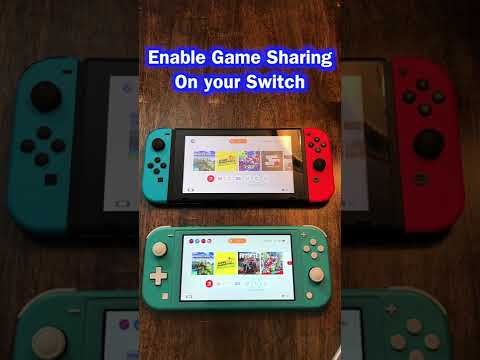
So, you’ve got a Nintendo Switch family, maybe one for each kid, or perhaps you and your partner both want to game on the go. The question is: how do you maximize your digital game library across multiple consoles without breaking the bank? Sharing games across three Nintendo Switch consoles, while not entirely seamless, is definitely possible. This article will break down the best approaches, covering primary and non-primary console setups and addressing common questions to ensure your gaming family is happy and playing together.
The core principle is that your Nintendo Account is key. Purchases made on your account can be accessed on any Nintendo Switch console linked to that account. However, Nintendo utilizes a system of primary and non-primary consoles that affects how those games can be played and who can access them. With three consoles, you’ll have one designated as your primary, and the other two will be non-primary. This means that you’ll need to understand the limitations and benefits of each type of console.
The key is understanding primary and non-primary consoles:
- Primary Console: This is where anyone who uses the console can access and play your digital games, even without needing your Nintendo Account logged in. Games can be played offline, and other users on the primary console can use your downloaded games and content.
- Non-Primary Consoles: On these consoles, only you (the account holder) can access and play the games you’ve purchased. An active internet connection is required to verify your account’s access rights each time you launch a game. Other users on the console cannot play your games unless they are logged in under your account.
Here’s the breakdown:
-
Choose Your Primary Console: Select the console that’s most frequently used by the whole family, or the one where offline access is most important.
-
Link Your Nintendo Account: On all three consoles, create a user profile and link it to your Nintendo Account. This is crucial; without the link, you won’t be able to download or play your games.
-
Designate Your Primary Console: On the console you’ve chosen, visit the Nintendo eShop while logged in with your Nintendo Account. This automatically designates that console as your primary. If you’ve already designated a primary console, visiting the eShop on a different console will prompt you to deactivate the current primary and switch to the new one.
-
Download Games: On all three consoles, log into the Nintendo eShop with your Nintendo Account and redownload the games you want to play. Go to your account profile in the eShop and look for the “Redownload” section.
-
Playing on the Primary Console: Anyone using the primary console can play your downloaded games at any time, online or offline.
-
Playing on Non-Primary Consoles: On the non-primary consoles, only you (the account holder) can play the downloaded games. You must be connected to the internet, and you must launch the game from your user profile. Others on the console can’t access the games through their accounts.
The biggest limitation is that you cannot play the same digital game simultaneously on both primary and non-primary consoles using the same account. If you launch a game on the non-primary console while someone is playing the same game on the primary console, the non-primary console will receive an error message.
Sharing Physical Games
If your sharing needs extend beyond a single account or if you want to avoid online connectivity requirements, physical game cartridges offer a simple alternative. Since game data is saved to the console itself, not the cartridge, you can freely swap physical games between any number of Switch consoles. Each console will maintain its own separate save data.
Optimizing Your Sharing Strategy
Here are a few tips to optimize your game sharing experience:
- Prioritize Digital Games: Purchase digital games that are likely to be played frequently by multiple members of the family on the primary console.
- Physical for Shared Play: Consider physical copies for games you only want to play on one console or want to easily share.
- Coordinate Playtimes: Communicate with family members to avoid conflicts when playing the same digital games on different consoles.
Frequently Asked Questions (FAQs)
Here are some frequently asked questions about sharing Nintendo Switch games:
1. Can I play the same digital game simultaneously on two or three switches with the same account?
No. Nintendo’s DRM (Digital Rights Management) prevents this. You can only play a digital game on one console at a time using the same Nintendo Account. The primary console has offline access, while non-primary consoles require an active internet connection and can only be played by the account holder.
2. What happens if I try to play a game on a non-primary console while it’s already being played on the primary console?
The game on the non-primary console will display an error message, indicating that the software is already in use on another console linked to your account.
3. Can multiple user profiles on the same Switch console play digital games purchased on one Nintendo Account?
Yes, but only on the primary console. Anyone using the primary console can access and play the digital games purchased on the account.
4. How often can I change my primary console?
You can only deactivate one primary console to set a different one once per year, so choose wisely. Nintendo’s support team can potentially assist with additional deactivations in specific circumstances, such as a lost or broken console.
5. What if my Nintendo Switch is lost or stolen? How do I deactivate it as my primary console?
You can contact Nintendo Support to request a deactivation of your primary console if you no longer have access to it. Provide them with the necessary account information for verification.
6. Do I need a Nintendo Switch Online subscription to play shared games?
You need a Nintendo Switch Online subscription to access online multiplayer features, regardless of whether the game is being played on the primary or a non-primary console.
7. Can I share save data between multiple consoles?
Save data is stored on the console itself, not the Nintendo Account. Some games support cloud saves via Nintendo Switch Online, allowing you to transfer save data between consoles, but this requires a subscription and is not available for all games. Without Nintendo Switch Online, you can transfer save data, but it wipes off the game from the original source switch.
8. What is the difference between a Nintendo Account and a Nintendo Network ID?
A Nintendo Account is the current account system used on the Nintendo Switch and mobile devices. A Nintendo Network ID was used on older consoles like the Wii U and 3DS. While some compatibility features may exist, they are distinct account systems.
9. If I buy a game on the Nintendo website, will it automatically download to all my consoles?
No, it won’t automatically download. You’ll need to manually download the game from the Nintendo eShop on each console linked to your Nintendo Account.
10. Can I share downloadable content (DLC) across multiple consoles?
DLC sharing follows the same rules as game sharing. It can be accessed by anyone on the primary console, but only by the account holder on non-primary consoles.
11. Can I share digital games with friends who don’t live in my household?
Officially, Nintendo’s game-sharing system is intended for use within a single household. Sharing account credentials with individuals outside your household violates Nintendo’s terms of service and could result in account suspension.
12. What are the benefits of having a Nintendo Switch Online Family Membership?
A Family Membership allows up to eight Nintendo Accounts to access Nintendo Switch Online services, including online play, cloud saves (for compatible games), and access to a library of classic NES and Super NES games.
13. Can I use a microSD card to transfer games between Nintendo Switch consoles?
No. A microSD card can be used to store downloaded games and save data, but it cannot be used to directly transfer digital games from one Switch to another. Games must be redownloaded from the eShop.
14. Does Nintendo offer a dedicated family game sharing plan beyond the standard primary/non-primary system?
Currently, Nintendo doesn’t have a more robust game sharing plan. The primary/non-primary console system is the primary method for digital game sharing, alongside the physical game sharing.
15. Where can I learn more about video games and education?
There are great resources to learn more about video games and education. You can find more information at the Games Learning Society website, a community of people who study and design games for learning: GamesLearningSociety.org.
Sharing games across three Nintendo Switch consoles requires careful planning and understanding of Nintendo’s primary/non-primary console system. By leveraging both digital downloads and physical game cartridges, you can create a gaming ecosystem that caters to your family’s needs and preferences, ensuring everyone enjoys the Switch library without unnecessary expenses.