How does Weakaura Companion Work?
Fast answer first. Then use the tabs or video for more detail.
- Watch the video explanation below for a faster overview.
- Game mechanics may change with updates or patches.
- Use this block to get the short answer without scrolling the whole page.
- Read the FAQ section if the article has one.
- Use the table of contents to jump straight to the detailed section you need.
- Watch the video first, then skim the article for specifics.
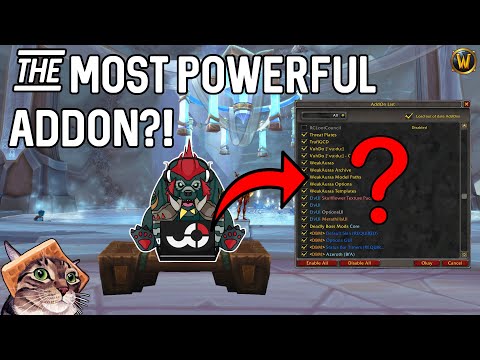
The WeakAuras Companion is a cross-platform application that bridges the gap between Wago and the WeakAuras World of Warcraft addon, allowing users to fetch updates to installed auras directly from Wago without manual import strings. By utilizing the WeakAuras Companion, users can seamlessly manage and update their WeakAuras configurations, enhancing their overall World of Warcraft gaming experience with customizable graphics and timely alerts.
Understanding WeakAuras and Its Companion
To fully appreciate the functionality of the WeakAuras Companion, it’s essential to understand what WeakAuras are and how they work. WeakAuras is a powerful and flexible framework that allows the display of highly customizable graphics on World of Warcraft’s user interface, indicating buffs, debuffs, and other relevant information. The WeakAuras Companion application simplifies the process of updating and managing these auras by connecting directly with Wago, the primary platform for WeakAuras distribution and updates.
Frequently Asked Questions
Below are some frequently asked questions that provide further insight into the WeakAuras Companion and its usage:
-
What are WeakAuras? WeakAuras is a framework that enables the display of customizable graphics on World of Warcraft’s interface to indicate buffs, debuffs, and other information.
-
How do you make WeakAuras always show? You can set an aura to always be visible by selecting “Always” at the bottom of the Display tab.
-
How do you unlock and move a WeakAura? To move a WeakAura, open WeakAuras (type “/wa”), select the aura, and drag it to the desired location on your screen.
-
How do you update WeakAuras with the Companion? Open the WeakAuras panel in-game, look for the ‘update-available’ icon next to the aura names, and click on it to upgrade or import as a copy.
-
Is the WeakAuras Companion safe? The WeakAuras Companion is considered safe, as it is a trusted application built to enhance the World of Warcraft experience with WeakAuras.
-
How do you share a WeakAura in chat? Once a WeakAura is installed, you can share it by opening chat and Shift+Left Clicking the “Link” button in the top right of the WeakAuras panel.
-
How do I resize a WeakAura group? Open WeakAuras, select the aura group, go to the Display tab, find the Size text box and slider, and adjust the size as desired.
-
What is magnetically align in WeakAuras? Magnetically align is a feature that helps in aligning WeakAuras by showing guide lines as you move them near other auras, allowing for precise placement.
-
How do you make a WeakAura glow when active? Add a new trigger for when the aura is active, change the activation requirement to “any trigger,” and add a condition that enables the “glow” property when the trigger is active.
-
Should I use WeakAuras? WeakAuras can enhance gameplay by providing critical information at a glance, allowing players to focus on other aspects of the game.
-
How do you use soft res WeakAura? Copy and paste the CSV into the box in the Custom Options tab to display soft reserves while the WeakAuras menu is open.
-
How to send a WeakAura in WoW? Export a WeakAura by opening WeakAuras (type “/wa” or “/weakauras” in chat) and following the in-game options for sharing.
-
How do you use WeakAura Classic? Open WeakAuras Classic by typing ‘/wa’ in the chat bar, and manage your auras through the intuitive interface.
-
How do you delete multiple WeakAuras? Delete WeakAuras completely by going to the World of Warcraft installation directory, finding the SavedVariables folder, and deleting files containing “WeakAuras” in their name.
-
Can WeakAuras have viruses? WeakAuras, like any World of Warcraft addon, is as safe as the source from which it is downloaded, emphasizing the importance of using trusted sources like Wago.
By understanding how the WeakAuras Companion works and addressing these frequently asked questions, users can leverage the full potential of WeakAuras to customize their World of Warcraft experience, ensuring a more engaging and efficient gameplay environment.